Project Brief
Docs + Word8 pages
Free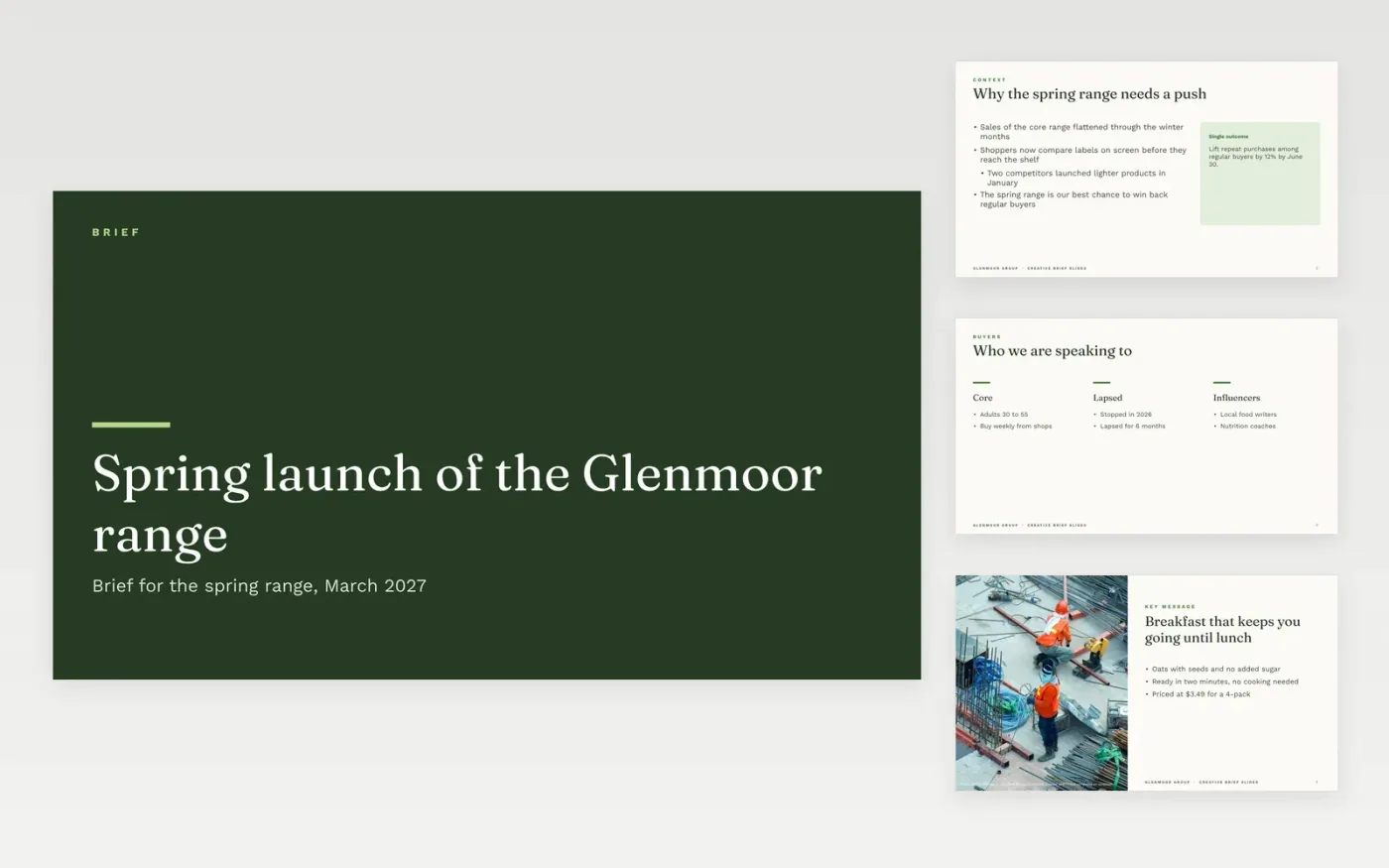
This free Google Slides template gives a marketing team a creative brief that a studio, agency or in-house designer can act on. It sets out the background, the single outcome wanted, the audience, the key message, the mood, the mandatory items and the production calendar. The brief gives direction without prescribing the solution, so the recipient's expertise has room to work.
The sample is a spring brief from Glenmoor Group, a fictional food company, for a breakfast range sold in the US. Its figures, dates and audience are invented. Replace the background, objective and mandatories with your own, keep one outcome measure, and confirm each mandatory with the legal and packaging teams before the brief is sent.
Click Make a copy in Google Slides, then confirm on the Google page. The copy is saved to your own Google Drive.
Replace the background and audience with the facts from your last campaign review.
Keep one objective and one outcome measure, so every concept can be judged against it.
Add the mandatories your legal and packaging teams have confirmed, and nothing else.
Delete the guide slide, then share the deck or present it from the first slide.
Ten slides or fewer is a good length. Keep the objective on the first content slide and the mandatories where the recipient can find them while working.
No. Glenmoor Group, the spring range, the audience figures, dates and contacts are fictional sample data. Replace them with your own details before you send the brief.
Not the finished idea. Give the problem, the outcome and the constraints, and leave the solution to the recipient. Mood references can show direction without dictating the layout.
More Google Slides templatesMore project management templates
Docs + Word8 pages
Free
Docs + Word5 pages
Free
Slides + PowerPoint11 slides
Free
Docs + Word7 pages
Free
Docs + Word9 pages
Free
Docs + Word9 pages
Free









