
Company Magazine
Docs + Word7 pages
Free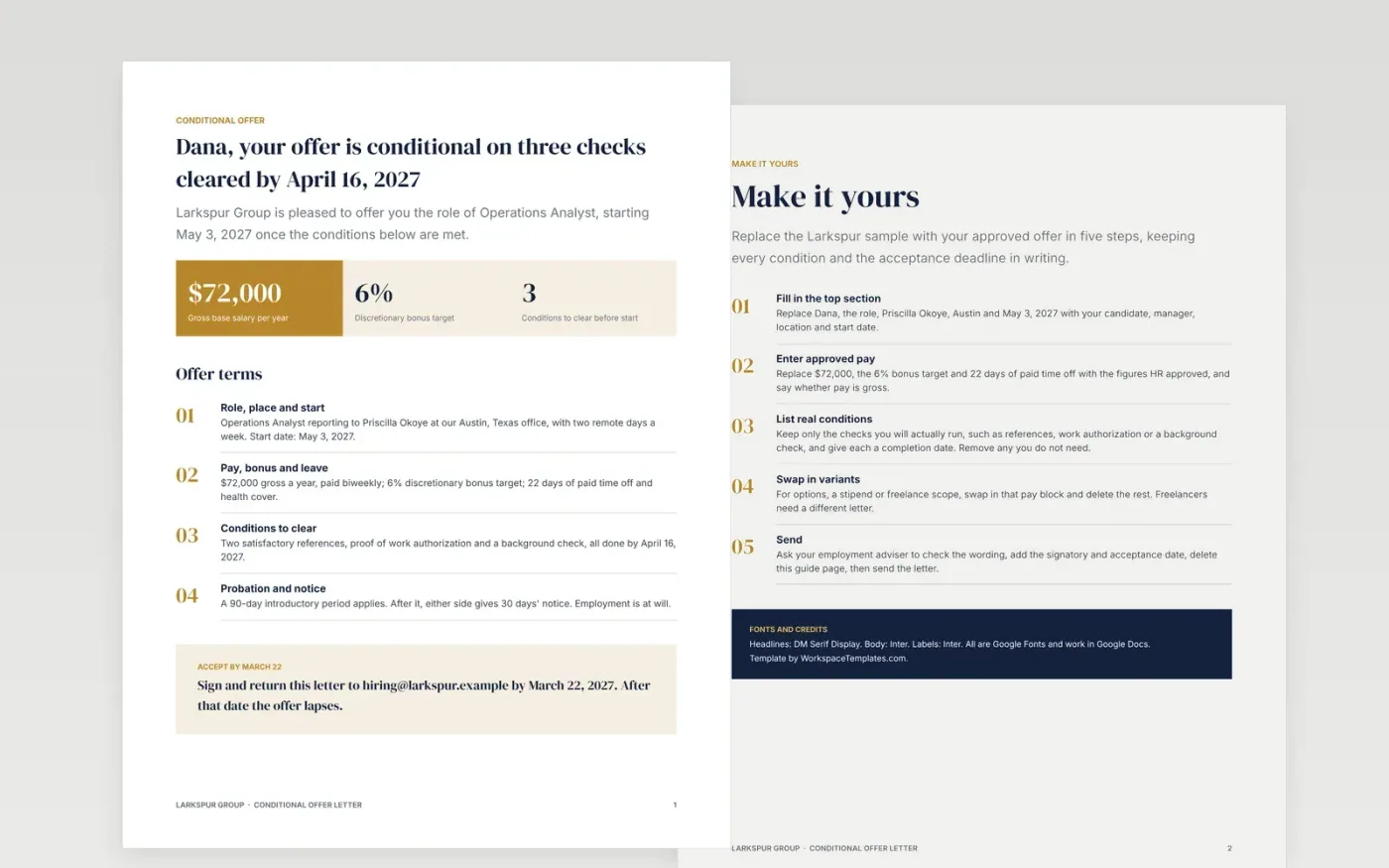
An offer that looks unconditional is awkward to withdraw if a reference or work authorization check fails. This letter congratulates the candidate first, then states the terms plainly: role, place of work, pay, leave, the checks that must clear, the date each is due and how to accept.
The sample is a two-page offer from Larkspur Group to an Operations Analyst at $72,000 a year, with a start date of May 3, 2027, a 90-day probation period and three named conditions. Replace the candidate, pay, dates and conditions with the approved offer, delete any variant you do not need, and have your employment adviser confirm the wording.
Click Make a copy in Google Docs, then confirm on the Google page. The copy is saved to your own Google Drive.
Replace the candidate's name, role, manager, location and start date, then enter the salary, bonus and leave from the approved offer.
List only the conditions you need, such as references or work authorization, and set the date by which each must be met.
Ask your employment adviser to check the letter against local rules, then add the signatory's name and the acceptance date.
Delete the Make it yours guide page, then share the letter with the candidate or print it for signature.
It lets you offer the job now while references, work authorization or background checks finish. If a check fails, the letter already says the offer depends on it.
No. Larkspur Group, the candidate, the managers and every figure are fictional sample content. Replace them with your own approved offer details before sending.
No. Employment rules differ by state and country, so have an employment adviser confirm the wording, the conditions and any withdrawal rules before you use it.
Docs + Word7 pages
Free
Docs + Word21 pages
Free
Slides + PowerPoint16 slides
Free
Docs + Word3 pages
Free
Docs + Word3 pages
Free
Docs + Word2 pages
Free
Docs + Word2 pages
Free








