
Annual Report
Docs + Word6 pages
FeaturedFree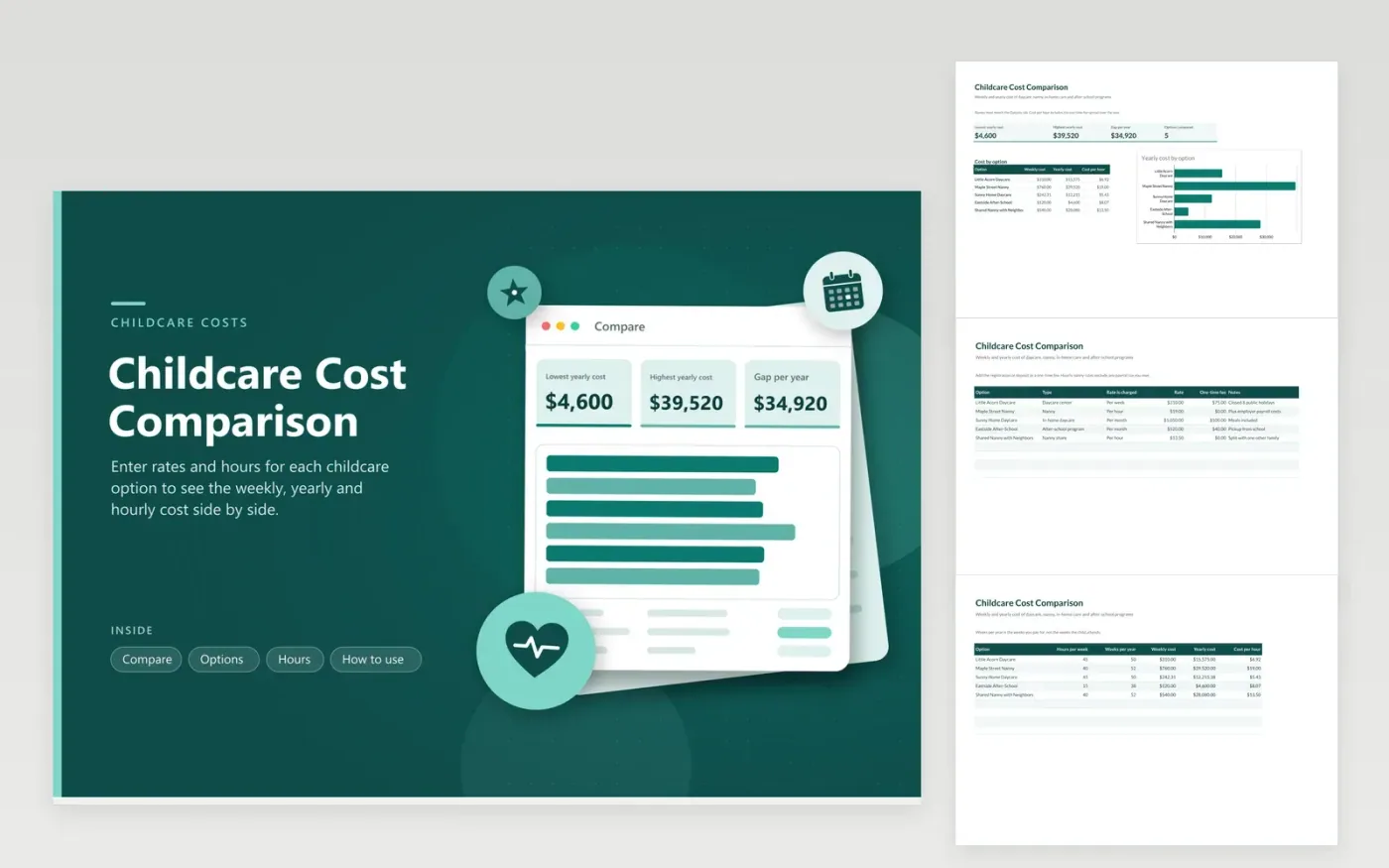
Childcare options charge in different ways: a nanny by the hour, a daycare center by the week, an in-home provider by the month. The Options tab records each provider, its type, how the rate is charged and any one-time fee. The Hours tab adds the hours per week and weeks per year you would use it, and converts every option into a weekly cost, a yearly cost and a cost per hour.
The Compare tab shows the lowest and highest yearly cost, the gap between them plus a bar chart that ranks the options by yearly cost. The five sample providers range from an after-school program to a full-time nanny. Replace them with the options you are weighing, and add the extra costs such as meals, payroll tax or late pickup in the Notes column.
Click Make a copy in Google Sheets, then confirm on the Google page. The copy is saved to your own Google Drive.
Start on the Options tab: replace the sample rows with your own.
Keep the formula columns as they are; they fill in as you type.
Read the How to use tab for tips. For Excel, download the .xlsx file instead.
Convert both to the same period. Enter the daycare weekly rate and the nanny hourly rate with your hours, and the sheet shows the weekly, yearly and hourly cost for each.
Yes. The one-time fee is added to the yearly cost. Hourly cost spreads the yearly total over the hours you use.
This sheet does not calculate them because limits change each year. Check the IRS or CRA site or ask a tax adviser and note the result.
Docs + Word6 pages
FeaturedFree
Excel
FeaturedFree
Sheets + Excel5 tabs
Free
Sheets + Excel5 tabs
Free
Sheets + Excel5 tabs
Free
Sheets + Excel6 tabs
Free
Sheets + Excel6 tabs
Free
Sheets + Excel4 tabs
Free
Sheets + Excel5 tabs
Free
Sheets + Excel5 tabs
Free
Sheets + Excel5 tabs
Free
Sheets + Excel5 tabs
Free
Sheets + Excel5 tabs
Free
Sheets + Excel5 tabs
Free
Sheets + Excel5 tabs
Free








