
Internal Comms Calendar Slides
Slides + PowerPoint11 slides
Free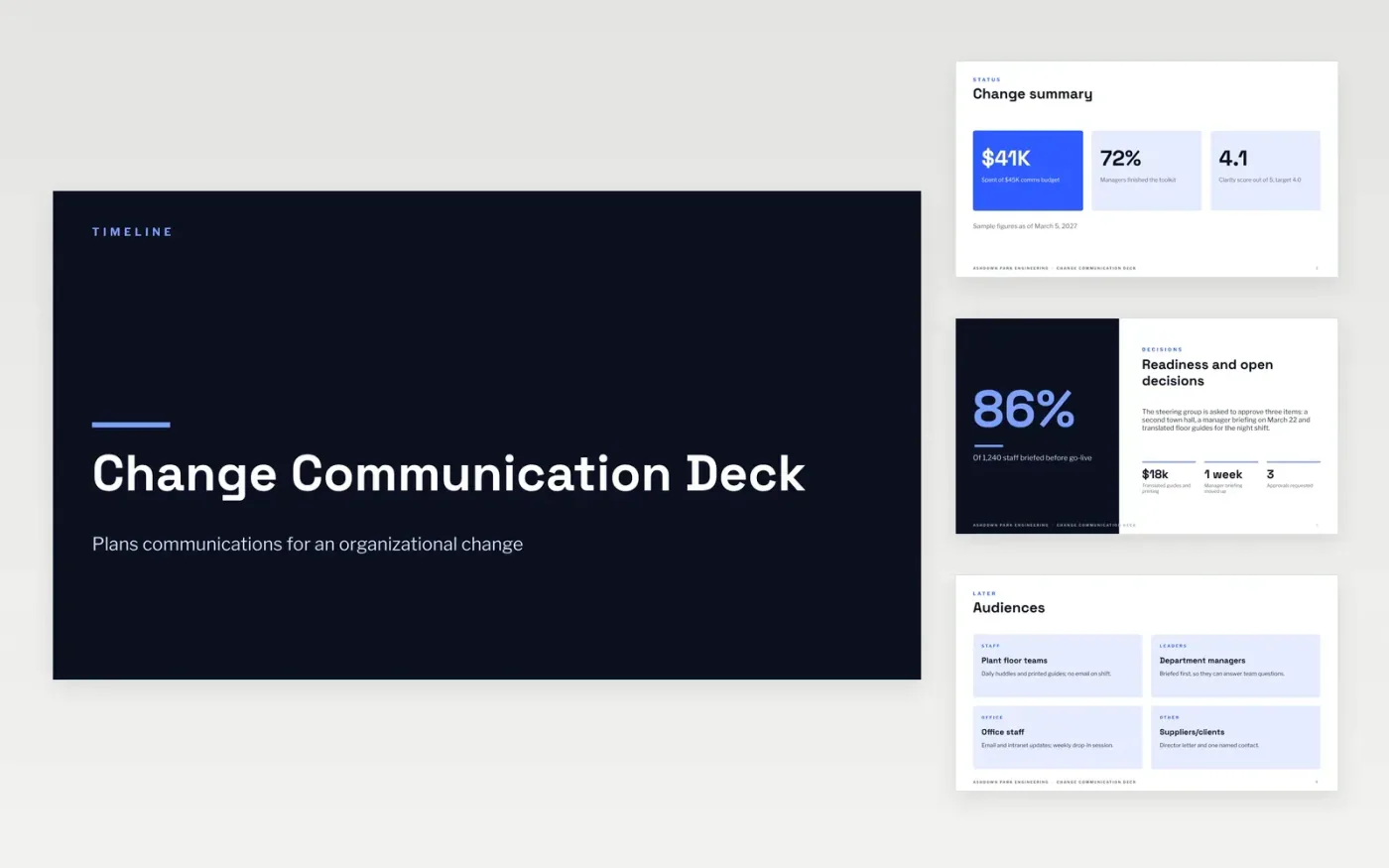
Organizational changes such as a new system fail when people hear about them late or from someone unexpected. Change managers use a communication deck to plan who hears what, in which order and through which channel. This template opens with a summary of spending, briefings and a clarity score, then covers the choices the steering group needs to settle. It sets out each audience separately, with floor teams, managers and office staff getting messages suited to how they work, followed by phase lengths and key messages.
Brief managers before their teams, so the people who answer questions know the facts first. Match each channel to its audience: a huddle or printed guide for people who cannot read email on shift, and a drop-in session for office staff. Set one clarity target, measure it and report it to the steering group at each phase. Keep the message plain, and check every item against the decision it supports before it goes out.
Click Make a copy in Google Slides, then confirm on the Google page. The copy is saved to your own Google Drive.
Put your company name and cover details on the first slide.
Go slide by slide and overwrite the sample wording and numbers.
Change the pictures and remove any slide your change does not need.
Include the change summary, the audiences affected, the channel for each audience and the order of briefings. Add the key messages, the phase dates and the people who approve messages. Set a measure of success, such as a clarity score from a short survey, and keep a log of open decisions. Managers should be briefed before their teams, and the plan should show when that happens.
Managers usually go first, so they can answer team questions before the wider announcement. The sample deck briefs department managers before floor teams and office staff. A director letter and one named contact then give staff a clear place to ask questions. This order stops rumors reaching staff before their supervisors know the facts.
Use a short survey with a clarity score rated from one to five, and set the target before the change starts. The sample aims for 4.0. Track how many staff were briefed before go-live and how many managers have finished the toolkit. Review the numbers at each phase, and adjust any channel that is not reaching people.
More Google Slides templatesMore project management templates
Slides + PowerPoint11 slides
Free
Slides + PowerPoint11 slides
Free
Docs + Word8 pages
Free
Docs + Word7 pages
Free
Docs + Word7 pages
Free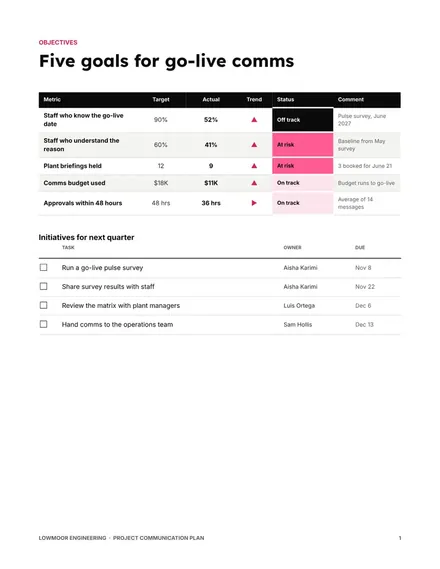
Docs + Word8 pages
Free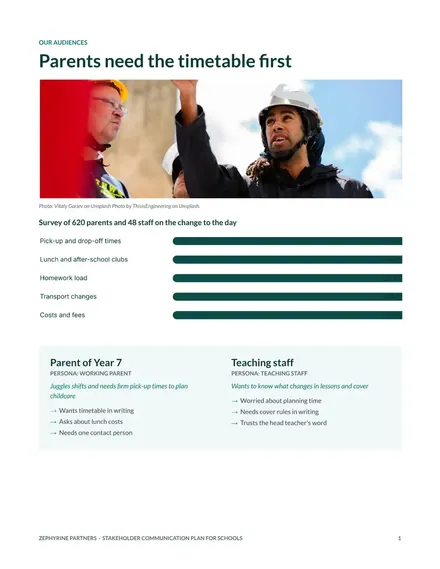
Docs + Word8 pages
Free
Docs + Word8 pages
Free










