
Access Card Request Letter
Docs + Word2 pages
Free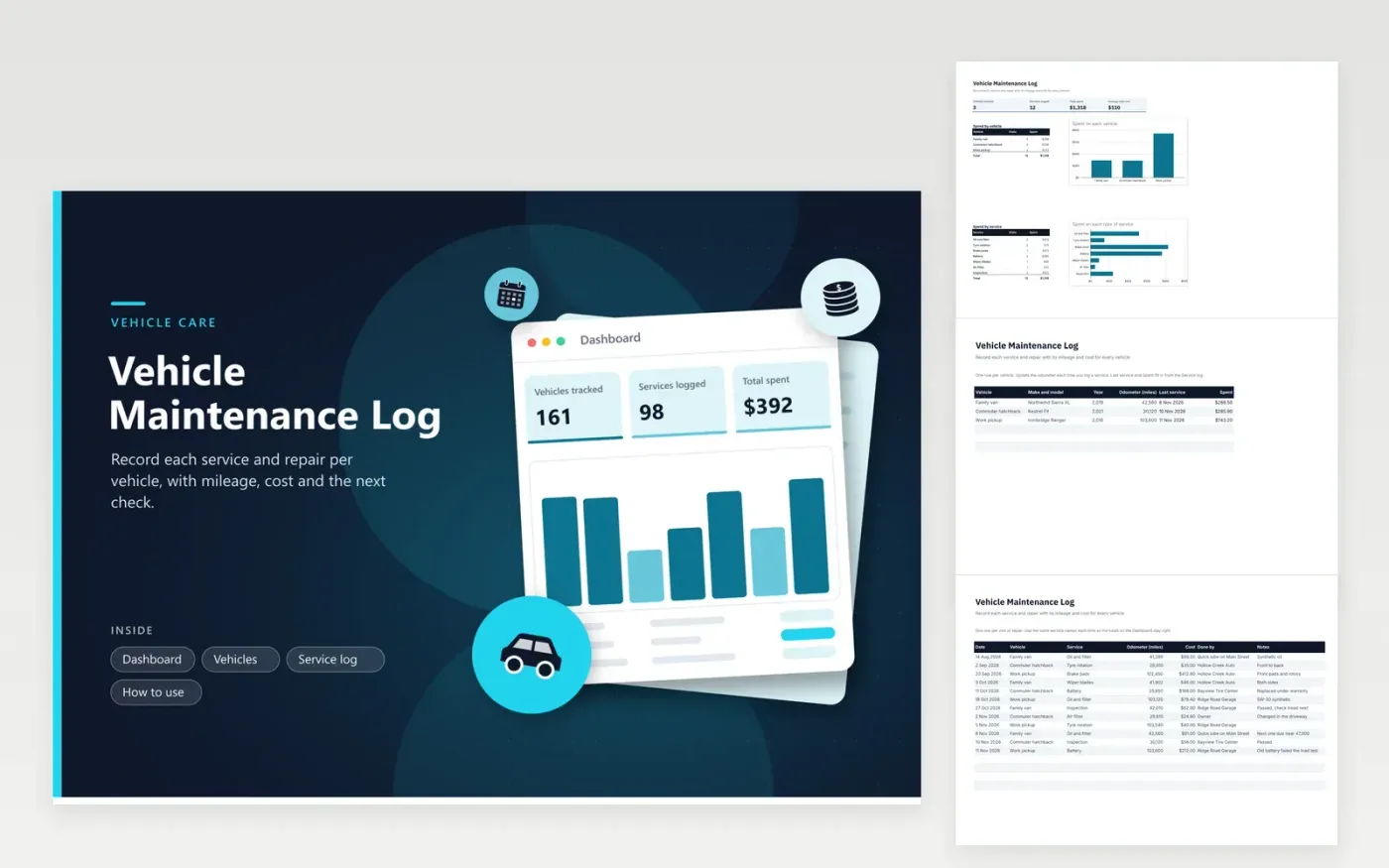
Households with two or three cars, couples who share a vehicle and small businesses with a van or pickup can keep a service history here. The Dashboard shows vehicles tracked, services logged, total spent and average visit cost, plus charts of spending by vehicle and by type of service. The Vehicles tab lists each car with its year, latest odometer reading, last service date and money spent, and the Service log tab records every visit with its date, mileage, cost and the shop that did the work.
Update the odometer on the Vehicles tab whenever you log a visit, so the reading stays current. Use the same service names every time, such as Oil and filter, because the breakdown counts depend on an exact match. Check the owner's manual for the mileage each job is due, since this sheet shows what was done and does not calculate when the next visit falls.
Click Make a copy in Google Sheets, then confirm on the Google page. The copy is saved to your own Google Drive.
Start on the Vehicles tab: replace the sample rows with your own.
Keep the formula columns as they are; they fill in as you type.
Read the How to use tab for tips. For Excel, download the .xlsx file instead.
Look up the interval for each job in the owner's manual, such as miles between oil changes, then add it to the last odometer reading yourself. The sheet records each visit but does not hold a schedule, so it will not send reminders on its own.
Yes. Add each vehicle as a row on the Vehicles tab, then pick its name from the Vehicle list on the Service log tab. Duplicate a line in the Spend by vehicle breakdown, then rename it, so the new vehicle's totals show up on the Dashboard.
Yes. Write Owner in the Done by column and enter the parts cost in the Cost column. The totals then show what the vehicle has really needed, and the notes column reminds you which parts you bought and where.
More Google Sheets templatesMore business operations templates
Docs + Word2 pages
Free
Docs + Word2 pages
Free
Docs + Word2 pages
Free
Sheets + Excel4 tabs
Free
Sheets + Excel4 tabs
Free
Sheets + Excel5 tabs
Free
Sheets + Excel4 tabs
Free
Docs + Word2 pages
Free
Docs + Word2 pages
Free
Docs + Word2 pages
Free
Docs + Word2 pages
Free
Docs + Word2 pages
Free
Docs + Word2 pages
Free
Docs + Word2 pages
Free
Docs + Word2 pages
Free










