
Access Card Request Letter
Docs + Word2 pages
Free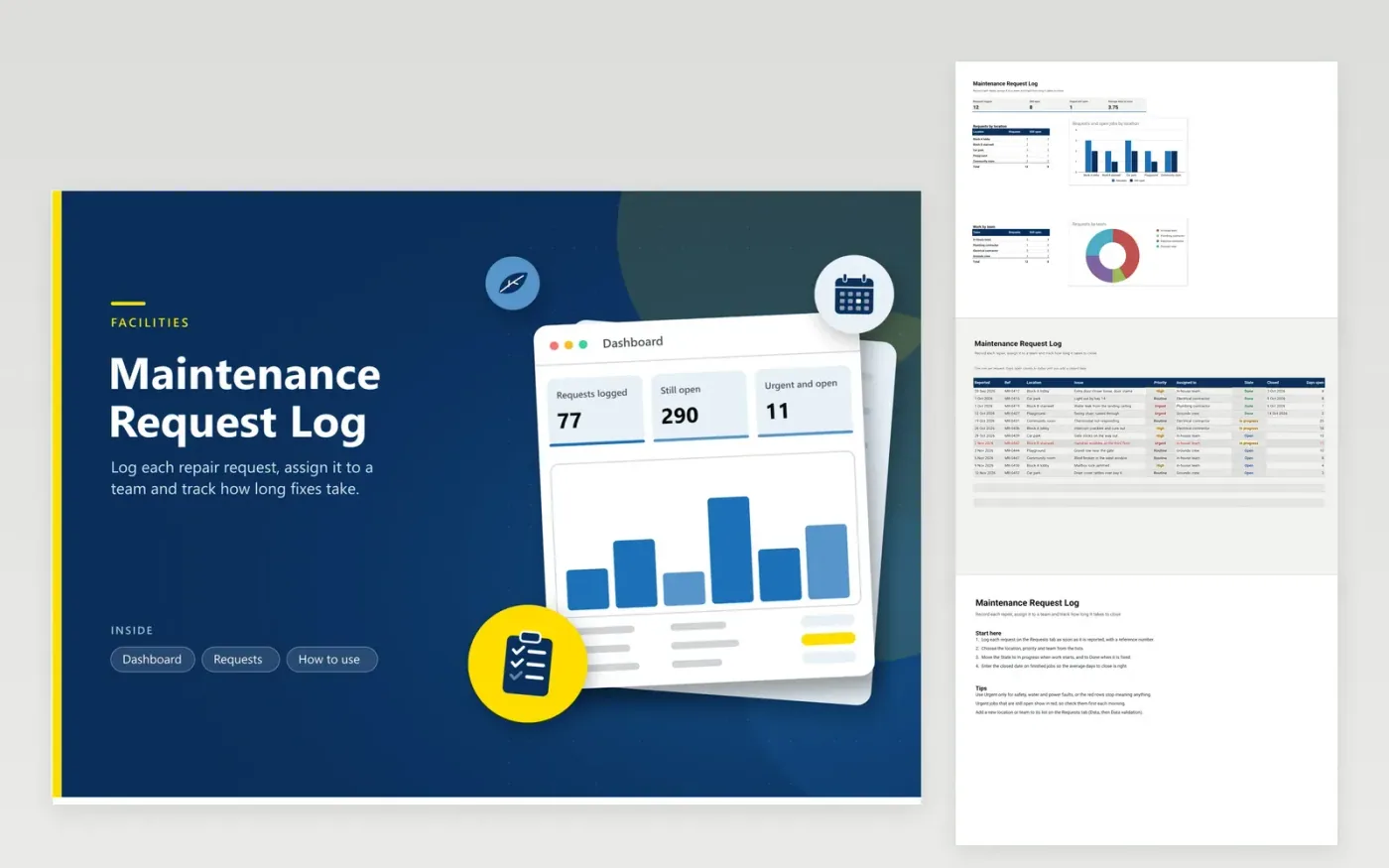
Building managers, housing associations, schools and facilities teams that handle repairs in shared spaces can run their queue from this workbook. The Dashboard counts all requests, the jobs still open, the urgent jobs still open and average days to close, with breakdowns by location and by team. The Requests tab records the date reported, a reference, location, issue, priority, assigned team, state and closed date, and calculates the days each job has been open.
Give every request a reference number when you log it, so the person reporting the fault can quote it on a follow-up call. Reserve the Urgent priority for safety, water and power faults, since a list full of urgent items stops telling anyone what to do first. A Done job with its closed date keeps the average days to close honest, and urgent work that is still open turns red.
Click Make a copy in Google Sheets, then confirm on the Google page. The copy is saved to your own Google Drive.
Start on the Requests tab: replace the sample rows with your own.
Keep the formula columns as they are; they fill in as you type.
Read the How to use tab for tips. For Excel, download the .xlsx file instead.
For an open request, days open counts from the date reported until today, so the number grows each day you open the file. For a finished job it runs from the reported date to the closed date. Enter the closed date as soon as the work is signed off.
Put the new name in the Location or Assigned to dropdown on the Requests tab, using Data, then Data validation. Duplicate a line of the matching breakdown in the Dashboard, rename it, and the new name gets counted too.
It suits a small team working from one spreadsheet. Once you need photos, notifications, tenant log-ins or a large volume of requests each day, a dedicated facilities system is the better fit. Check your building's own policy before sharing tenant details.
More Google Sheets templatesMore business operations templates
Docs + Word2 pages
Free
Docs + Word2 pages
Free
Docs + Word2 pages
Free
Sheets + Excel4 tabs
Free
Sheets + Excel5 tabs
Free
Sheets + Excel5 tabs
Free
Sheets + Excel4 tabs
Free
Docs + Word2 pages
Free
Docs + Word2 pages
Free
Docs + Word2 pages
Free
Docs + Word2 pages
Free
Docs + Word2 pages
Free
Docs + Word2 pages
Free
Docs + Word2 pages
Free
Docs + Word2 pages
Free










