
Access Card Request Letter
Docs + Word2 pages
Free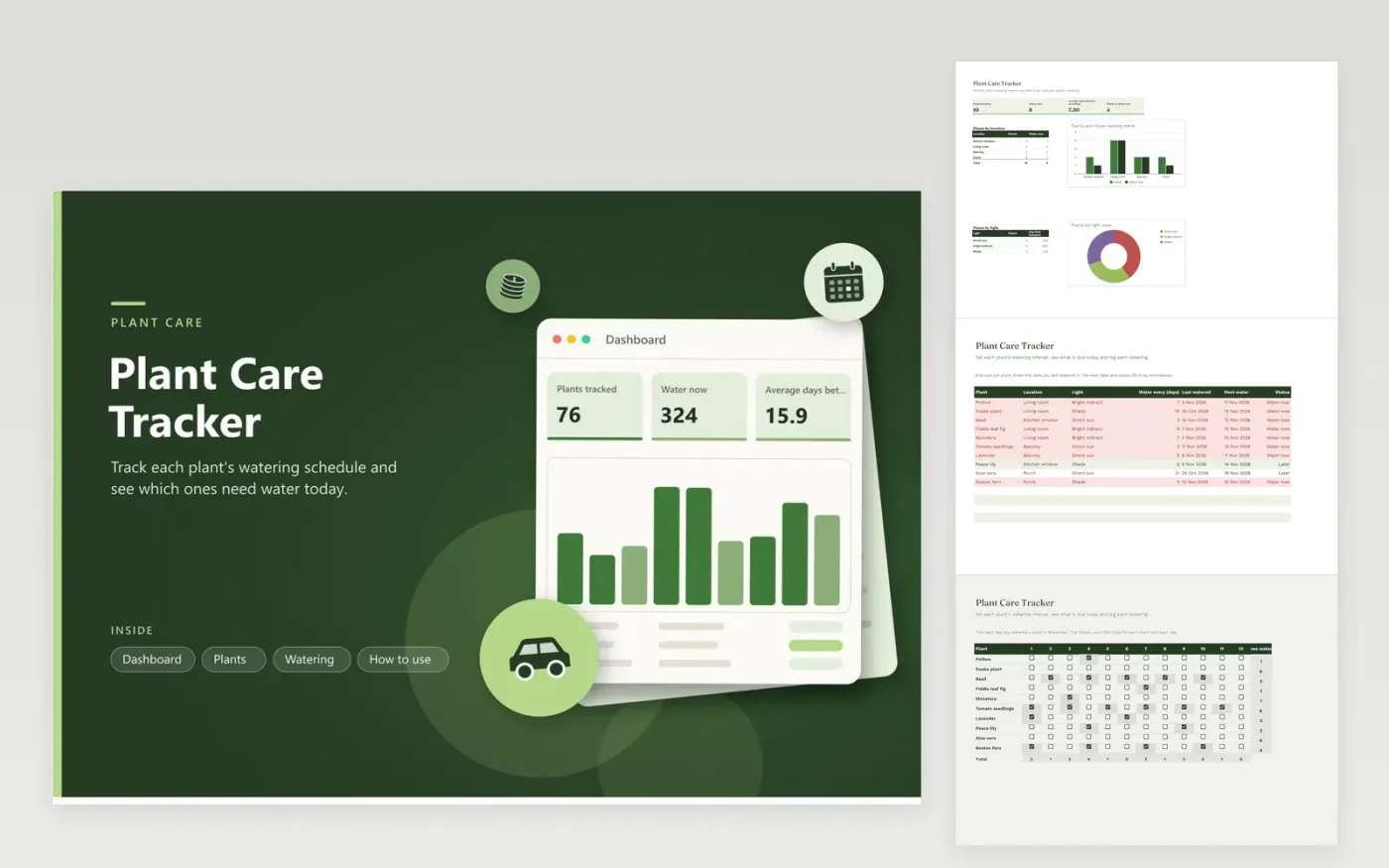
Owners of a few houseplants, a balcony garden or a porch full of pots can keep every watering date in one place with this tracker. The Dashboard reports the number of plants, how many need water now, the average gap between waterings and how many sit in direct sun, plus breakdowns for each location and each light level. The Plants tab records each plant's location, light, watering interval and last watering date, then works out the next date and whether it is due.
Type the date each plant was last watered plus the days you normally wait, and the status refreshes itself. The Watering grid lets you tick each day you water, which shows how often a plant really gets a drink. Lengthen the interval in winter, when most indoor plants need less water, and shorten it for plants in strong sun.
Click Make a copy in Google Sheets, then confirm on the Google page. The copy is saved to your own Google Drive.
Start on the Plants tab: replace the sample rows with your own.
Keep the formula columns as they are; they fill in as you type.
Read the How to use tab for tips. For Excel, download the .xlsx file instead.
There is no single answer. Many houseplants need water when the top layer of soil feels dry, and the care label for each species gives a useful starting point. The interval in this sheet is a guess to start from, so adjust it after a few weeks of checking the soil.
It adds the watering interval to the last watering date. If the result is today or earlier, the status reads Water now and the row turns red. Otherwise it reads Later, and the Dashboard counts the Water now rows.
Yes. Add a second grid tab with one row per plant, then tick the days you feed it. Feeding runs on a different rhythm than watering, so give it a separate tab and follow the fertilizer label.
More Google Sheets templatesMore business operations templates
Docs + Word2 pages
Free
Docs + Word2 pages
Free
Docs + Word2 pages
Free
Sheets + Excel4 tabs
Free
Sheets + Excel4 tabs
Free
Sheets + Excel5 tabs
Free
Sheets + Excel4 tabs
Free
Docs + Word2 pages
Free
Docs + Word2 pages
Free
Docs + Word2 pages
Free
Docs + Word2 pages
Free
Docs + Word2 pages
Free
Docs + Word2 pages
Free
Docs + Word2 pages
Free
Docs + Word2 pages
Free










