
Monthly Business Review Deck
Slides + PowerPoint10 slides
Free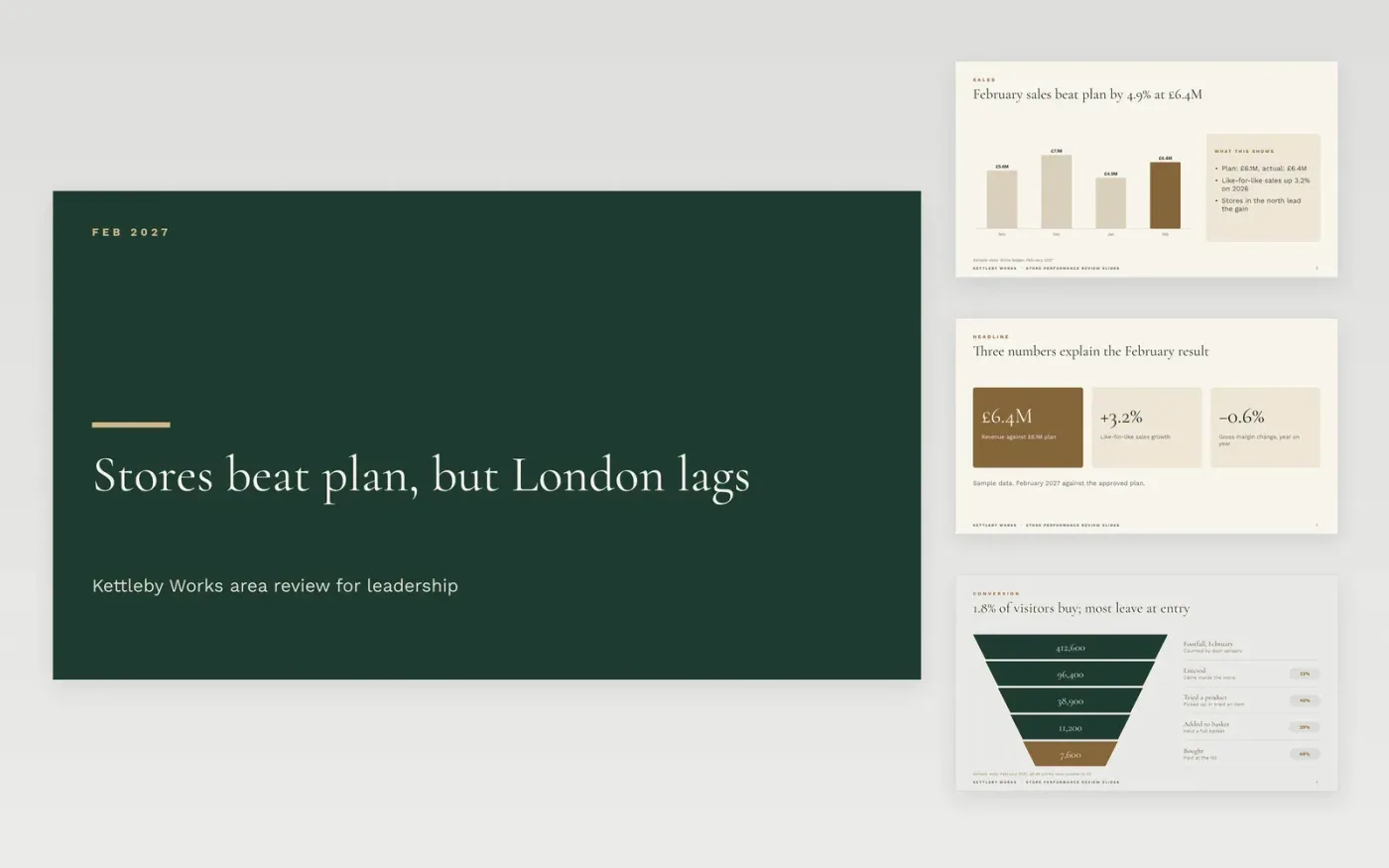
Area managers and leadership teams often receive store results as separate spreadsheets, so nobody sees the whole picture in one sitting. This monthly business review template puts sales, conversion, standards and a store league table into one short deck, with an actions slide that names an owner for every fix. It works as an operations review presentation or a weekly leadership metrics review, depending on how often you run it.
The sample covers Kettleby Works, a fictional homeware retailer with 24 stores, for February 2027. Its figures tie across the slides: £6.4M of sales against a £6.1M plan, a 1.8% conversion rate, and 19 of 24 stores meeting the standards. Replace the period, the actuals and the store names with your own, then rewrite each red or amber line with a cause and an action.
Click Make a copy in Google Slides, then confirm on the Google page. The copy is saved to your own Google Drive.
Set the period on the cover, then replace the sales figures with last month's actuals against plan.
Keep three metrics per function, with the definition and data source written beneath each one.
Write one line of cause and one line of action beside every red or amber status, then sort your own stores in the league table.
Delete the guide slide, then share the deck or present it to leadership.
No. Kettleby Works, its 24 stores, the people named on the slides and every figure are fictional sample data, included so you can see how a finished review reads.
Keep to three per function, each with its definition and source. More than that hides the three that matter, so move the rest to an appendix or the finance pack.
Yes. Rename the units, keep the same measures, and sort the league table on one agreed figure so the bottom quartile is easy to see. The layout suits any group of 8 to 34 sites.
More Google Slides templatesMore business operations templates
Slides + PowerPoint10 slides
Free
Slides + PowerPoint11 slides
Free
Slides + PowerPoint10 slides
Free
Slides + PowerPoint12 slides
Free
Docs + Word8 pages
Free
Slides + PowerPoint12 slides
Free
Slides + PowerPoint12 slides
Free
Docs + Word7 pages
Free










