
Monthly Business Review Deck
Slides + PowerPoint10 slides
Free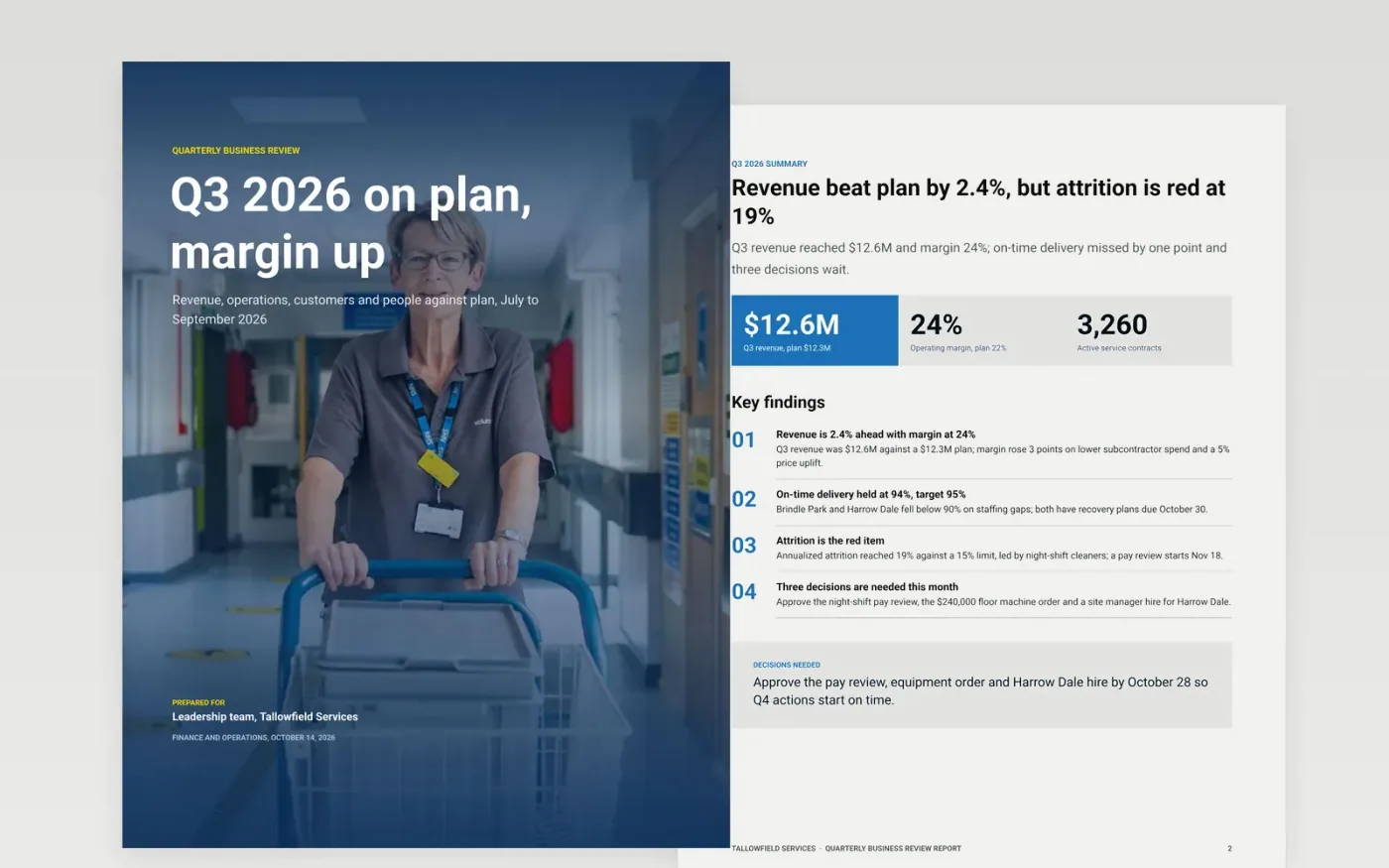
Leadership teams lose time when revenue, operations, customer and people numbers arrive in separate reports with different definitions. This seven-page review puts a cover, an answer-first summary, financials, function commentary, a risk register and a next-quarter plan in one document that reads in a single sitting.
The sample covers Q3 2026 at Tallowfield Services, a facilities company: revenue of $12.6M against a $12.3M plan, one red item for attrition and three decisions for leadership. Replace the period, figures and owners first, then write one sentence of cause and one of action beside every red or amber status.
Click Make a copy in Google Docs, then confirm on the Google page. The copy is saved to your own Google Drive.
Set the period on the cover and replace the headline figures with your actuals against plan and last year.
Replace the trend chart, revenue shares and key figures table, then update the organization chart, headcount and vacancies.
Write one sentence of cause and one of action beside every red or amber item, with an owner and a date.
Delete the guide page, then share the review with your leadership team or present it in the meeting.
Yes. Change the period on the cover and the chart labels to months, then keep the same pages. Monthly reviews usually need fewer commentary lines and more red or amber detail.
No. Tallowfield Services, its people, sites and every dollar figure are fictional and only show what a finished review looks like. Replace them with your own data.
Keep to three at most. The sample shows seven headline measures in total, so the leadership team can see the few that matter and ignore the rest.
More Google Docs templatesMore business operations templates
Slides + PowerPoint10 slides
Free
Slides + PowerPoint11 slides
Free
Docs + Word7 pages
Free










