Franchise Performance Review Deck
Slides + PowerPoint11 slides
Free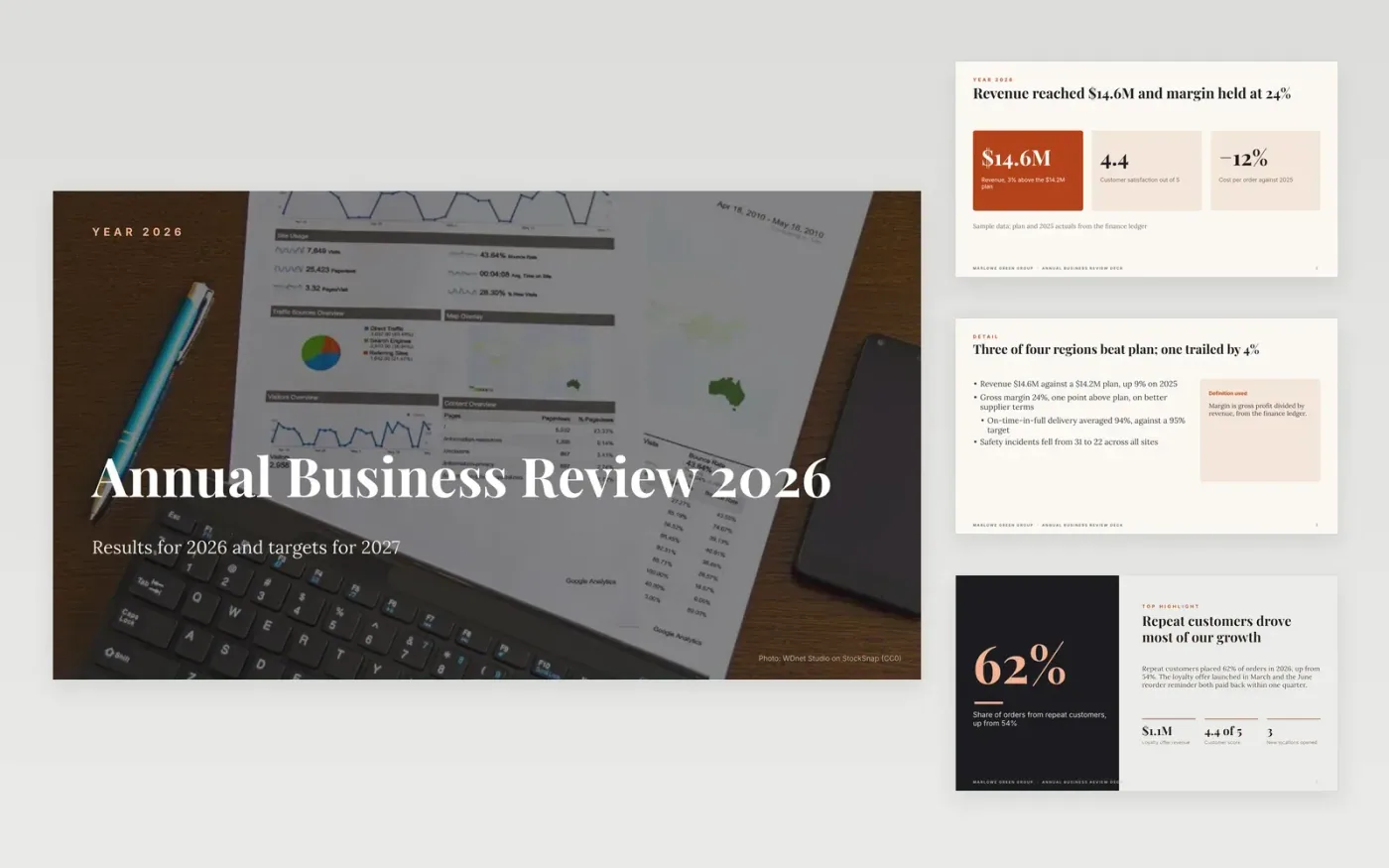
Owners of small businesses often look back at the year through separate reports for sales, cash, staff and customers, and miss the picture as a whole. This deck brings the year onto ten slides: a headline scorecard, highlights, lessons with owners, and a timeline of next year's targets.
The sample follows Marlowe Green Group, a fictional company that grew revenue to $14.6M against a $14.2M plan with a 24% margin. Replace the figures with your actuals and plan, keep the definition beneath each metric, and write one sentence of cause and one of action beside every miss.
Click Make a copy in Google Slides, then confirm on the Google page. The copy is saved to your own Google Drive.
Set the review period and replace the headline figures with your own actuals and plan.
Write the definition and source under each metric, and one sentence of cause and one of action for every red or amber result.
Replace the lessons and the 2027 targets with your own, and give each an owner and a date.
Delete the guide slide, then share the deck or present it.
Yes. Make a copy in Google Slides and it is saved to your own Google Drive, where you can edit, share and present it without paying anything.
No. Marlowe Green Group, the people named and every figure are fictional sample content, written to show what a good year-end review looks like. Replace all of it with your own.
Yes. Change the period on the cover and the labels on the timeline, then enter the actuals and plan for that period. The same slides work for a monthly or quarterly review.
More Google Slides templatesMore business operations templates
Slides + PowerPoint11 slides
Free
Slides + PowerPoint10 slides
Free
Slides + PowerPoint12 slides
Free
Slides + PowerPoint12 slides
Free
Docs + Word8 pages
Free
Slides + PowerPoint10 slides
Free
Slides + PowerPoint12 slides
Free
Docs + Word7 pages
Free










