
Access Card Request Letter
Docs + Word2 pages
Free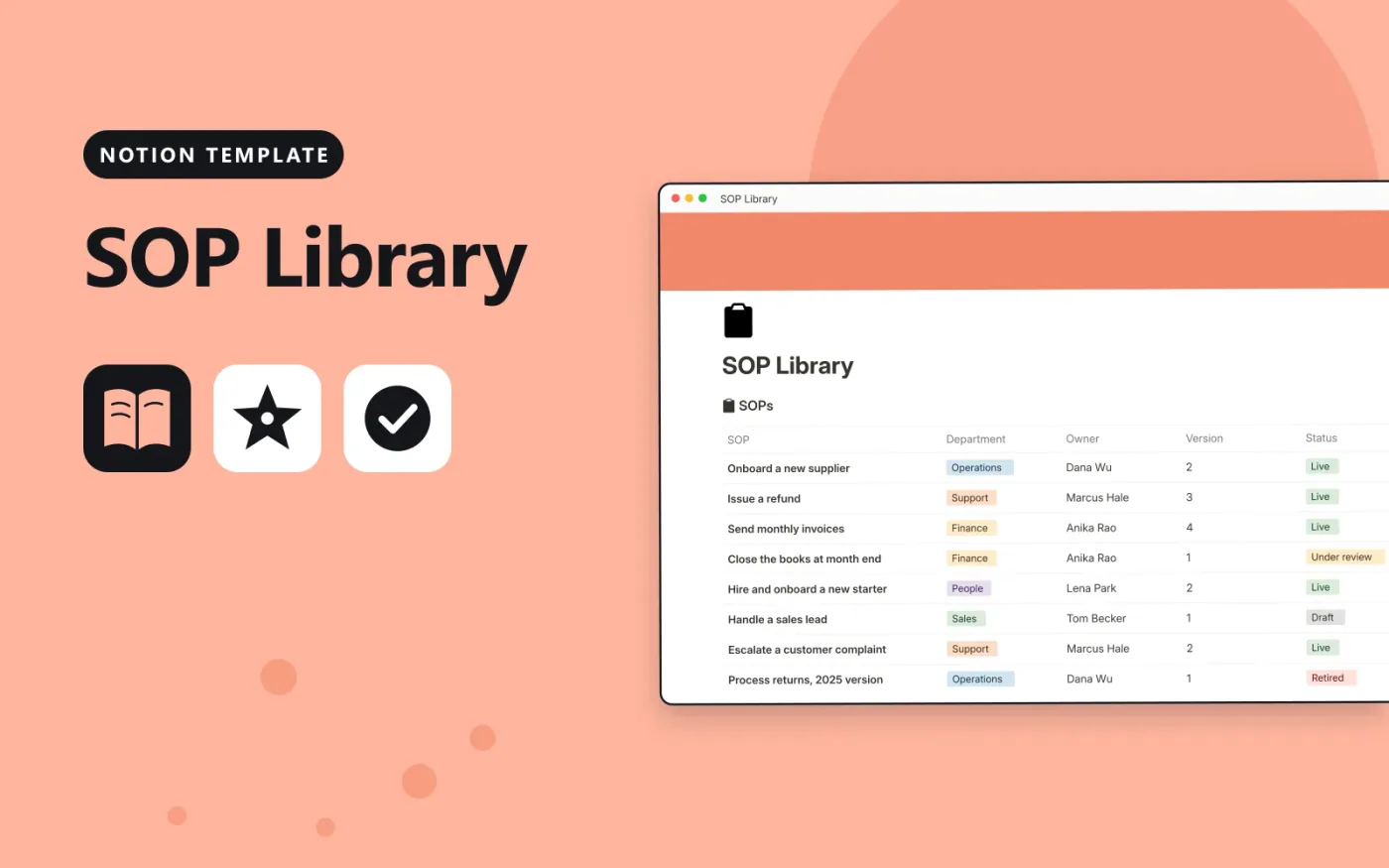
This Notion template holds your standard operating procedures in one SOPs database. Each procedure has a department, owner, version number, status and the date it was last reviewed. A Review status formula shows whether an SOP is on track, due for review, or has never been checked.
It comes with sample procedures so you can see how the columns work, plus an SOP template page with sections for purpose, scope, steps and checks. Duplicate the template page for each new procedure and replace the samples with your own.
Click Duplicate in Notion. The template page opens in Notion.
Click Duplicate at the top right and choose your workspace.
Read the Start here section, then replace the sample entries with your own.
Add a board or calendar view from the + next to the table name if you want one.
Yes. Duplicate it into your own Notion workspace at no cost. The free Notion plan is enough.
The formula compares today's date with the Last reviewed date. If the last review was more than 180 days ago it shows Review now. If the date is blank it shows Not reviewed yet.
Yes. Open the SOP template page, duplicate it and write the procedure there. Then add a row for it in the SOPs table and link the two in the Related SOPs section.
Docs + Word2 pages
Free
Docs + Word2 pages
Free
Docs + Word2 pages
Free
Notion
Free
Notion
Free
Notion
Free
Notion
Free
Notion
Free
Notion
Free
Notion
Free
Notion
Free
Notion
Free
Notion
Free
Notion
Free
Notion
Free










