Construction Estimate
Docs + Word3 pages
Free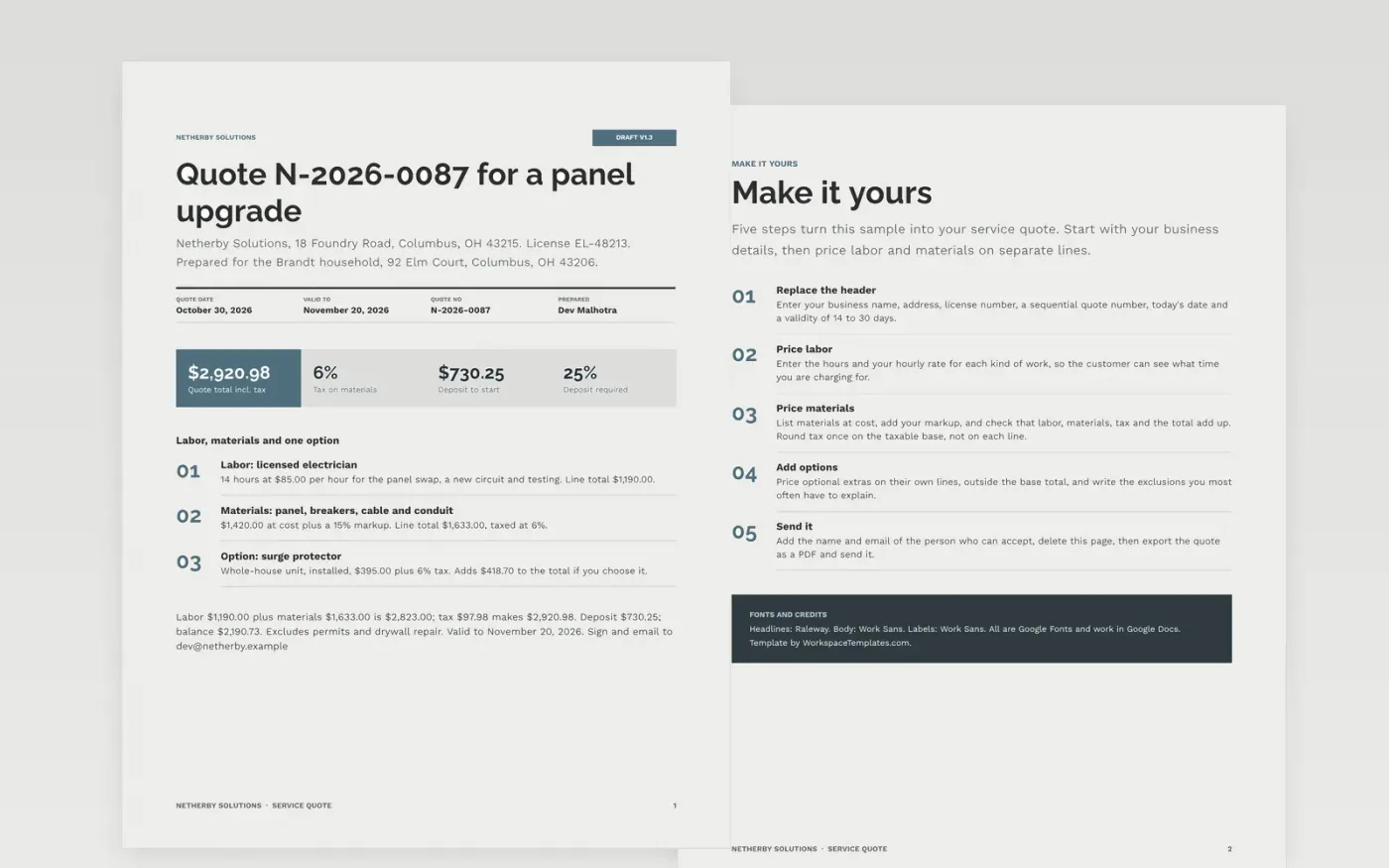
Service jobs go wrong when labor, parts and extras are folded into one number: the customer cannot check it, and you cannot defend your margin. This two-page quote prices labor by the hour, materials with a stated markup and each option on its own line, so every question has a line to point to.
The sample shows Netherby Solutions quoting $2,920.98 for an electrical panel upgrade: 14 hours of labor at $85, materials at cost plus 15%, 6% tax on materials and a 25% deposit, plus an optional surge protector. Replace the business details, rates, options, exclusions and validity date with yours.
Click Make a copy in Google Docs, then confirm on the Google page. The copy is saved to your own Google Drive.
Replace the business details, license number, quote number, date and validity period in the header.
Enter your labor hours and hourly rate, your materials at cost with your markup, and check the subtotal, tax and total add up.
Set your tax rate and deposit, price any optional extras separately, and write the exclusions you most often explain.
Delete the Make it yours page, then export the quote as a PDF and send it.
Yes. Make a copy in Google Docs and edit it in your own Drive. There is nothing to install and no account to create beyond your Google account.
No. Netherby Solutions, the customer, the people named, the license number and every price are fictional sample data. Replace them with your own details and rates.
Customers can check each line, you can show your markup openly, and a change to materials does not reopen the whole price. Optional extras stay out of the total until chosen.
Docs + Word3 pages
Free
Docs + Word2 pages
Free
Docs + Word3 pages
Free
Docs + Word3 pages
Free
Docs + Word3 pages
Free










