
Customer Expansion Plays Deck
Slides + PowerPoint12 slides
Free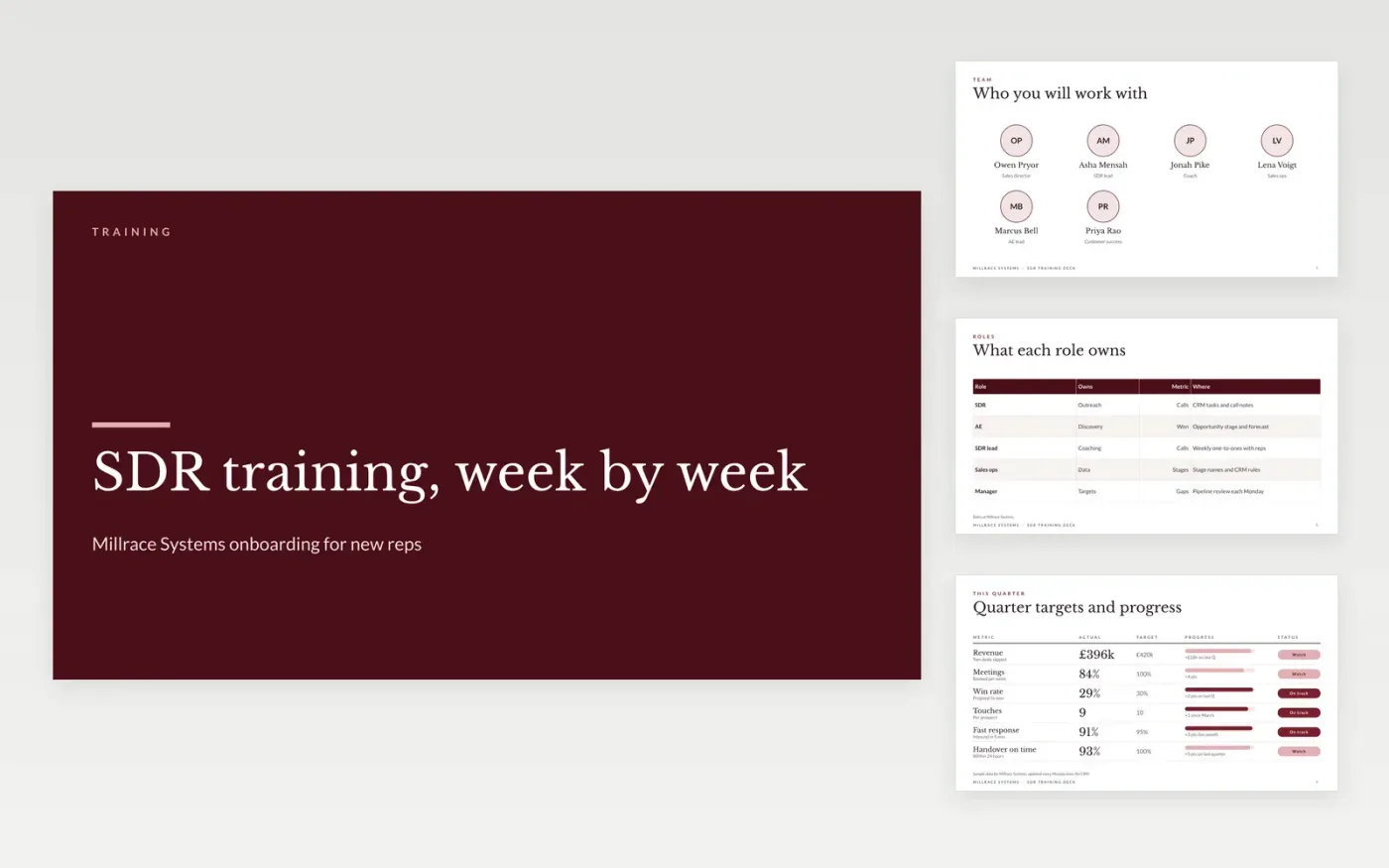
New sales development reps often learn by shadowing, which means each one picks up different habits and nobody can measure the gap. This Google Slides training deck gives a manager a fixed run of slides to teach in order: the role, a targets scorecard, the outbound cadence, call habits, a four-test qualification method, the handover to an account executive and a closing contacts slide. The deck runs in about an hour and leaves room for role-play.
The sample is set at Millrace Systems, a fictional software company, and shows the figures and wording a new rep should expect to see, such as a 21-day cadence and a handover within one working day. Replace the targets, names and scripts with your own, and check every stage name against your CRM before the first session so reps learn the system they will actually use.
Click Make a copy in Google Slides, then confirm on the Google page. The copy is saved to your own Google Drive.
Replace the team slide and the role table with your own people, roles and owners before the first session.
Set the quarter targets and progress on the scorecard, using figures from your CRM, marked as sample data until checked.
Align the stage names and cadence with your CRM, and rewrite the call habits in your own words.
Delete the guide slide, then share the deck with new reps or present it in the first training session.
About an hour for a manager to present, plus role-play on the call and qualification slides. Most teams spread it across the first week so new reps can practise each habit before the next one.
No. Millrace Systems, every person named, every email address ending in .example, and every target, progress figure and percentage in the deck are fictional and included only to show structure and tone.
Yes, but skip the role and cadence slides and focus on the qualification method, the handover and the objections. Experienced reps learn most from the scorecard, where they can see where they stand against target.
Slides + PowerPoint12 slides
Free
Slides + PowerPoint12 slides
Free
Slides + PowerPoint11 slides
Free
n8n
FeaturedFree
Docs + Word7 pages
Free
Docs + Word7 pages
Free
Docs + Word7 pages
Free
Docs + Word7 pages
Free
Docs + Word8 pages
Free
Docs + Word6 pages
Free
Docs + Word7 pages
Free
Docs + Word9 pages
Free
Docs + Word8 pages
Free










