Purchase Requisition Form
Docs + Word4 pages
Free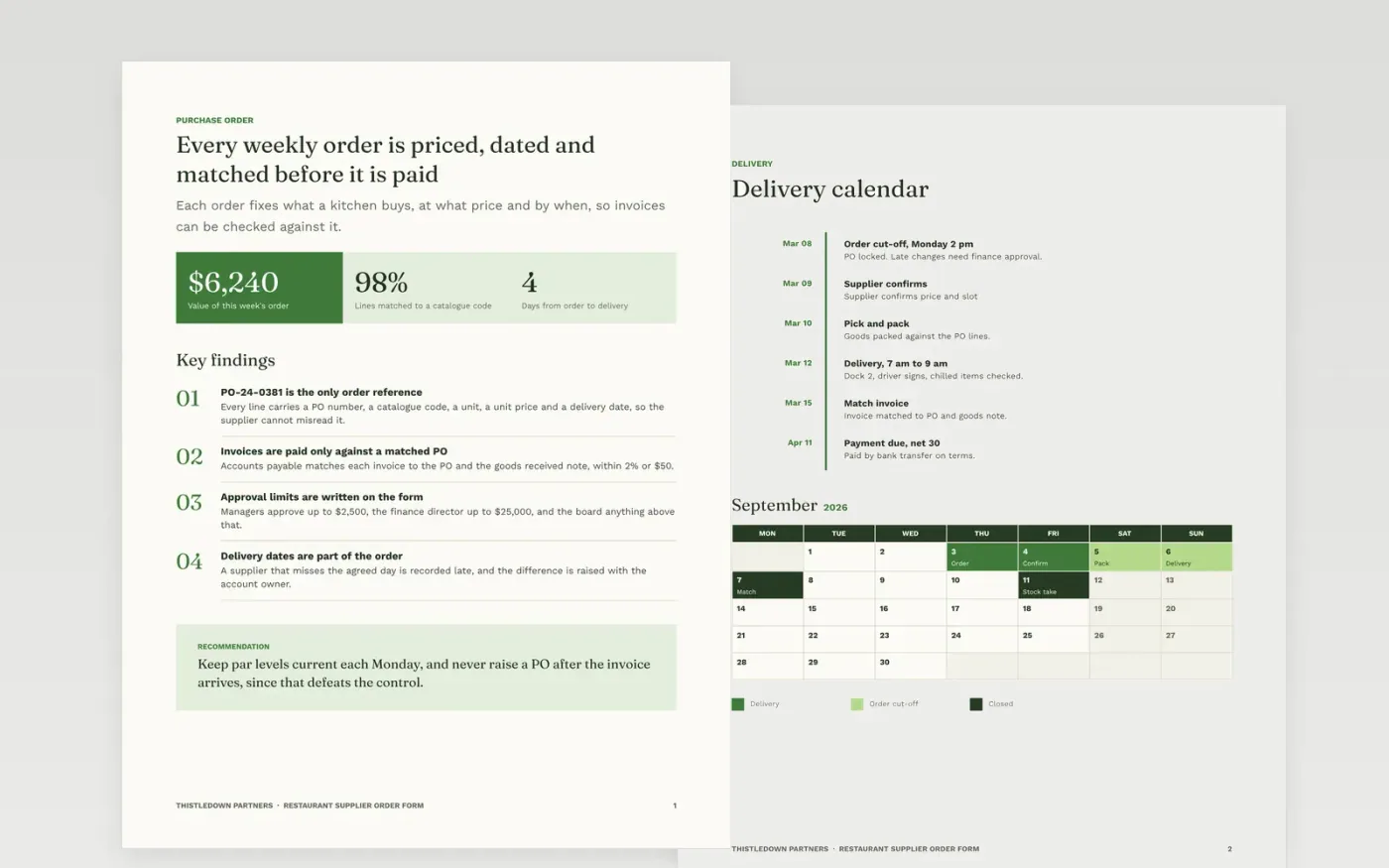
Suppliers and accounts payable need the same answer to one question: what was ordered, at what price, and by when. A purchase order is the instruction that settles it, and this form is built so that every line can later be matched to the goods received and the invoice. It runs in three pages: a summary with the approval limits, the item and delivery calendar, and a guide page for replacing the sample content.
The sample is written for Thistledown Partners, a fictional group with kitchens across several sites. It shows a weekly order worth $6,240, with 98% of lines matched to a catalogue code and approval limits of $2,500 for managers and $25,000 for the finance director. Replace the buyer header, supplier details, items and budget codes first, then check the approval limits against your own purchasing policy.
Click Make a copy in Google Docs, then confirm on the Google page. The copy is saved to your own Google Drive.
Replace the buyer header, PO numbering and approval limits with your own details.
Enter each supplier's name, account code and payment terms as they appear in your supplier master file.
Replace the item lines with product codes, units, quantities and agreed prices, then add the budget code for each cost.
Delete the guide page, then share the form with suppliers or print it for your records.
No. Thistledown Partners, its buyers, suppliers and approvers, and every price, PO number and date are fictional sample content, shown so you can see how a finished order form reads.
A PO written after the invoice removes the control it exists to provide, because price and quantity should be agreed before anything ships. Raise the PO first, then let accounts payable match the invoice to it within a 2% or $50 tolerance.
Yes. Without a budget, fund or grant code the cost can land in suspense and delay payment. The sample gives each line one code, so budget holders can see what every order is charged against.
Docs + Word4 pages
Free
Docs + Word4 pages
Free
Docs + Word4 pages
Free
Docs + Word3 pages
Free
Slides + PowerPoint10 slides
Free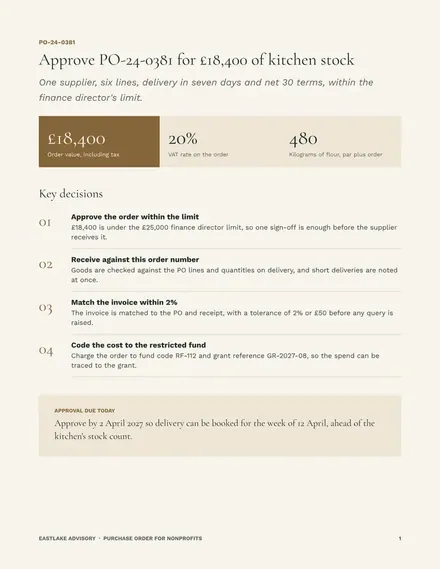
Docs + Word3 pages
Free
Docs + Word3 pages
Free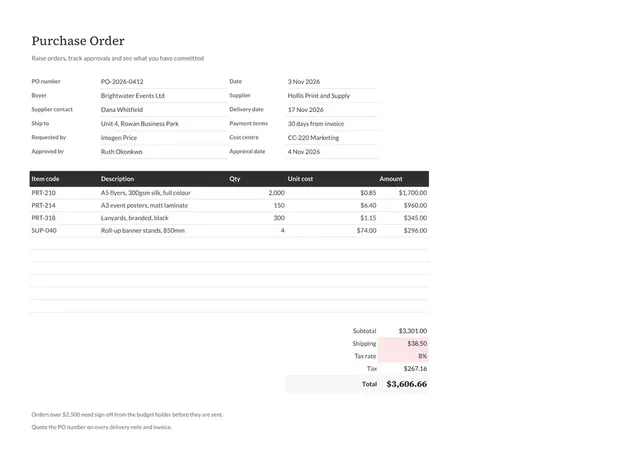
Sheets + Excel3 tabs
Free










