
Project Proposal
Docs + Word5 pages
Free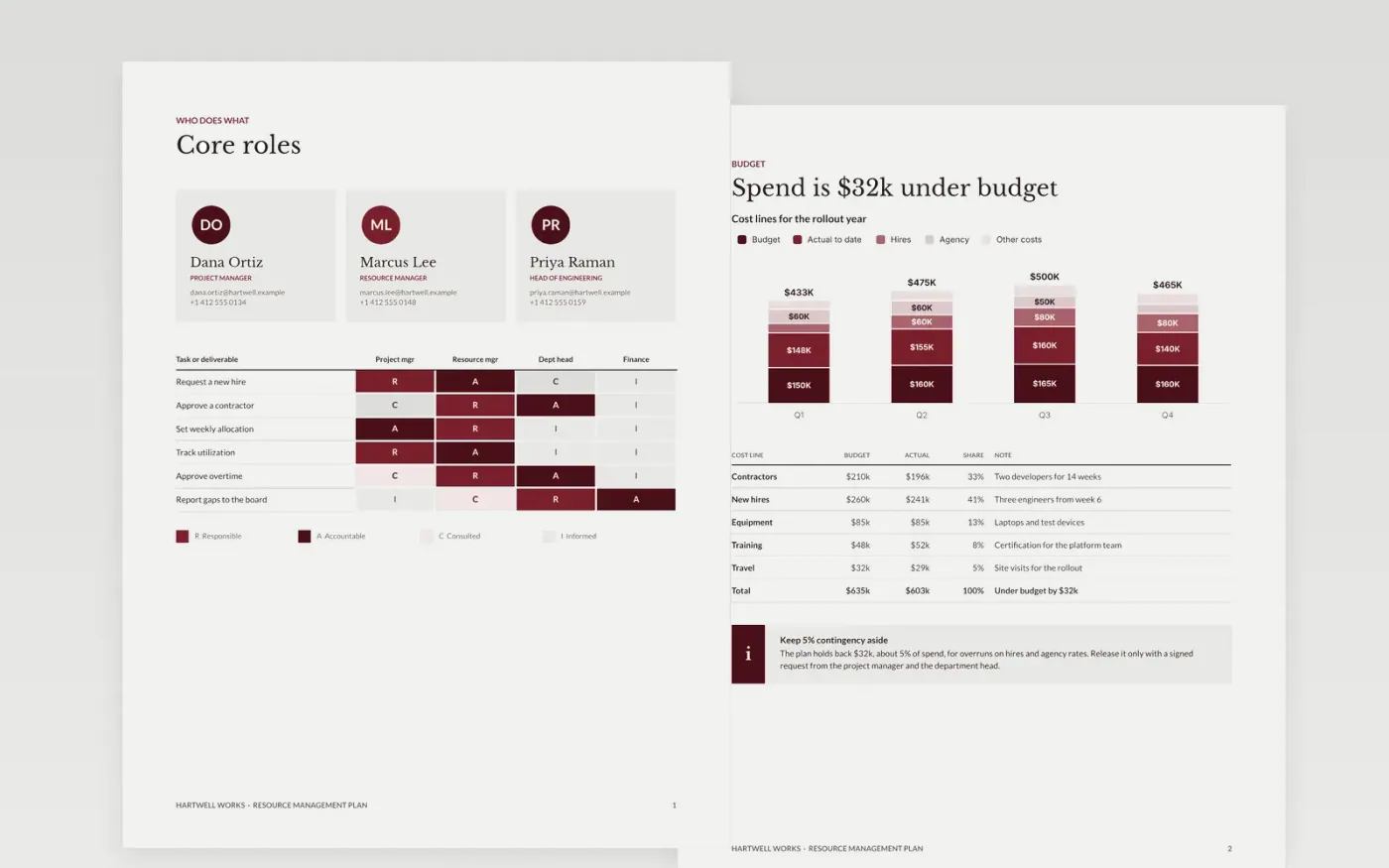
Late projects often have a hidden cause: someone was booked for three jobs at once, or the skill the work needed was never on the plan. This template shows who is needed, when and for how long, compares demand with available capacity, and surfaces skills gaps and conflicts early enough to hire, borrow or re-plan. It covers roles, allocation, skills, requests and clashes in five pages, plus a status view.
The sample is for the fictional Hartwell Works, a 14-week rollout with a $635k budget, $603k spent to date, 84% utilization and one overloaded project manager in March. Replace the roles, people and figures with your own, allocate using realistic availability rather than contract hours, and name who approves each resource request.
Click Make a copy in Google Docs, then confirm on the Google page. The copy is saved to your own Google Drive.
Replace the Hartwell Works name, the roles and the people on the first pages with your own.
Enter allocation by week using realistic availability, and highlight anyone over 100% with a proposed fix.
Delete the guide page, name who approves each request and when the plan is reviewed, then share it with department heads.
Yes. Click Make a copy in Google Docs and the file is saved to your own Google Drive, with no sign-up and no charge.
No. Allow for leave, meetings and support work, usually planning billable time at 70 to 85% of available hours, so the plan stays realistic.
No. Hartwell Works, its people, email addresses, rates and every figure are fictional sample data. Replace them before you share the plan.
Docs + Word5 pages
Free
Slides + PowerPoint11 slides
Free
Docs + Word6 pages
Free
Slides + PowerPoint11 slides
Free
Slides + PowerPoint10 slides
Free









