
Business Plan
Docs + Word16 pages
Free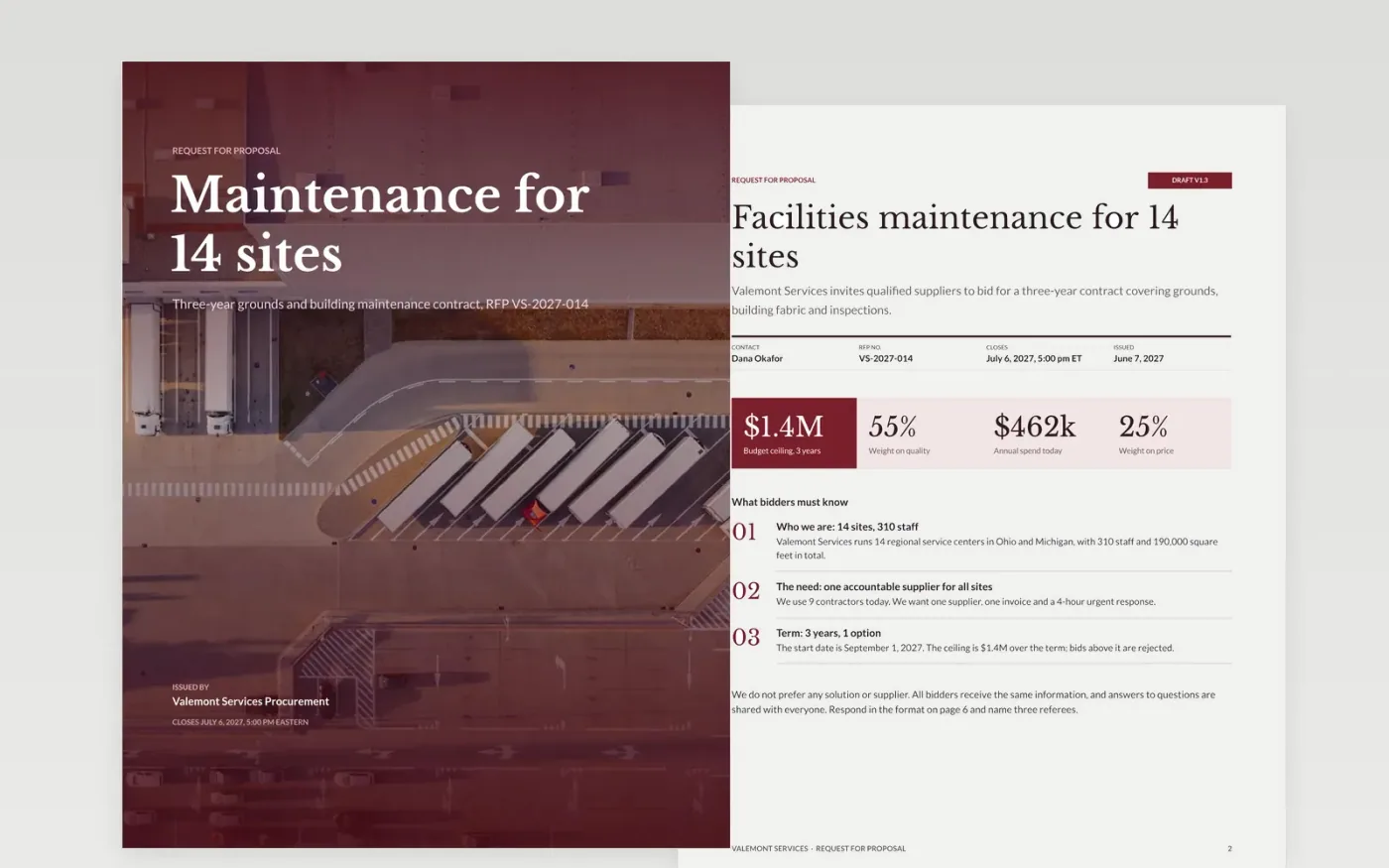
A vague RFP draws bids that cannot be compared. This template gives buyers a complete structure: an introduction with the budget ceiling, a table of testable requirements marked mandatory or desirable, a timeline with the question deadline, published scoring weights, a response format with page limits, and plain terms that treat every bidder the same.
The sample is a request for proposals from Valemont Services, a fictional organization, for a three-year facilities maintenance contract at 14 sites, with a $1.4M ceiling, 28 requirements and weights of 55, 25 and 20 points. Replace the need and budget, rewrite the requirements, set your dates and weights, and have your legal adviser check the terms.
Click Make a copy in Google Docs, then confirm on the Google page. The copy is saved to your own Google Drive.
Fill the introduction with your organization, the need and the contract value range, and remove anything that names a preferred solution.
Rewrite the requirements as numbered, testable statements marked mandatory or desirable, then set the timeline working back from your start date.
Set criteria weights that add up to 100, brief your evaluators before bids arrive, and replace the sample terms with your standard terms.
Delete the Make it yours page, then share the RFP with your invited bidders as a PDF or Google Docs link.
Yes. It is a free Google Docs template. Make a copy to your own Drive, replace the sample details with your own, and share it with bidders as a link or a PDF.
Yes. Change the requirements to product specifications and quantities, keep the weights, dates and response format, and have your legal adviser review the terms.
No. Valemont Services, its people, the bidders and every date and dollar figure are fictional sample content. Replace all of it before you issue an RFP.
More Google Docs templatesMore business operations templates
Docs + Word16 pages
Free
Docs + Word7 pages
Free
Slides + PowerPoint14 slides
Free
Docs + Word8 pages
Free
Docs + Word7 pages
Free










