
Project Proposal
Docs + Word5 pages
Free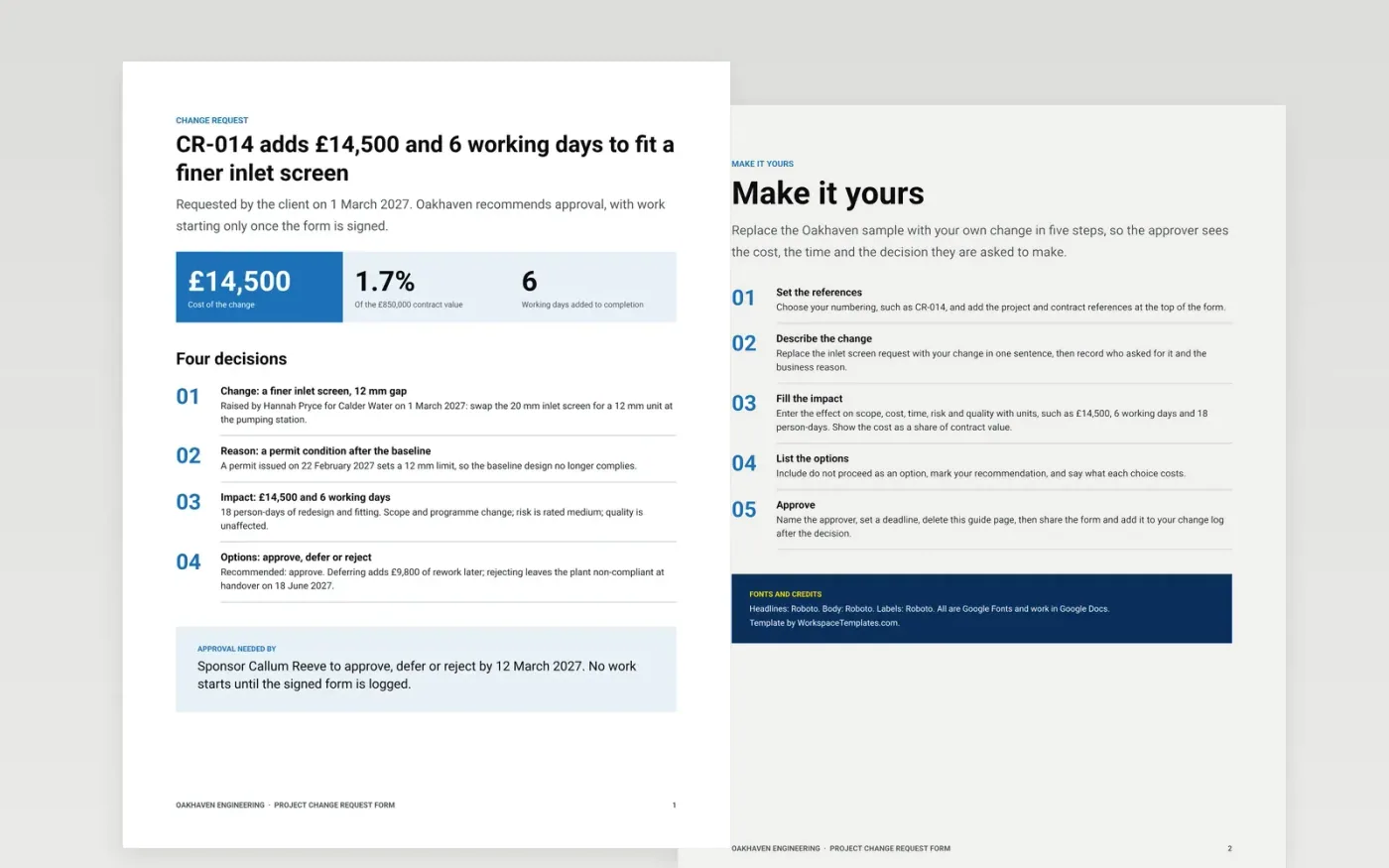
Scope changes agreed in a corridor or on a call are the usual cause of disputes over price and programme. This form captures each change once: who asked, why, what it does to scope, cost and time, which options were considered and who approved, deferred or rejected it.
The sample is change request CR-014 on a water pumping station contract run by Oakhaven Engineering. It adds £14,500, 1.7% of the £850,000 contract, and 6 working days, with a recommendation and a decision deadline. Replace the reference numbers, request, impact figures, options and approver with your own, then add the form to your change log.
Click Make a copy in Google Docs, then confirm on the Google page. The copy is saved to your own Google Drive.
Set the change number and add your project and contract references, then describe the change in one sentence with the business reason.
Fill in the impact on scope, cost and time with units, and rate the risk. List the options, including do not proceed, and mark your recommendation.
Name the approver, set a decision deadline, and record the decision on the form before any work begins.
Delete the Make it yours guide page, then share the form with the approver and add it to your change log.
Whenever a request would alter the agreed scope, cost or completion date. Raise it before work starts, so the price and programme effect are agreed in writing.
No. Oakhaven Engineering, the client, the people and every figure are fictional sample data. Replace them with your own project details before use.
Yes. Logging rejected and deferred requests, with the reason, stops the same change coming back later and gives auditors a complete record.
Docs + Word5 pages
Free
Docs + Word9 pages
Free
Slides + PowerPoint11 slides
Free
Docs + Word3 pages
Free
Docs + Word3 pages
Free
Slides + PowerPoint11 slides
Free










