
Employee Handbook
Docs + Word21 pages
Free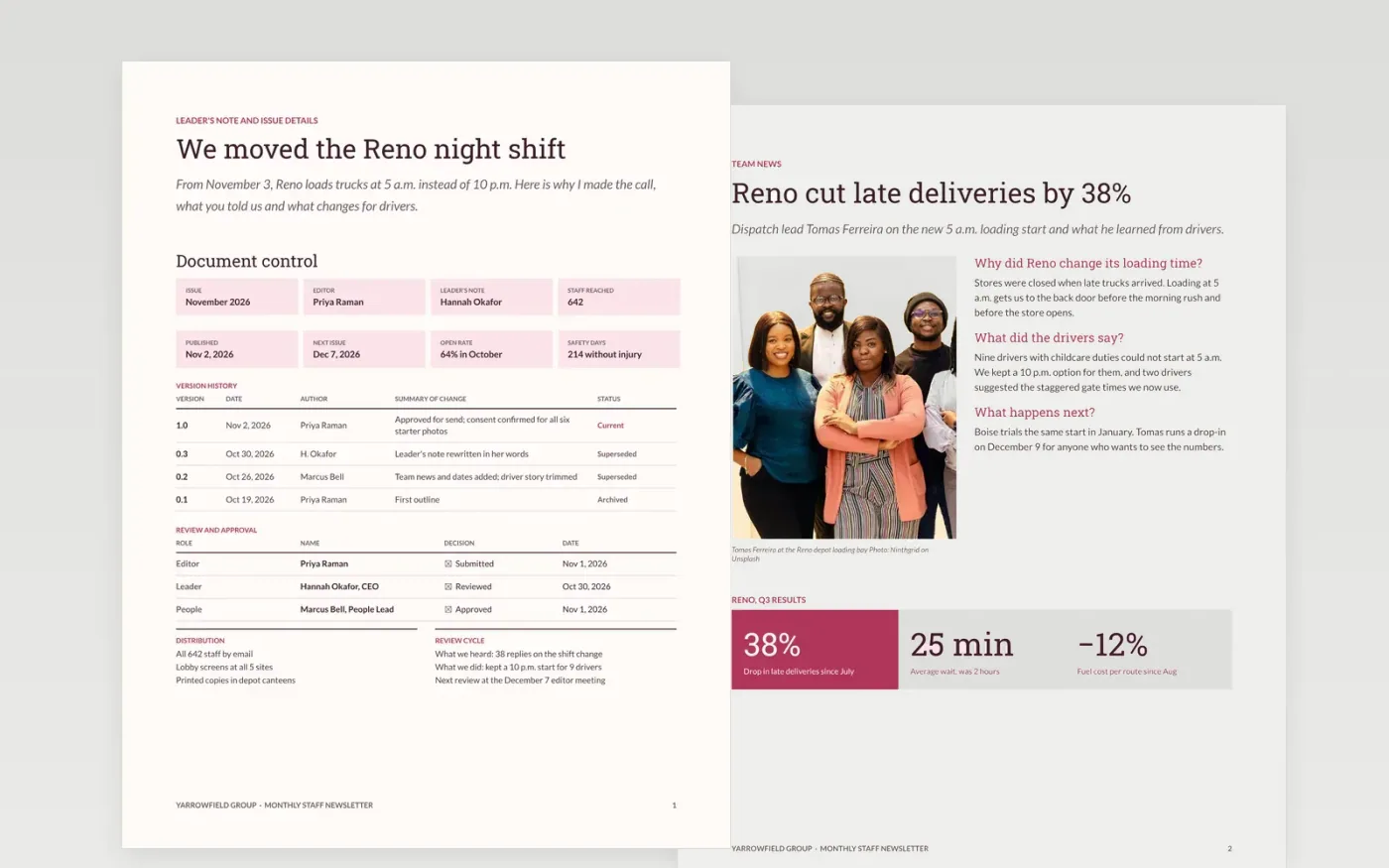
Staff read an internal newsletter when it is about people they know and tells them what to do next. This template gives internal comms a steady monthly format: a leader's note with issue details and an honest what-we-heard item, a team news Q&A with three numbers, new starters, a spotlight on a colleague, and a diary of dates.
The sample is the November issue of The Yarrow Post at Yarrowfield Group, a food distributor with 642 staff on five sites. It explains one decision, a 5 a.m. loading start in Reno, and features six new starters and eight dates. Replace the masthead, names, photos and dates, and delete any section you cannot fill this month.
Click Make a copy in Google Docs, then confirm on the Google page. The copy is saved to your own Google Drive.
Rename the masthead and issue, then rewrite the leader's note in the leader's own voice with one real decision explained.
Replace the team news, new starters and spotlight with this month's items, using only names, roles and photos you have permission to publish.
Update the diary with dates, locations and joining links, and delete any section you cannot fill this month.
Delete the guide page, then send the newsletter by email and share it on lobby screens.
Team stories work best at 80 to 150 words. Staff skim, so lead with a person and a number, and give every story one thing the reader can do afterward.
Yes, in small doses. Include one honest what-we-heard and what-we-did item so staff trust the channel. The sample leader's note does this on the Reno shift change.
No. The organization, the people, the sites and every figure in the sample are fictional. They are there to show what a finished staff newsletter looks like.
Docs + Word21 pages
Free
Docs + Word7 pages
Free
Slides + PowerPoint16 slides
Free
Docs + Word6 pages
Free
Slides + PowerPoint11 slides
Free








