Monthly Staff Newsletter
Docs + Word7 pages
Free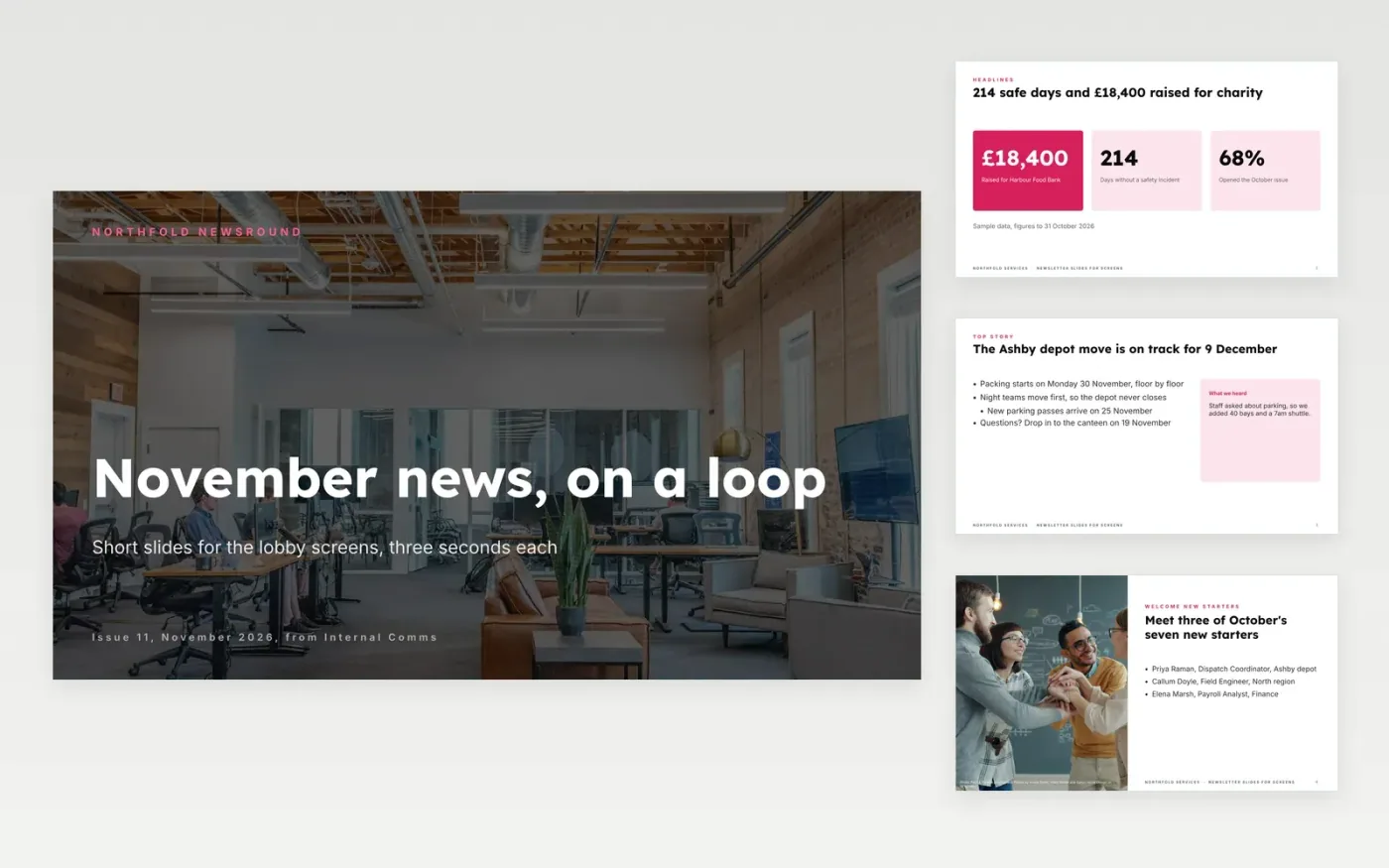
Staff in a reception or corridor give a screen about three seconds, so a long email newsletter does not work there. This eleven-slide deck breaks the month's news into one idea per slide: a headline, a top story with what staff told you, new starters, a diary, a thank you and four reminders.
The sample is a November issue for Northfold Services: 214 days without a safety incident, £18,400 raised for a food bank and a depot move on 9 December. Replace the masthead, news, names and dates, keep only the slides you can fill this month, then set the deck to loop.
Click Make a copy in Google Slides, then confirm on the Google page. The copy is saved to your own Google Drive.
Rename the masthead and issue number on the cover, then replace the headline numbers and top story with this period's news.
Swap the new starters, diary dates and recognition quote for your own, using only names you have permission to publish.
Delete any slide you cannot fill this month rather than padding it, and keep each slide to one idea.
Delete the guide slide, then present the deck on your screens and set it to loop.
About 8 to 12 seconds works for most lobby screens. Keep text short so a passer-by can read it in three seconds and come back to the rest on the next loop.
No. Northfold Services, its colleagues, depots and every figure are fictional and only show what a finished newsletter looks like. Replace them with your own.
Yes. Delete any slide you cannot fill this month. A shorter loop with real news is better than a full deck padded with filler.
Docs + Word7 pages
Free
Docs + Word7 pages
Free
Docs + Word21 pages
Free









