
Annual Report
Docs + Word6 pages
Free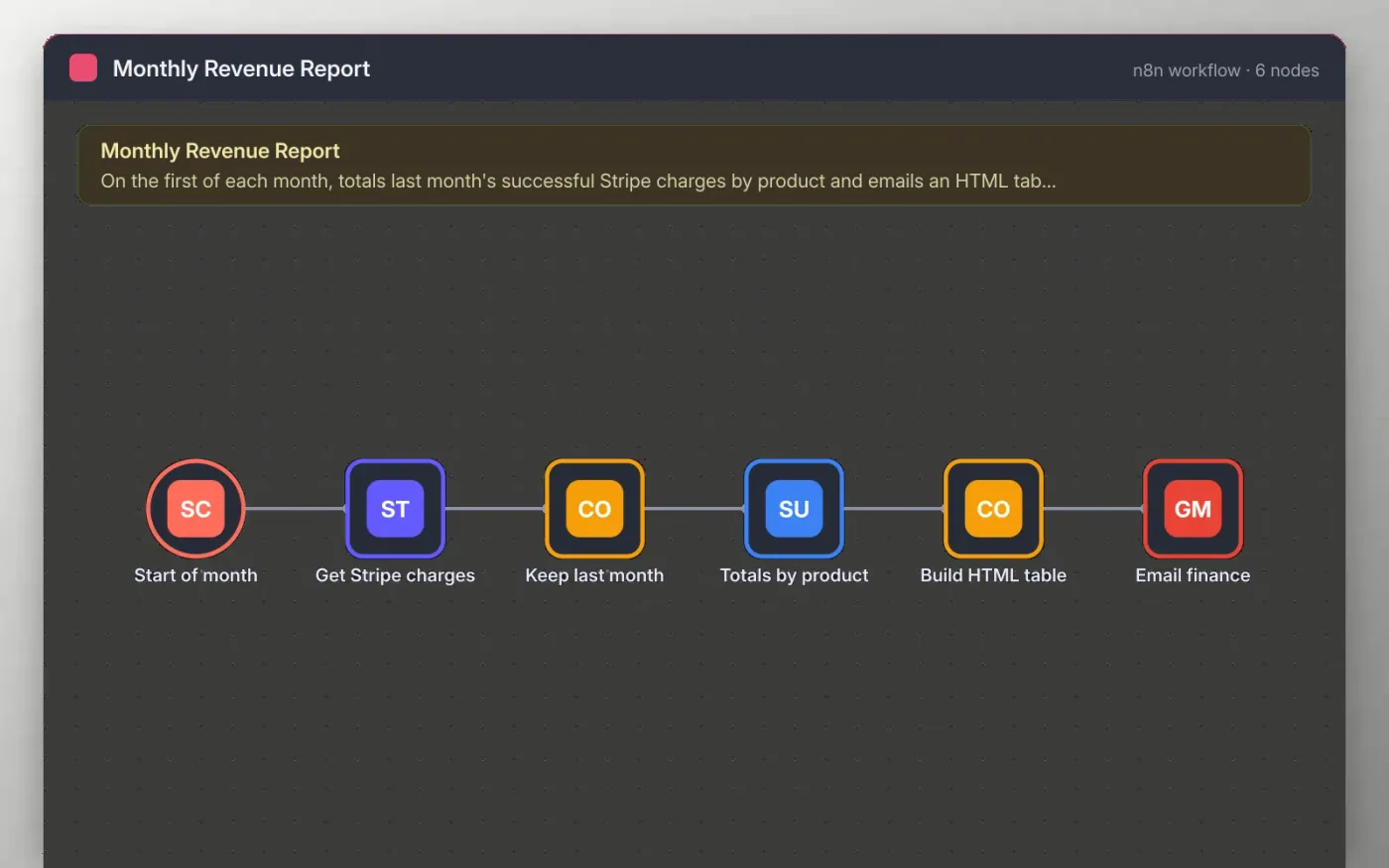
On the first morning of each month this workflow fetches the Stripe charges, keeps only successful ones made in the previous calendar month and groups the amounts by product description.
The totals are turned into a small HTML table with a grand total and emailed to the address you set. Nothing is sent until you connect Stripe and Gmail and enter a recipient.
Download the workflow JSON.
In n8n, choose Import from File and select the JSON.
Connect Stripe and Gmail, and replace the placeholder address on Email finance.
Run the workflow once manually and check the table in the email.
Activate the workflow so it runs at 8am on the first of each month.
Yes. Download the JSON and import it into your own n8n. There is no sign-up and no cost for the template.
No. The file has no keys or tokens. You connect your own Stripe and Gmail accounts after importing.
Yes. Change the field in the Keep last month code and the Totals by product node to a customer, plan or currency field.
Docs + Word6 pages
Free
Excel
Free
Sheets + Excel4 slides
Free
n8n
Free
n8n
Free
n8n
Free
n8n
Free
n8n
Free







