Account Whitespace Analysis Slides
Slides + PowerPoint10 slides
Free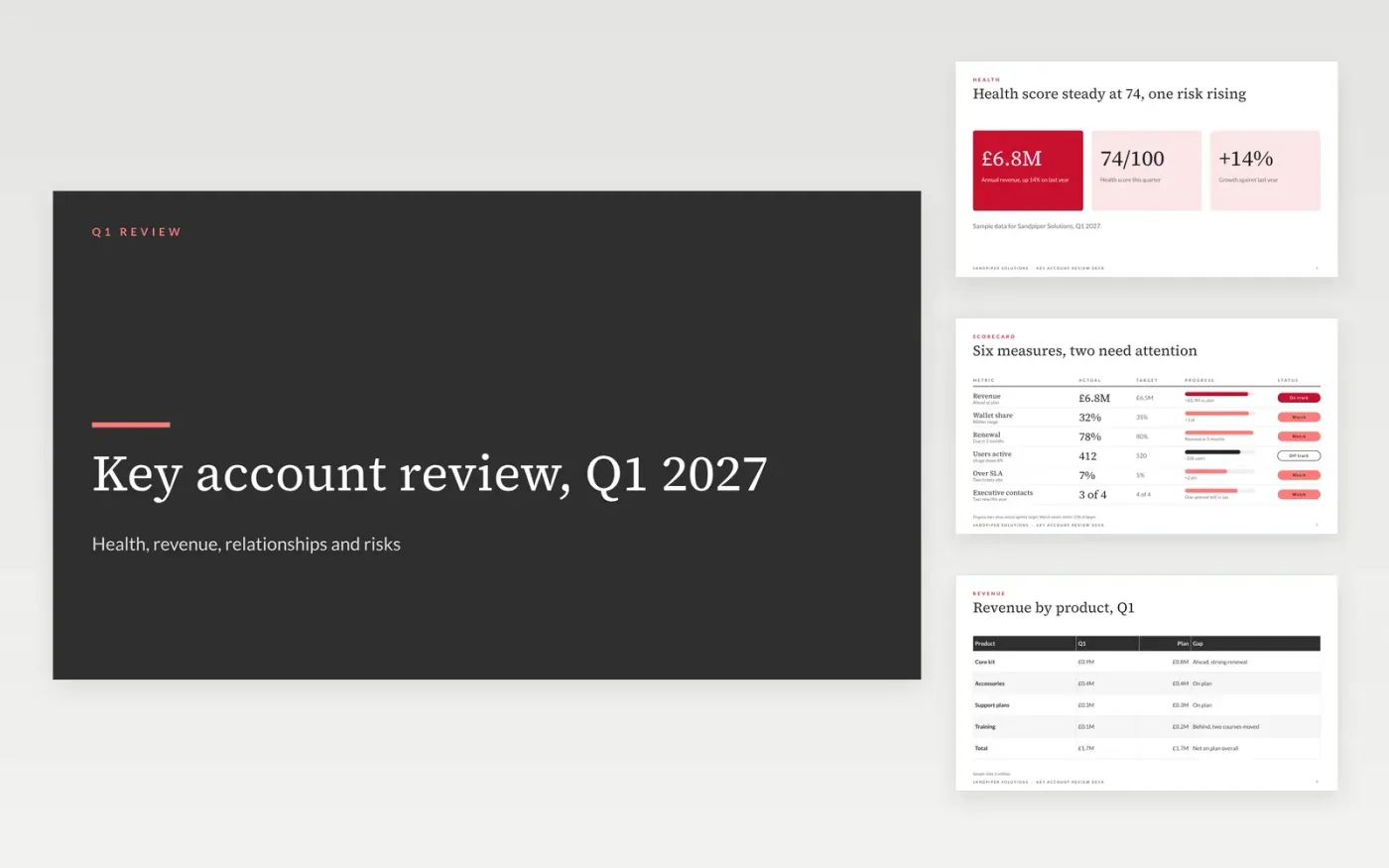
Key accounts drift when reviews are a list of activities rather than an honest read of health, revenue and relationships. This template gives a quarterly internal review six slides: health, revenue, relationships, opportunities, risks and a closing ask. Each slide states one point, so the sales VP can read the account in ten minutes and see where support is needed.
The sample is a fictional review of a key account at Sandpiper Solutions, with annual revenue of £6.8M, a health score of 74 out of 100, one sponsor lost in January and three openings worth £520K. Replace the revenue, scorecard and stakeholder names with your own account data, and keep the ask on the last slide specific enough to act on.
Click Make a copy in Google Slides, then confirm on the Google page. The copy is saved to your own Google Drive.
Replace the account overview with the customer's real revenue, products held and renewal date.
Rate each scorecard row on track, watch or off track, and check each status against its target.
Enter each opportunity with its value, probability and owner, and drop any that are weak.
Delete the guide slide, then share the deck with the sales VP or present it at the quarterly review.
No. It is an internal review, so it can name weak relationships and real risks. Build the version the customer sees separately, with the agreed goals and owners, so each deck says only what it should.
No. Sandpiper Solutions, the people named, the revenue and every score in this sample are fictional. Replace them with your own account data before you use the deck in a real review.
Quarterly for most accounts, and monthly for an account at risk or one with a renewal within three months. Keep the same slide order each time, so the sales VP can compare one review with the last.
Slides + PowerPoint10 slides
Free
Slides + PowerPoint10 slides
Free
Slides + PowerPoint10 slides
Free
Docs + Word7 pages
Free
Docs + Word7 pages
Free
Docs + Word9 pages
Free
Docs + Word4 pages
Free
Docs + Word8 pages
Free










