Strategic Account Plan Deck
Slides + PowerPoint10 slides
Free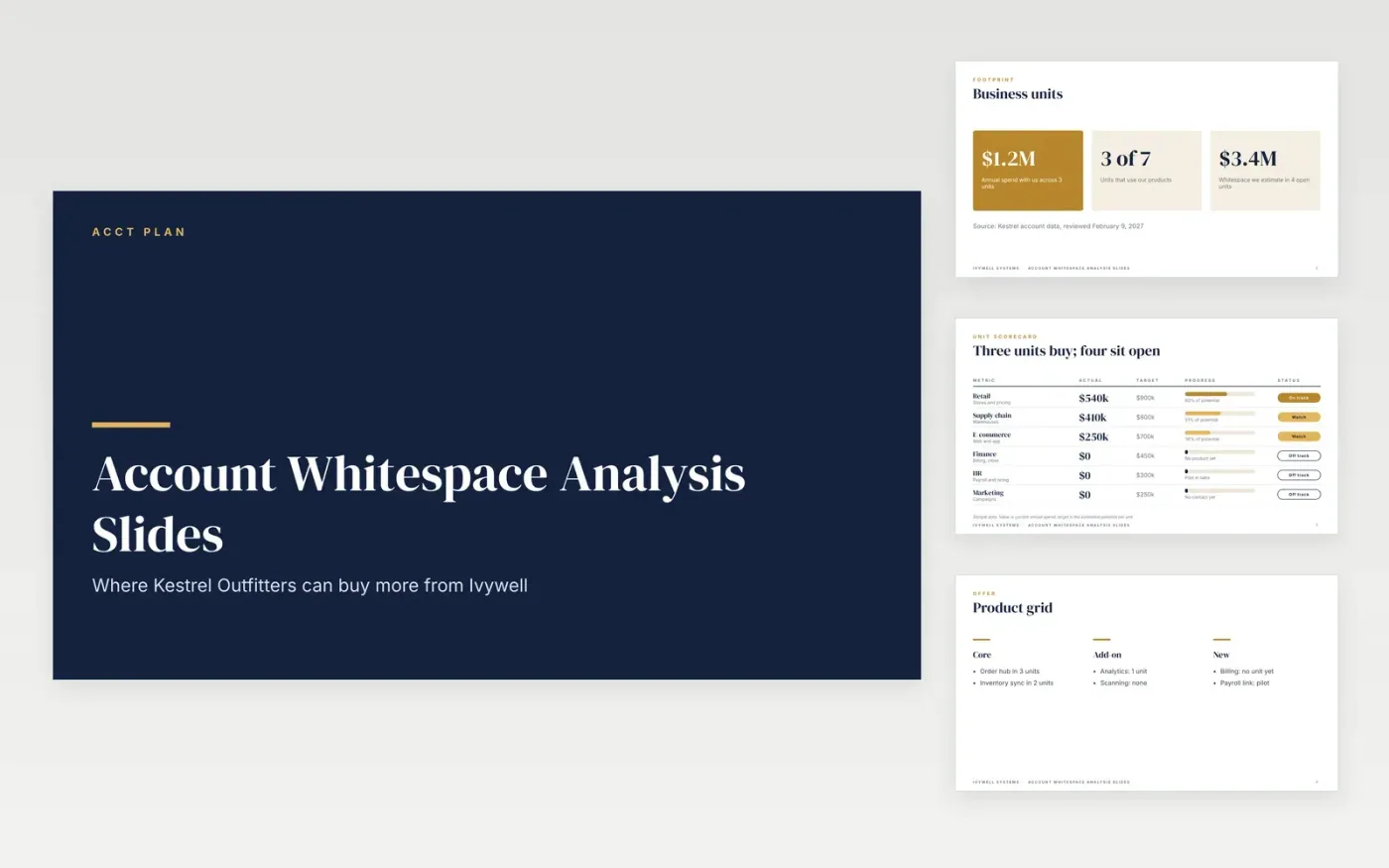
Sellers use a whitespace analysis to find spend a large customer has not yet handed them. This deck lays an account out in five parts: a headline on open spend, a count of business units already buying, a unit scorecard with a percent of potential for each, a product grid showing which products run where, and a supporting slide for each open opportunity. The sample account, Kestrel Outfitters, buys from three of seven units and carries about $3.4M a year of open spend across four more. Each slide prints its source on the page, so a reviewer can trace every figure.
Swap in your own account name, units, products and figures before the meeting, and keep the scorecard to units your team can realistically reach this year. Rank the open units by estimated potential and give the top two most of your preparation time, because a deck that lists every gap dilutes the case. Bring one product row per meeting so the next step stays clear. The file opens in the browser-based editor for Slides, and a .pptx copy suits people who work in PowerPoint.
Click Make a copy in Google Slides, then confirm on the Google page. The copy is saved to your own Google Drive.
Start by entering your customer name and territory on the cover.
Update the business unit slide, then mark each product as owned, open or blocked in the grid.
Remove business units your customer does not have and add owners and dates.
It is a map of the spend an existing customer could still give you. Sellers list the customer's business units, mark which ones already buy each product, and estimate the potential of the open units. The gap between current spend and that estimate is the whitespace. Account teams use it to choose the next conversations, and the figures should come from account data so they hold up when the customer asks where they came from.
Ten to twelve slides is enough for most account reviews. Cover the headline opportunity, the unit scorecard, a product grid and one slide for each high-value gap, then add an appendix of sources and assumptions at the end. A longer deck usually means the team has not yet chosen which opportunities matter most, so cut it down to the two or three that have a clear owner and timing.
Start with your own records: current order values, contract dates and product usage by unit. Add estimates only where you can explain the method, such as a share of a unit's budget or the size of a comparable team. Write the source and review date on every slide. Finance and the account team should sign off on the numbers before anything reaches the customer.
Slides + PowerPoint10 slides
Free
Slides + PowerPoint10 slides
Free
Slides + PowerPoint10 slides
Free
Docs + Word7 pages
Free
Docs + Word7 pages
Free
Docs + Word9 pages
Free
Docs + Word4 pages
Free
Docs + Word8 pages
Free










