
API Overview Deck
Slides + PowerPoint12 slides
Free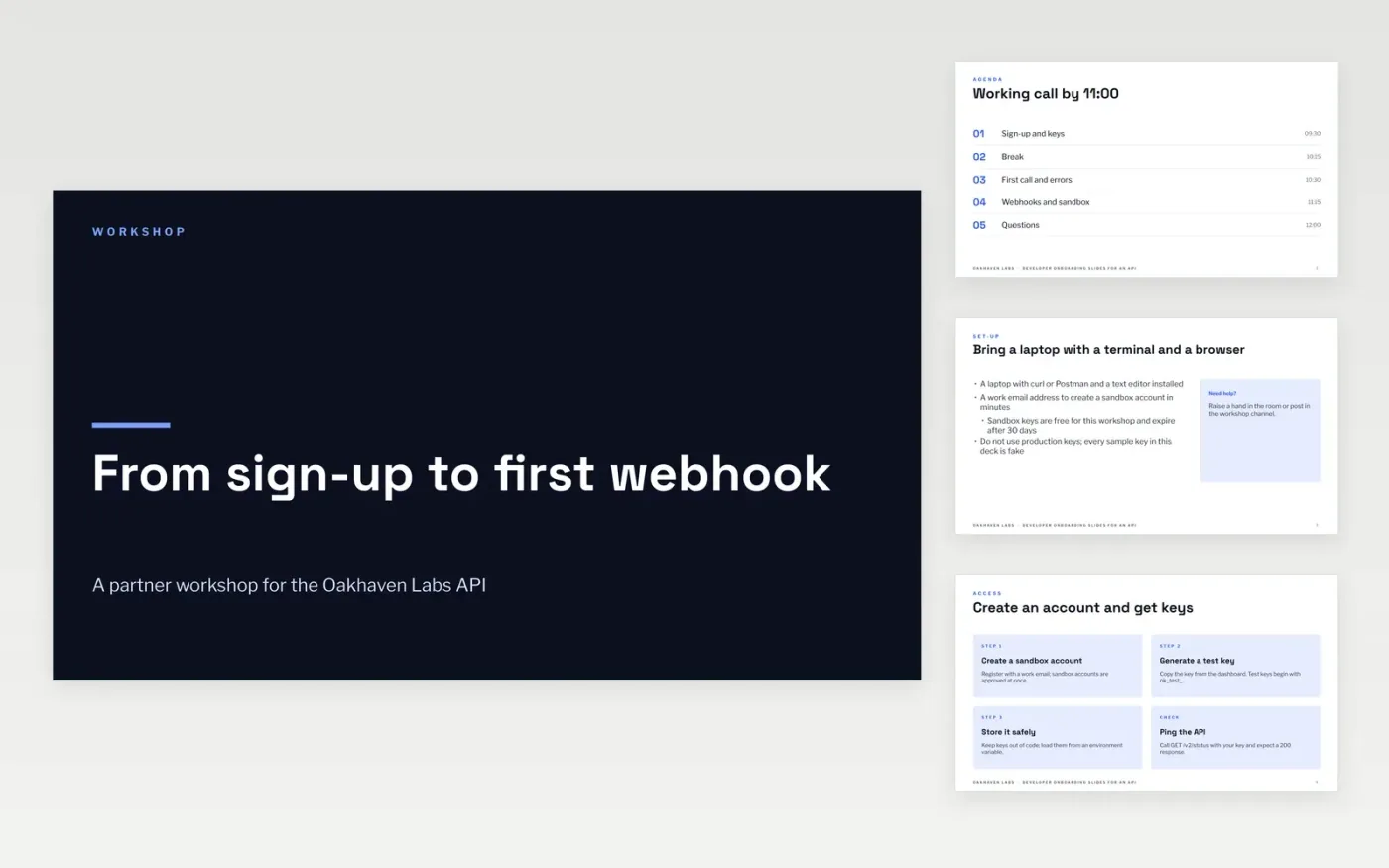
API partners often stall between getting an account and making a call that works, and support queues fill with the same questions about keys, errors and webhooks. This deck runs a live session in the order a developer needs: agenda, sign-up and keys, a first request and response, webhook delivery, the sandbox, then next steps. Each slide states its point in the headline, so the workshop leader can keep the room on one task at a time.
The sample content describes a fictional platform for Oakhaven Labs, with an example base URL, endpoints and limits, so you can see what a finished onboarding session looks like. Replace the base URL, the key format and the sandbox details with your own, then run each request against your sandbox and paste the real response into the first call slide before you present.
Click Make a copy in Google Slides, then confirm on the Google page. The copy is saved to your own Google Drive.
Replace the base URL, the key format and the sandbox limits with your own platform details.
Run each request against your sandbox and paste the real response into the first call slide.
Set the agenda times to match your session, and check the webhook steps against your own retry policy.
Delete the guide slide, then share the deck with attendees or present it from Google Slides.
No. Oakhaven Labs, its people, the endpoints, the limits and every key shown are fictional sample data. Replace them with your own before you run a workshop.
The agenda is planned for about three hours, with a break at 10:15 and a question slot at the end. Shorten it by dropping the webhook section if attendees do not receive events.
Yes. The same order works for internal teams. Point the sign-up steps at your own identity provider and keep the error and rate-limit content, since new engineers hit those first.
More Google Slides templatesMore developer workflows templates
Slides + PowerPoint12 slides
Free
Slides + PowerPoint12 slides
Free
Docs + Word14 pages
Free
Docs + Word7 pages
Free
Docs + Word8 pages
Free










