
Acceptable Use Policy
Docs + Word7 pages
Free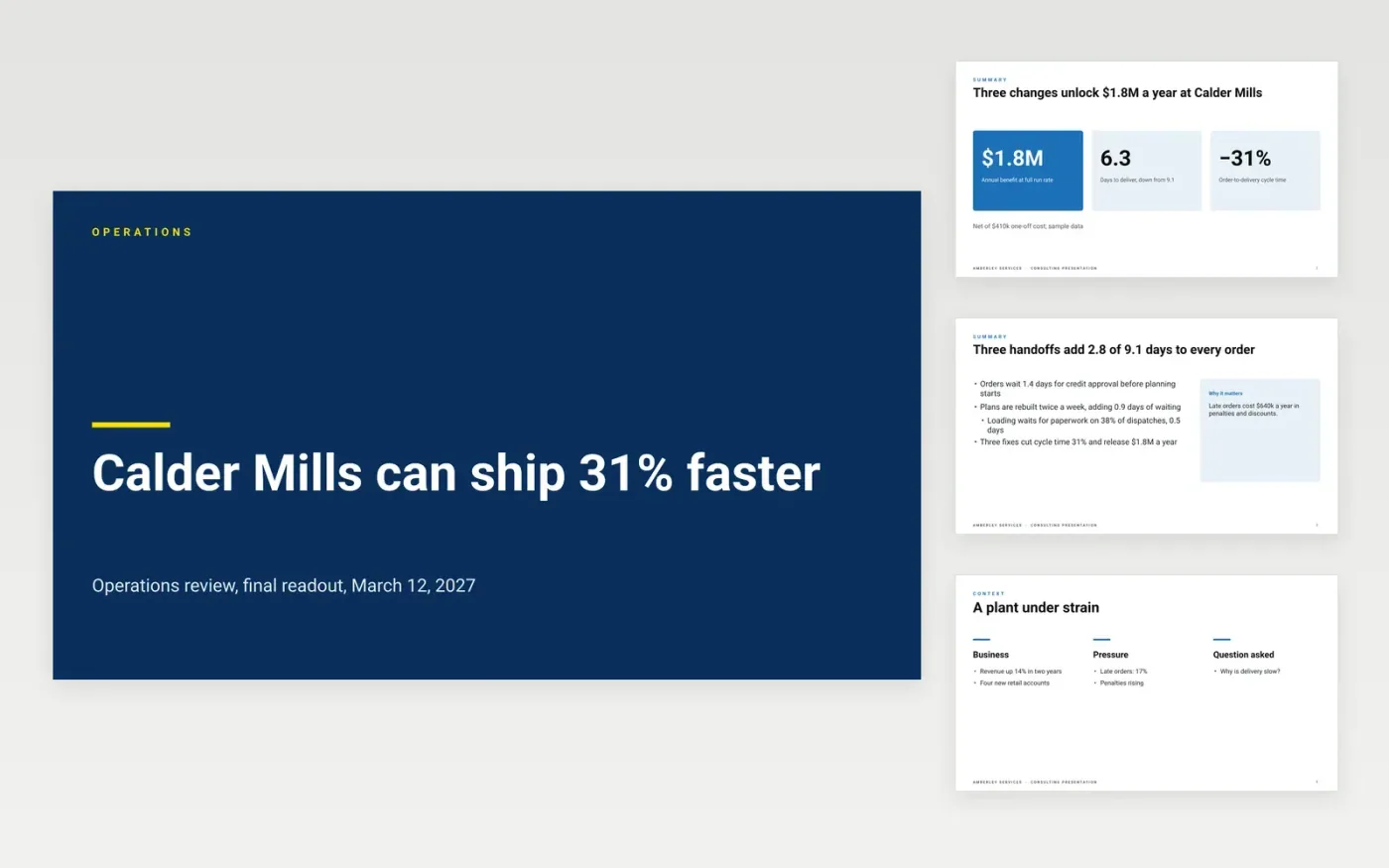
Clients read the headings of a consulting deck first, then the numbers. This template is built around action titles: each slide states what was found or what to do. It runs from an executive summary through the situation, the findings with evidence, recommendations with benefit and cost, a roadmap and next steps.
The sample is an operations review by Amberley Services for a fictional client, Calder Mills: delivery time cut 31% from 9.1 to 6.3 days, $1.8M a year of benefit for a $410k one-off cost, over three phases ending in September. Replace the client, findings, figures and roadmap with your own, and write the executive summary last.
Click Make a copy in Google Slides, then confirm on the Google page. The copy is saved to your own Google Drive.
Replace the client, question and figures with your engagement, and rewrite every title as a sentence that states the conclusion.
Replace each finding with the observation, evidence and rating, then rebuild the recommendations with benefit, cost, effort and owner.
Put the roadmap in three phases with the first 90 days spelled out, and write the executive summary last.
Delete the Make it yours slide, then present.
Yes. Make a copy in Google Slides and it is yours to edit, with no sign-up here and no cost.
A full-sentence title that states the conclusion of the slide, such as 'Credit and planning waits take a quarter of cycle time'. Read in order, the titles tell the whole story.
No. Amberley Services, Calder Mills, the people and every figure are fictional and made up for the example. Replace them with your own before you present.
More Google Slides templatesMore business operations templates
Docs + Word7 pages
Free
Docs + Word8 pages
Free
n8n
Free
Docs + Word7 pages
Free
Docs + Word7 pages
Free
Docs + Word9 pages
Free









