Executive Summary
Docs + Word2 pages
Free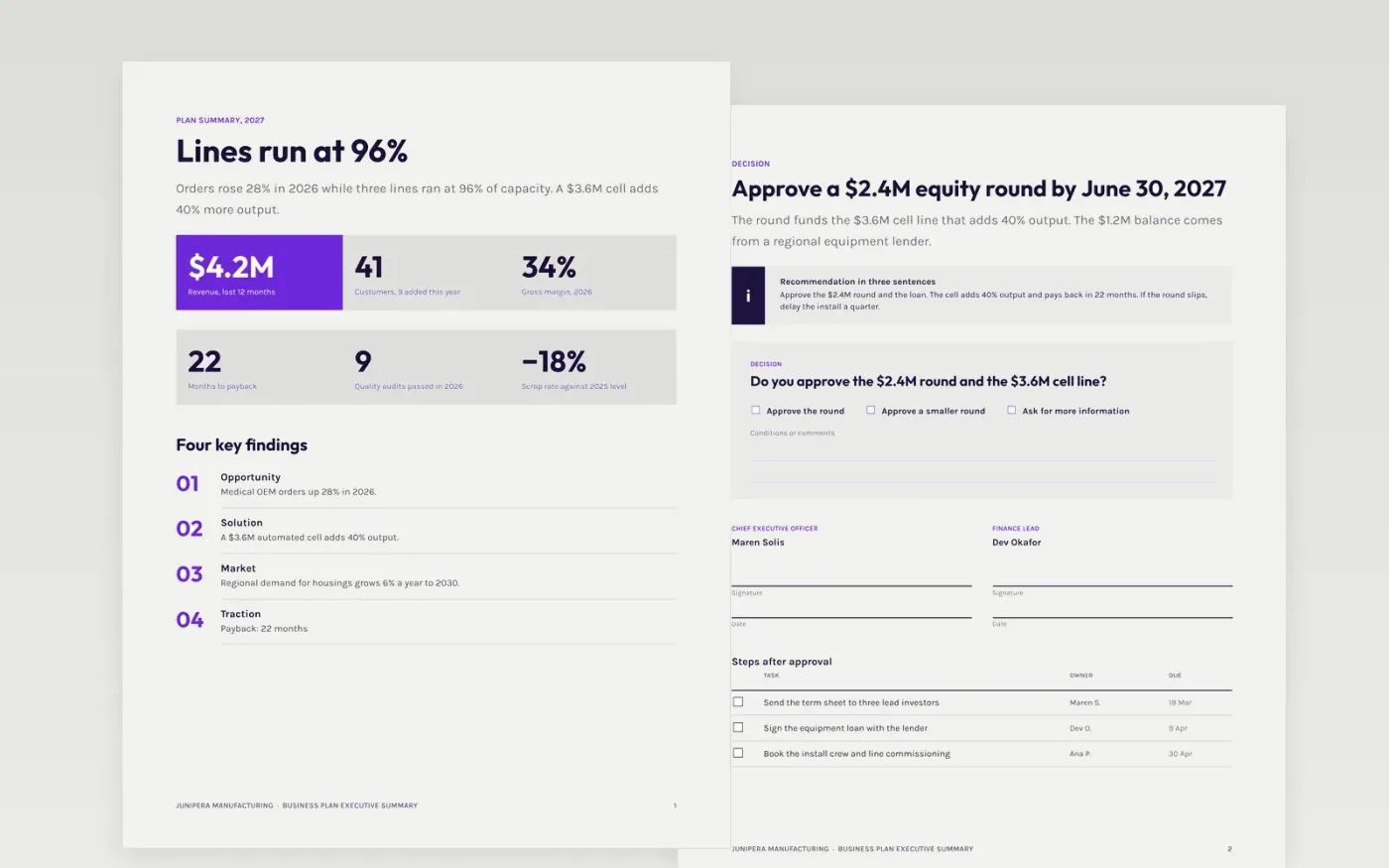
This Google Docs template gives founders a three-page summary to send before the full business plan is read. Page one is an at-a-glance view of the opportunity, solution, market and traction. Page two sets out the recommendation, the sign-off box and the next steps. Page three is a guide for replacing the sample content, and you delete it before you share.
Every page is filled with sample content for Junipera Manufacturing, a fictional maker of machined housings for medical device customers. The figures are sample data and match across pages: $4.2M revenue, 41 customers, a 22-month payback and a $2.4M equity round. Replace them with your own figures, then check each one against the full plan before you send it.
Click Make a copy in Google Docs, then confirm on the Google page. The copy is saved to your own Google Drive.
Replace the company name, the kicker and the at-a-glance figures with your own, checking each against your full plan.
Rewrite the decision page so it names the amount, the use of funds and the date the decision is needed by.
Replace the sign-off names and checklist owners with the people who will act, using their real titles.
Delete the guide page, then share the summary as a PDF or present it from the same file in your meeting.
Yes. Make a copy in Google Docs and you can rework every page, free of charge and without creating an account.
Yes. Keep page one as the cover sheet, put the decision on page two, and attach the full plan behind it. Keep the page count at three or fewer.
No. Junipera Manufacturing, its people, customers and every figure are fictional sample data, made up to show a finished example. Replace them before you share the document.
More Google Docs templatesMore business operations templates
Docs + Word2 pages
Free
Docs + Word7 pages
Free
Docs + Word8 pages
Free










