
Sales and Operations Plan Slides
Slides + PowerPoint11 slides
Free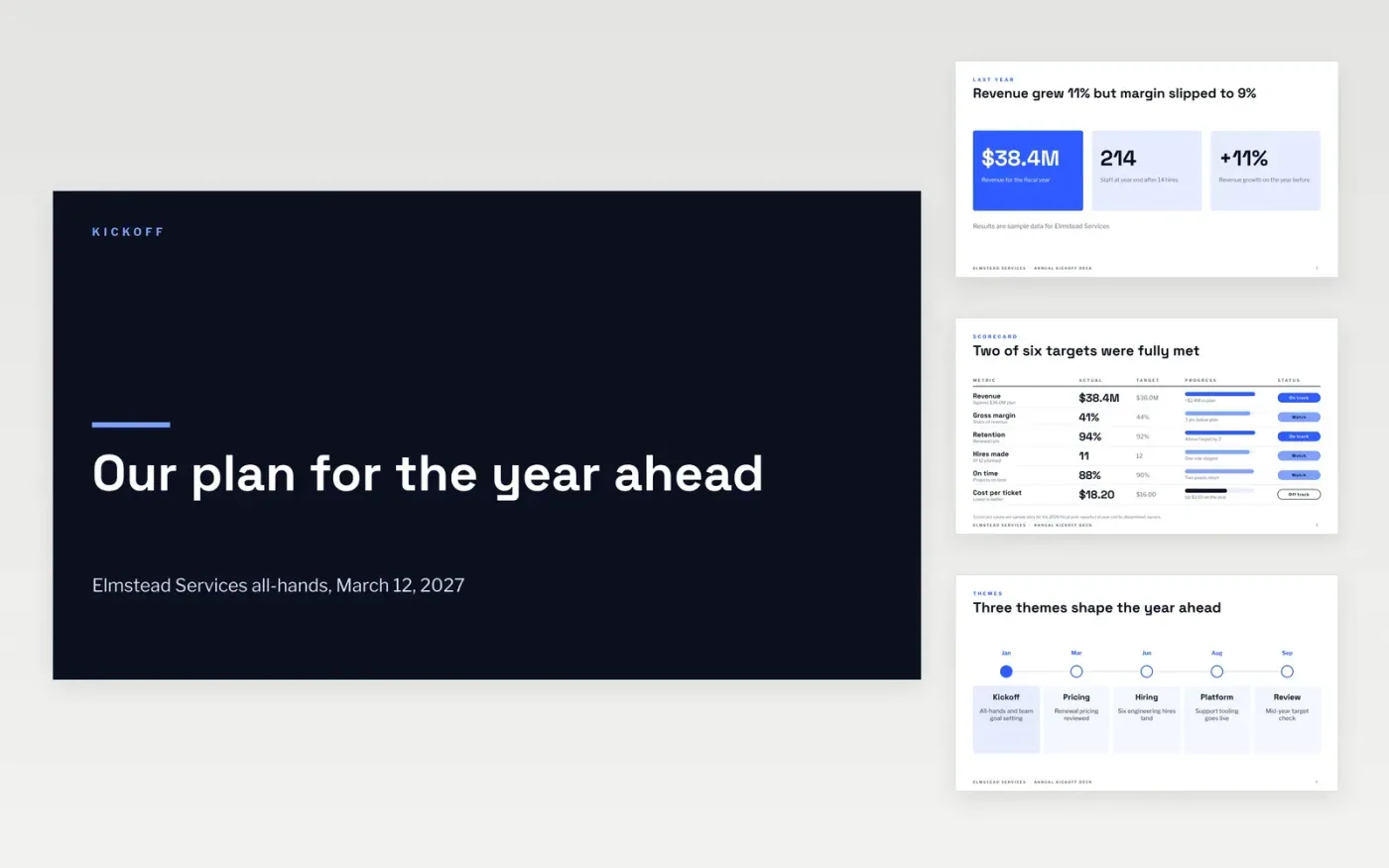
A new year often starts with a long strategy talk and no clear link to what each team will do next. This Google Slides deck connects last year's results to this year's themes, quarterly goals and a calendar of reviews. It is built for one all-hands session, and each slide answers one question: where we were, where we are going, and when we will check.
The sample follows Elmstead Services, a fictional services company that grew revenue 11% to $38.4M and now sets a 10% growth target. Its results, hiring plan, cost-per-ticket figure and calendar are invented sample data. Replace them with your own year-end actuals, then confirm each goal with its owner before the deck is shared.
Click Make a copy in Google Slides, then confirm on the Google page. The copy is saved to your own Google Drive.
Replace last year's sample results with your year-end actuals and note the variance to plan.
Set five to eight targets, each with a named owner and a monthly measure.
Rebuild the budget by department and reconcile its total to the headline revenue target.
Delete the guide slide, then share the deck with all staff or present it at the kickoff.
Yes. Only the wording is tied to a services business. Replace the sample figures, the department names and the themes with your own, and the structure works for any firm opening its year.
No. Elmstead Services, its staff, the revenue and hiring figures, and every goal are fictional sample data. Replace all of them before you use the deck with your own team.
Review the scorecard monthly and the goals quarterly, with a re-forecast trigger if any target drifts more than five points off track. The calendar slide shows those dates.
More Google Slides templatesMore business operations templates
Slides + PowerPoint11 slides
Free
Slides + PowerPoint12 slides
Free
Slides + PowerPoint12 slides
Free
Docs + Word7 pages
Free
Docs + Word7 pages
Free
Docs + Word7 pages
Free
Docs + Word8 pages
Free










