ESG Highlights Deck
Slides + PowerPoint10 slides
Free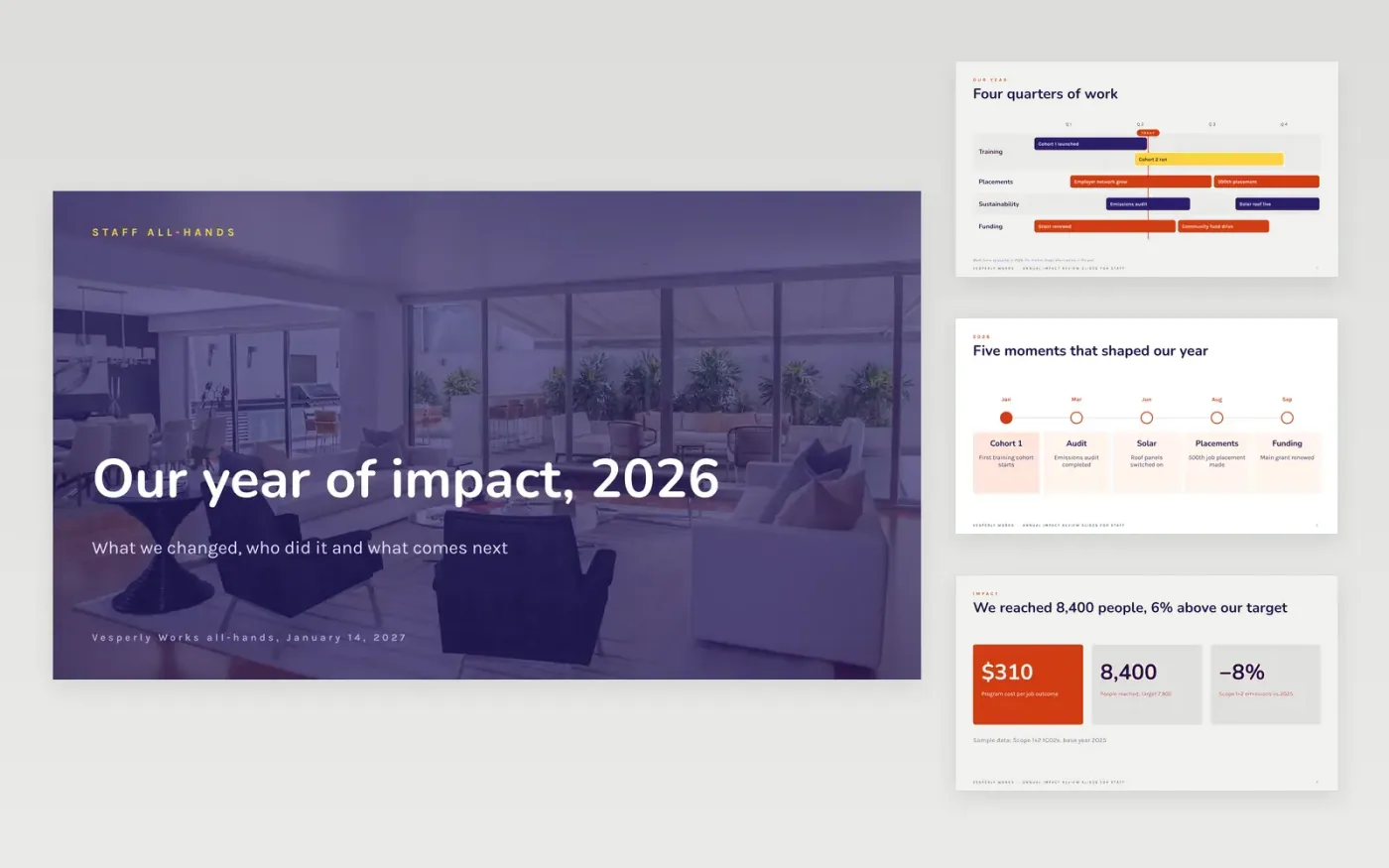
Social enterprises often report impact to funders but forget to tell their own staff. This deck gives an all-hands a clear order: the year on one roadmap, the headline impact numbers, a chart against target, credit for each team, one story told with consent, and the targets for next year.
The sample follows Vesperly Works, a fictional training and jobs charity that reached 8,400 people against a target of 7,900, cut Scope 1+2 emissions by 8% and missed its early employment target in two quarters. Replace the figures with your own year-end outcomes, swap the story and credit your teams by name.
Click Make a copy in Google Slides, then confirm on the Google page. The copy is saved to your own Google Drive.
Replace the impact figures with your year-end outcomes and the prior-year comparison, and edit the chart values.
Swap the sample story for a real one and record consent before you use names or photos.
Credit each team by name and set next year's targets, with an owner for every one.
Delete the guide slide, then share the deck or present it.
Yes. Make a copy in Google Slides and it is saved to your own Google Drive, where you can edit, share and present it without paying anything.
No. Vesperly Works, the people named, the story and every figure are fictional sample content. They show what a good staff impact review looks like, so replace all of it.
Yes. The same slides work for funders and trustees. Add your audited finance figures, your emissions boundary and base year, and keep the missed targets next to the wins.
More Google Slides templatesMore business operations templates
Slides + PowerPoint10 slides
Free
Slides + PowerPoint12 slides
Free
Slides + PowerPoint12 slides
Free
Docs + Word7 pages
Free
Docs + Word8 pages
Free
Docs + Word7 pages
Free
Docs + Word8 pages
Free
Docs + Word8 pages
Free
Docs + Word8 pages
Free










