Consulting Presentation
Slides + PowerPoint12 slides
Free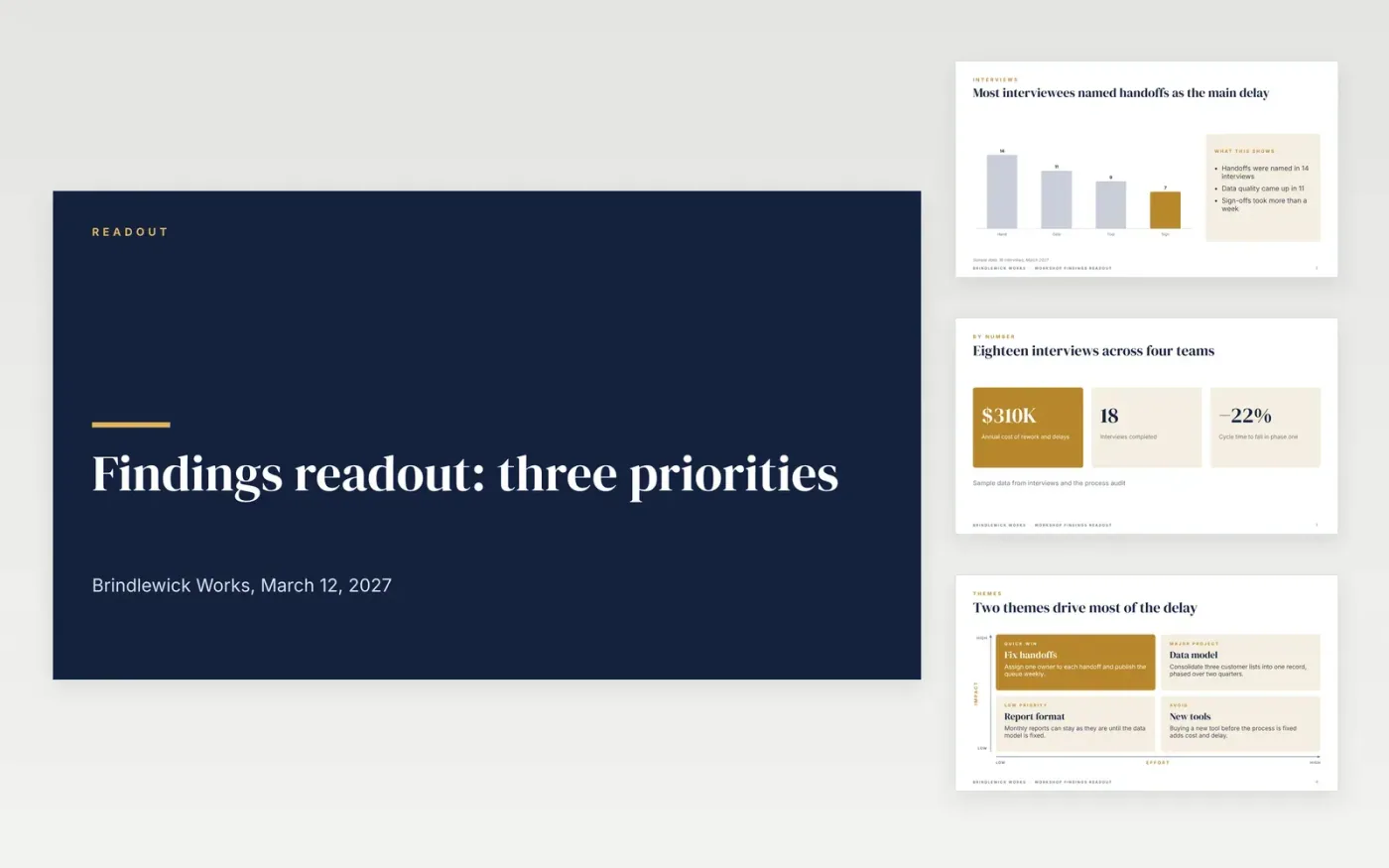
Clients commission a discovery project to get an answer, and a readout that buries the answer under method slides loses the room. This deck is built to read from its headings: a chart of what interviewees said, a matrix that sorts themes by impact and effort, priorities with owners, and next steps for the first 90 days. Each slide uses a short title that states the conclusion, so a business health check or a due diligence summary can be followed by a sponsor in minutes.
The sample is Brindlewick Works after eighteen interviews, with handoffs named most often and three priorities for phase one, including a target of 25% shorter cycle time. Replace the findings with your own observations, evidence sources and ratings, then rebuild the priority cards with benefit, cost and an owner before you present. Move method details and interview lists to an appendix, so the readout stays short.
Click Make a copy in Google Slides, then confirm on the Google page. The copy is saved to your own Google Drive.
Rewrite the executive summary last, in three messages the sponsor can repeat.
Replace each finding with your own observation, evidence source and rating.
Rebuild the priority cards with benefit, cost, effort and a named owner for each.
Delete the guide slide, then share the deck with the sponsor or present it in the readout.
It is a slide deck built to carry a consulting report's conclusions. Pair it with a written appendix for method, interview lists and data tables, which the deck refers to but does not repeat.
Yes. Brindlewick Works, the engagement lead named in the sample, the .example email addresses, and every interview count, cost and target are fictional and show what a finished readout looks like.
Yes. Use the impact and effort axes for initiatives, risks or vendors, and keep the four quadrants so each item lands in one box with a clear action attached to it.
More Google Slides templatesMore business operations templates
Slides + PowerPoint12 slides
Free
Slides + PowerPoint11 slides
Free
Slides + PowerPoint12 slides
Free
Slides + PowerPoint11 slides
Free
Docs + Word7 pages
Free
Docs + Word7 pages
Free
Docs + Word7 pages
Free
Docs + Word9 pages
Free










