API Documentation
Docs + Word14 pages
Free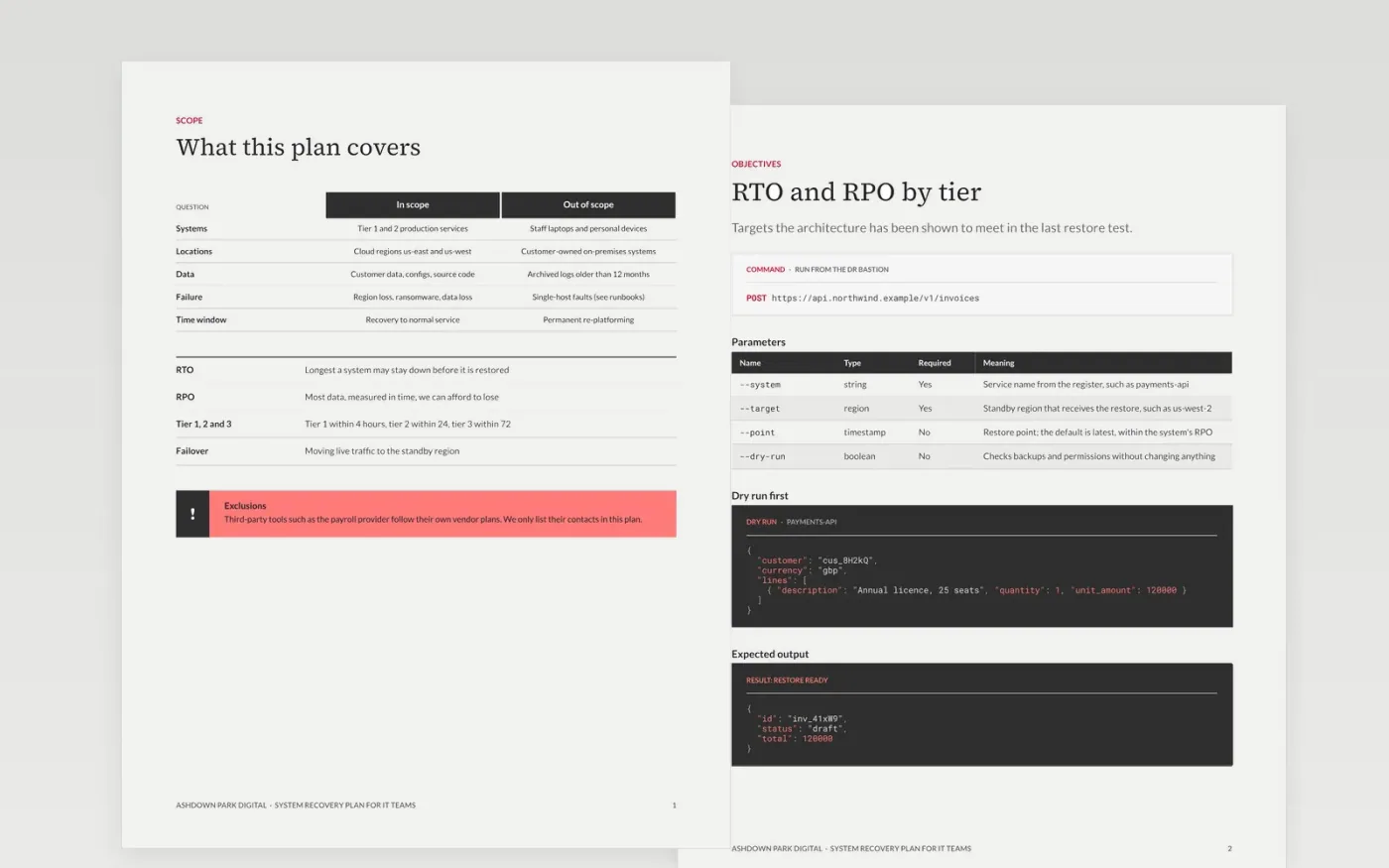
When a region fails or backups are corrupted, teams lose hours arguing about what comes back first. This plan agrees the order in advance: scope and assumptions, recovery time and recovery point objectives by tier, a ranked list of systems, step-by-step recovery with owners, and a testing calendar that gives auditors evidence.
The sample is a fictional software company with tier-1 services recovering in 1 to 4 hours, a failover drill that finished in 2 hours 10 minutes against a 4-hour target, and a 99.2% backup success rate. Replace the systems, tiers, commands, contacts and test dates with yours.
Click Make a copy in Google Docs, then confirm on the Google page. The copy is saved to your own Google Drive.
List your systems, assign each to a tier, and enter the RTO and RPO that the system owner has confirmed the architecture can meet.
Write recovery steps and commands for your top three systems, then test each one and record the date, time taken and result.
Add vendor, cloud region and escalation details, and store a printed or offline copy somewhere that does not depend on the systems being recovered.
Delete the guide page, then share the plan with your leadership team and auditors.
Start from business impact, then confirm with the system owner that the architecture can meet it. The sample uses tier 1 at 1 to 4 hours and tier 3 at 72 hours.
Keep a copy that does not depend on the systems it recovers, such as a printed set or an offline file, and make sure the incident lead and deputies can open it.
No. Ashdown Park Digital, its systems, people, commands and every figure are fictional sample data. Replace them with your own before you rely on the plan.
More Google Docs templatesMore developer workflows templates
Docs + Word14 pages
Free
Slides + PowerPoint12 slides
Free
Docs + Word21 pages
Free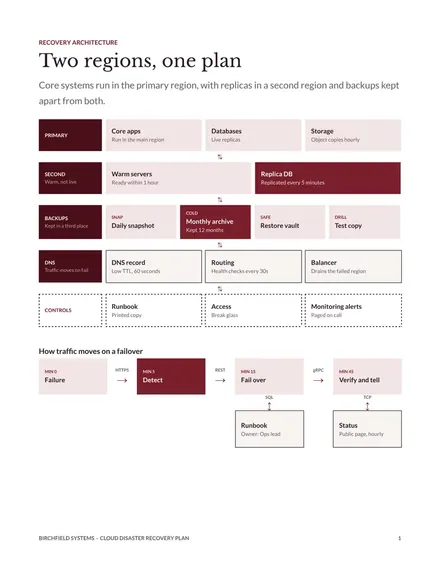
Docs + Word6 pages
Free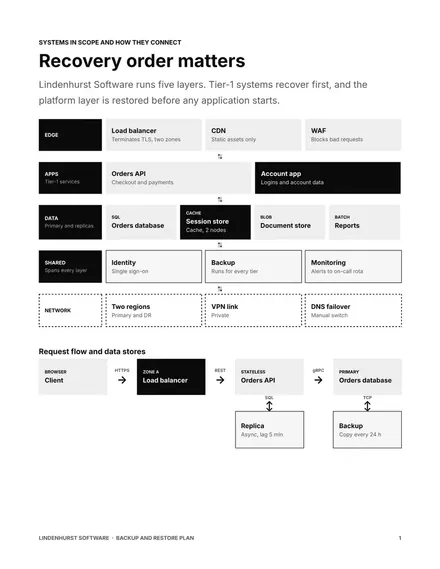
Docs + Word7 pages
Free










