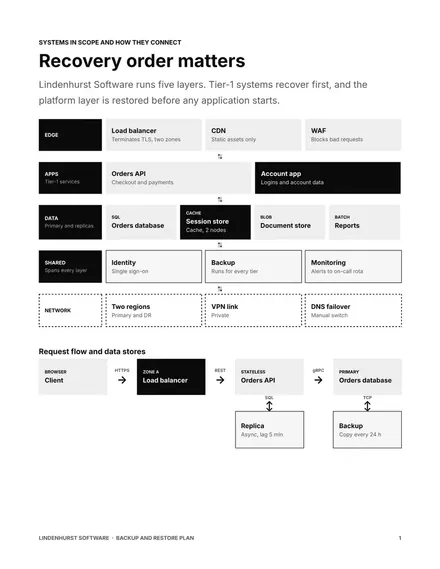
Backup and Restore Plan
Docs + Word7 pages
Free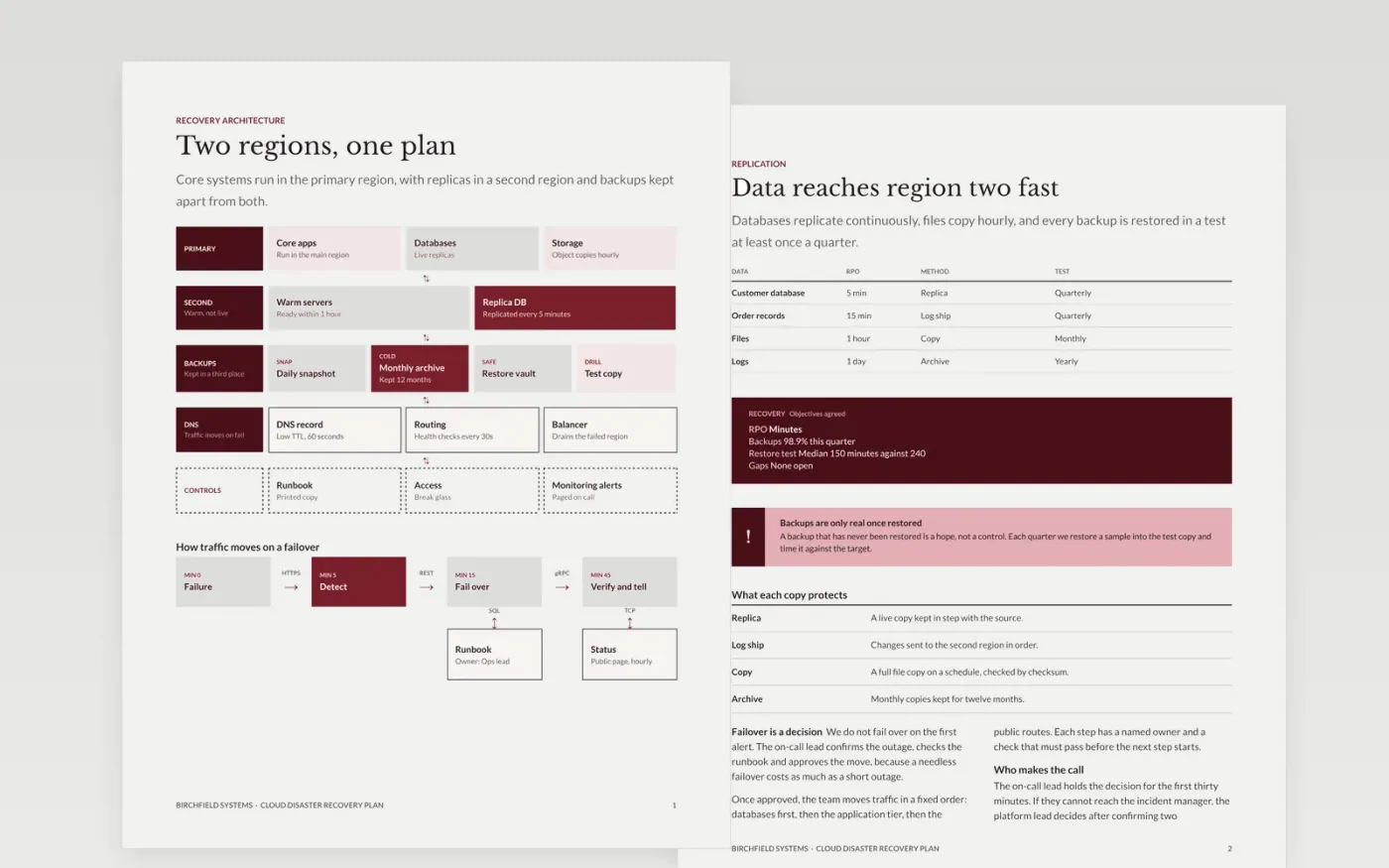
Most recovery plans fail on the first real outage, because the objectives were never checked and the steps were never run. This template sets out a cloud recovery plan in seven pages: the architecture, replication and backups, the failover decision and steps, failback, and the drill that proves the plan works. Each objective is a number and each step has an owner.
The sample is for Birchfield Systems, a fictional software company with a primary region, a warm standby and a recovery point of five minutes for customer data. Its objectives, drill results and contacts are sample data. Replace them with your own systems and tests, and have each system owner confirm the recovery time before you rely on it.
Click Make a copy in Google Docs, then confirm on the Google page. The copy is saved to your own Google Drive.
List your systems and assign each one to a tier, with the owner who confirmed its objectives.
Replace the replication table with your real schedule, locations and last tested restore date.
Write the recovery steps for your top three systems, then run each one as a drill.
Delete the guide page, add the vendor contacts, then store the plan off the systems it recovers.
Yes, free of charge. Make a copy into your Drive, then replace the recovery steps and contacts with your own.
No. Birchfield Systems, its regions, objectives and drill results are fictional sample data. Replace every figure with your own tested numbers before relying on the plan.
Restore a sample of backups each quarter and run a full failover drill at least once a year, with the results recorded and the plan updated afterwards.
More Google Docs templatesMore developer workflows templates
Docs + Word7 pages
Free
Docs + Word7 pages
Free
Slides + PowerPoint11 slides
Free









