
Postmortem Review Deck
Slides + PowerPoint12 slides
Free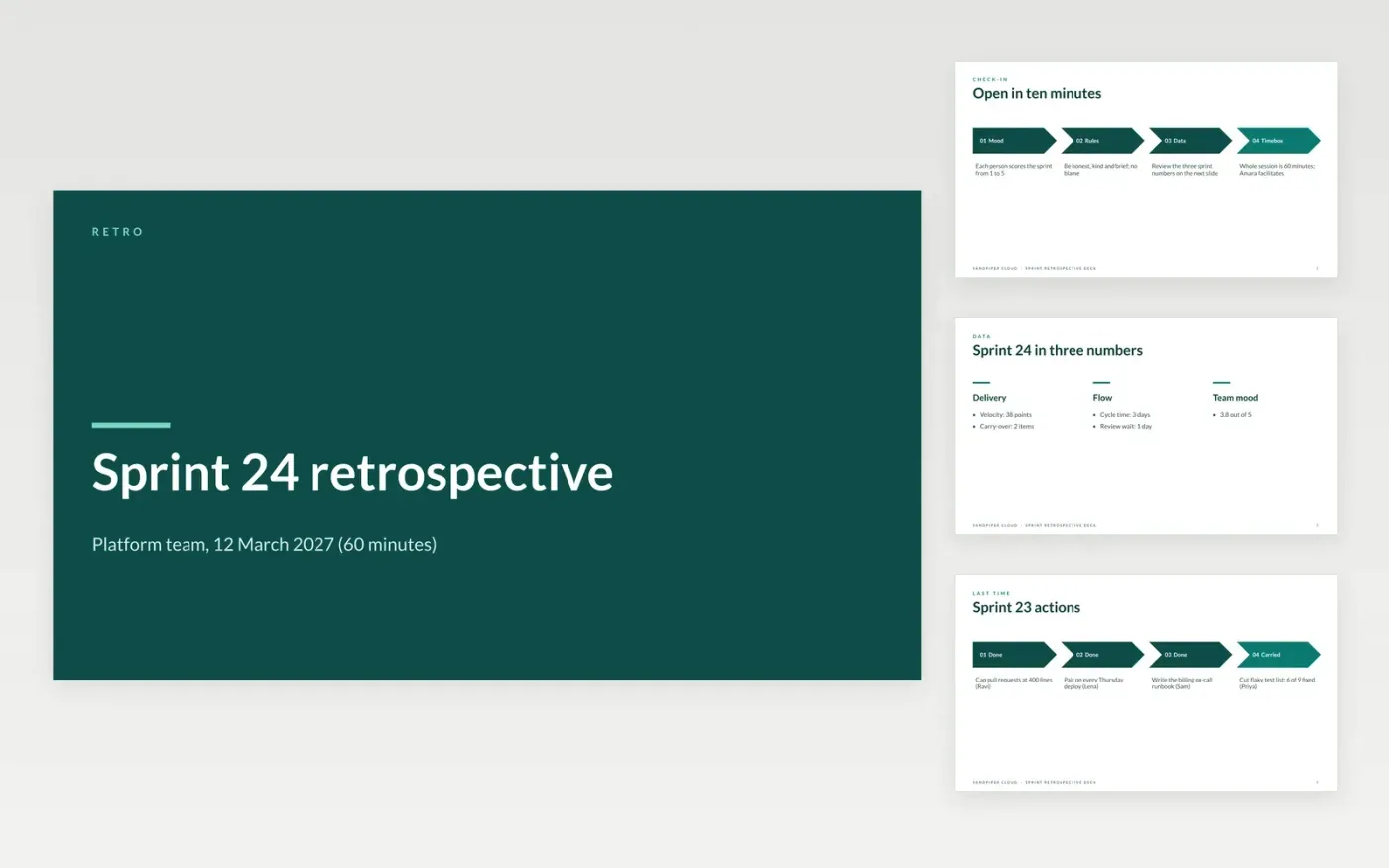
A retrospective turns into a complaints session when nobody reviews last time's actions or leaves with a decision. This deck gives a scrum master a structured hour: a check-in with sprint numbers, a review of previous actions, start-stop-continue cards, a vote on themes and a short list of actions with owners and dates.
The sample follows the platform team at Sandpiper Cloud, a fictional software company, after Sprint 24. It shows velocity of 38 points, a 3-day cycle time, three of four previous actions done and two new actions for Sprint 25. Replace the sprint data with your own, keep one retro format and reduce the actions to one or two.
Click Make a copy in Google Slides, then confirm on the Google page. The copy is saved to your own Google Drive.
Copy last sprint's actions onto the previous actions slides and mark each one done, dropped or carried.
Enter two or three pieces of sprint data, such as cycle time, carry-over and escaped bugs, to anchor the discussion.
Cut the action list to one or two items and name an owner and a date for each.
Delete the guide slide, then share the deck or present it.
No. Sandpiper Cloud, its people and every figure in the deck are fictional sample data. Replace them with your own team's details.
One or two. The sample ends with two actions, each with an owner and a date, so the team can finish them before the next retro.
Yes. Keep start-stop-continue or switch to went well, did not go well and ideas. Relabel the cards and delete the format you will not use.
More Google Slides templatesMore developer workflows templates
Slides + PowerPoint12 slides
Free
Docs + Word14 pages
Free
Slides + PowerPoint14 slides
Free
Slides + PowerPoint11 slides
Free
Slides + PowerPoint10 slides
Free










