Release Notes
Docs + Word7 pages
Free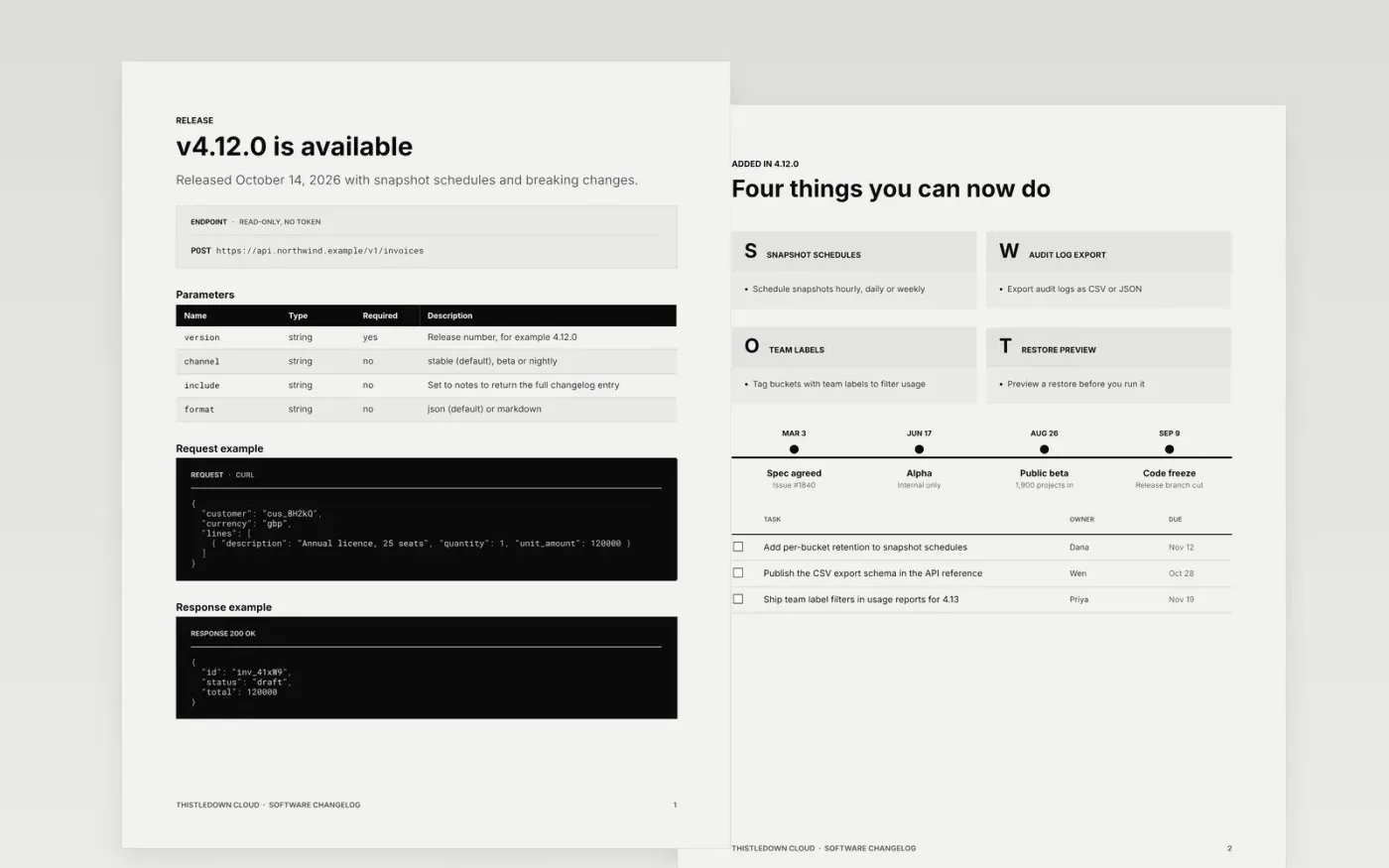
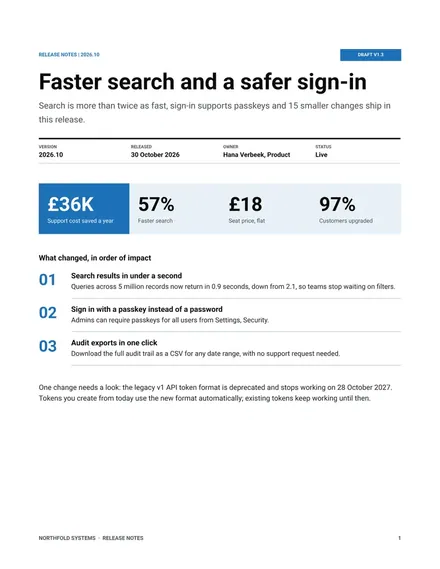
Users read release notes to find out what they can do now, what might break and what they have to change. This changelog is organized in the Keep a Changelog order and ranked by impact: the version and its endpoint first, then added, changed, deprecated, removed, fixed and security items, followed by upgrade steps and known issues.
The sample documents v4.12.0 of Thistledown Cloud, released on October 14, 2026 in a staged rollout of 5%, 25% and 100%. It includes four new features, four removals with replacements, three linked fixes and two security advisories. Replace the version, date and audience first, then rewrite each item as an outcome for the user.
Click Make a copy in Google Docs, then confirm on the Google page. The copy is saved to your own Google Drive.
Set the version number, release date and audience on the first page, then rewrite each highlight as what the user can now do.
Move anything that breaks existing use into the removed section, with a before-and-after example and the replacement.
Link every fix to its issue or ticket, delete fixes users will never notice, and keep known issues only if you have some.
Delete the Make it yours page, then publish the changelog or share it with your users.
Added, Changed, Deprecated, Removed, Fixed and Security, the same groups used by the Keep a Changelog convention. Delete any group that has no entries in your release.
Put them near the top, not in the middle of a long list. The sample lists removals on their own page with a replacement and one migration step for each.
No. Thistledown Cloud, every person named, the issue numbers and all the figures are fictional sample content. Replace them with your own release details.
More Google Docs templatesMore developer workflows templates
Docs + Word7 pages
Free
Docs + Word8 pages
Free
Docs + Word14 pages
Free
Docs + Word6 pages
Free
Slides + PowerPoint12 slides
Free










