On-Call Handbook
Docs + Word8 pages
Free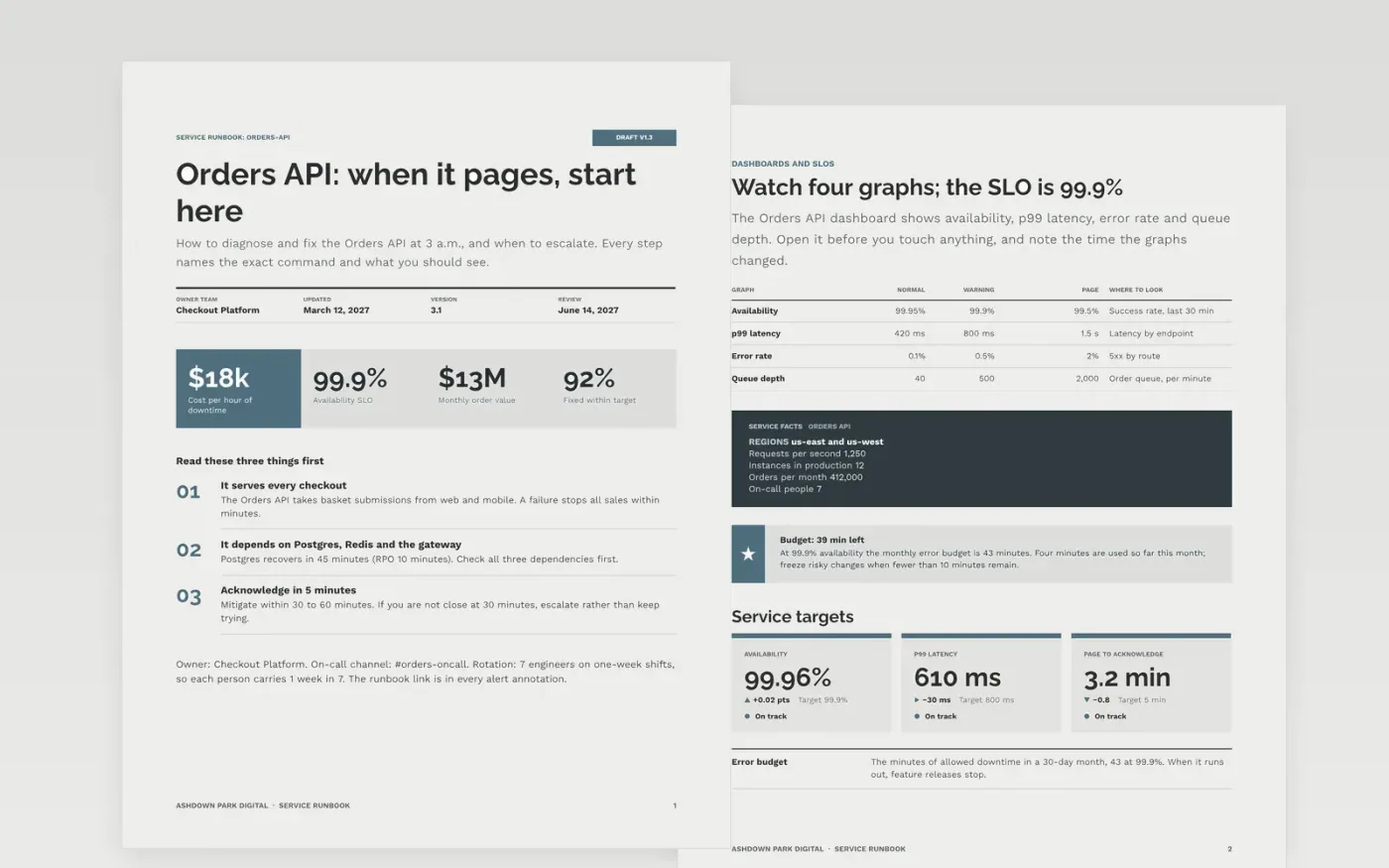
A good runbook answers three questions for the on-call engineer: what is this alert, what do I run first, and when do I hand it on. This template covers one service per document, with an overview, dashboards and SLOs, an alert-to-action table, diagnosis steps, fixes with stop conditions and an escalation path with named contacts.
The sample is a runbook for the Orders API at Ashdown Park Digital, a fictional e-commerce firm, with a 99.9% SLO, four alerts mapped to first actions, a worked incident and SEV1 to SEV3 response times of 5, 15 and 60 minutes. Replace the service, commands, thresholds and contacts with your own, and paste real output from staging.
Click Make a copy in Google Docs, then confirm on the Google page. The copy is saved to your own Google Drive.
Replace the overview with your service name, owner team, dependencies and on-call channel, then map your real alerts to the alert table.
Run each diagnosis and fix command in staging and paste the real output beside the steps, with the check that confirms success.
Update the escalation table with current names, phone numbers and the point at which to escalate, then set the next review date.
Delete the guide page at the end, then share the runbook and add its link to every alert annotation.
Six to twelve, each mapped to a first action. If an alert has no action, delete it or fix it; a list of alerts without actions is a glossary, not a runbook.
Without one, a fix can make the outage larger. Each step states the check that proves success and what to do if the check fails, usually rollback or escalation.
No. The organization, the people named, the phone numbers and every figure in the sample are fictional. Replace them with your own service, thresholds and contacts.
More Google Docs templatesMore developer workflows templates
Docs + Word8 pages
Free
Docs + Word7 pages
Free
Docs + Word14 pages
Free
Docs + Word6 pages
Free
Docs + Word7 pages
Free










