
Bank Quarterly Results Deck
Slides + PowerPoint10 slides
Free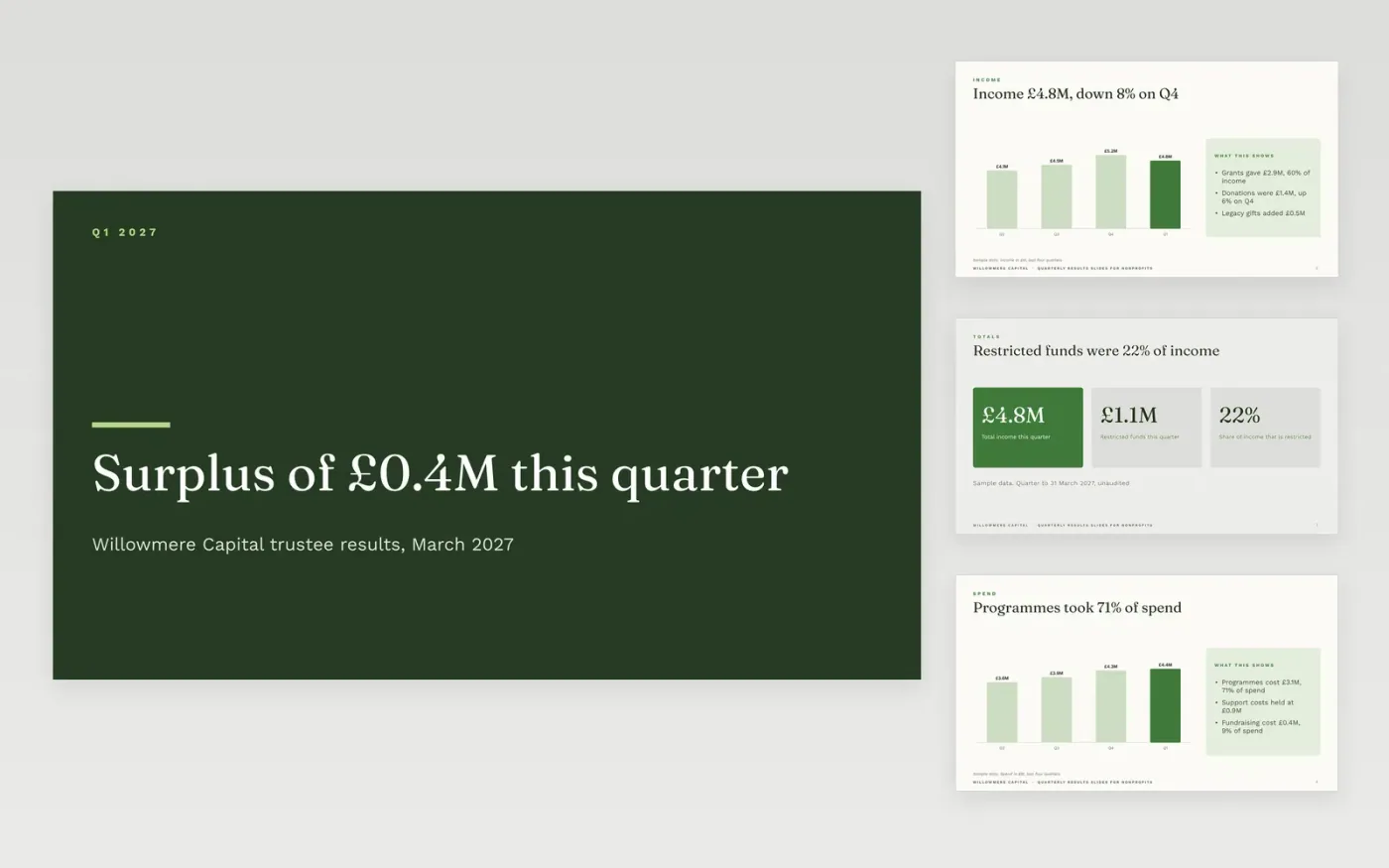
Finance leads at charities use this deck to report a quarter's income and spend to trustees in a fixed order. It starts with income and its sources, moves to spend and what it bought, then covers programme delivery, reserves and the outlook. Each chart carries a source line, and each figure is set against the plan or the prior year, so trustees can check the position without a separate pack.
The sample is for Willowmere Capital, a fictional grant-making charity, and every figure and name is sample data. It shows income of £4.8M, spend of £4.4M and a surplus of £0.4M, with 71% of spend going on programmes and reserves of £6.2M. Replace the headline figures with your own quarter, reconcile restricted funds to the income total, and rebuild the programme slide with your own categories before the trustee meeting.
Click Make a copy in Google Slides, then confirm on the Google page. The copy is saved to your own Google Drive.
Replace the headline figures with your quarter's income, spend and reserves before the meeting.
Enter the reconciliation of restricted funds to the income total on the income slide, line by line.
Rebuild the programme slides with your own programmes, reach figures and costs.
Delete the guide slide, then share the deck with trustees or present it from Google Slides at the meeting.
No. Willowmere Capital, its staff and every income, spend and reserve figure in this deck are fictional sample data, included to show a finished trustee results pack.
Yes. Trustees need to see which money is ring-fenced for a named project and which is free to use, so show restricted income on its own line and reconcile it to the total.
State the amount first, then the reason in one sentence, and say whether it is planned or a timing effect. A surplus left unexplained tends to prompt questions about why it was not spent on programmes.
Slides + PowerPoint10 slides
Free
Slides + PowerPoint11 slides
Free
Slides + PowerPoint10 slides
Free
Slides + PowerPoint10 slides
Free
Slides + PowerPoint12 slides
Free
Docs + Word7 pages
Free
Docs + Word8 pages
Free










