Now Next Later Roadmap Slides
Slides + PowerPoint10 slides
Free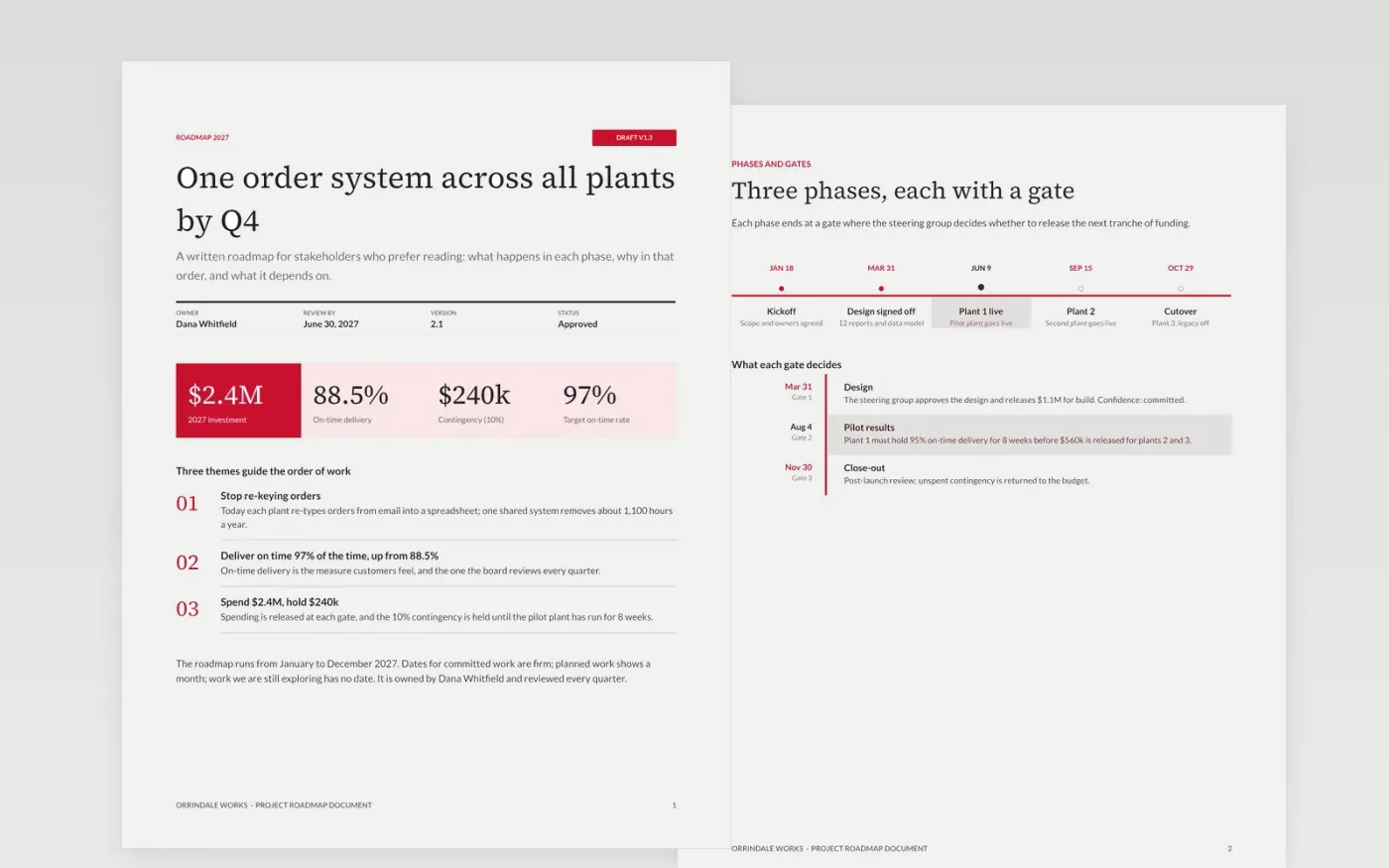
Many stakeholders would rather read a roadmap than decode a slide of coloured bars. This document explains the direction in writing: the vision and measures, the phases and gates, the key dates on a month chart, the dependencies most likely to move them, and what is deliberately left out.
The sample is a 2027 roadmap for Orrindale Works, a fictional manufacturer moving three plants onto one order system, with $2.4M of funding released in tranches. Dates are labelled committed, planned or exploring. Replace the horizon, themes, owners and dates with your own, and set a review date and an owner.
Click Make a copy in Google Docs, then confirm on the Google page. The copy is saved to your own Google Drive.
Choose your time horizon, relabel the months and replace the themes and workstreams with your own teams.
Mark each item as committed, planned or exploring, and remove dates from anything that is still an idea.
Add the two or three dependencies most likely to move your dates, then set a review date and name the owner.
Delete the guide page, then share the roadmap with your stakeholders.
No. Orrindale Works, its people and every figure are fictional sample content. Replace them with your own plan before you share the document.
No. Give exact dates only to committed work. Planned items can show a month, and ideas you are still exploring should show no date at all.
Yes. Change the month chart to quarters or half-years, and keep the gates. Three years is a sensible limit, with detail concentrated in the first four quarters.
Slides + PowerPoint10 slides
Free
Slides + PowerPoint12 slides
Free
Docs + Word5 pages
Free
Slides + PowerPoint11 slides
Free
Slides + PowerPoint10 slides
Free










