
Annual Report
Docs + Word6 pages
Free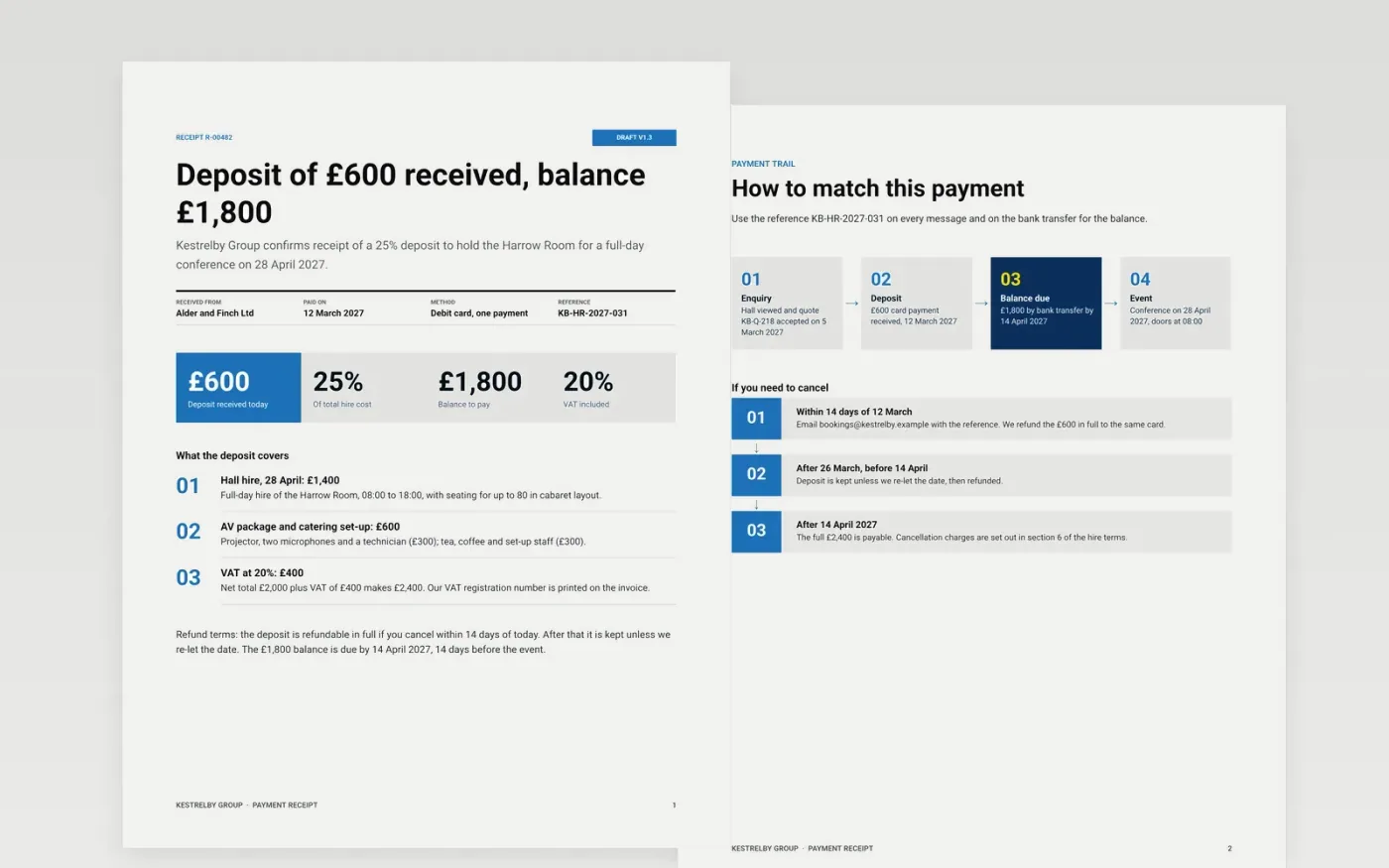
A receipt that lacks a number, a payment method or a reference leaves both sides unable to match the cash to the booking. This template puts the issuer, the payer, the itemised lines, VAT, the method and the reference on one page, with the refund terms stated plainly.
The sample is receipt R-00482 from Kestrelby Group: a £600 deposit, 25% of a £2,400 hall hire, paid by card on 12 March 2027, with the £1,800 balance due on 14 April 2027. Replace the business details, numbering, lines, VAT and terms with your own, and keep the style that fits: shop, rent, deposit, ticket, membership or donation.
Click Make a copy in Google Docs, then confirm on the Google page. The copy is saved to your own Google Drive.
Replace the business name, address, VAT or charity number and logo, and set your receipt numbering sequence.
Edit the description, amounts, VAT and payment method to match the sale, and check the lines add up to the total.
Add your own refund or returns terms and keep a copy of every receipt you issue.
Delete the guide page, then share the receipt or send it as a PDF.
A sequential receipt number, the issuer's details, the date, the payer, what was paid for, the amount, VAT if charged, the payment method and a reference. This template has all of them.
No. The organisation, the people and every figure in this receipt are fictional sample data, written to show a complete receipt. Replace them with your own.
Yes. Change the lines and the terms. For a donation, add the statement that supports tax relief; for rent, state the period covered; for tickets, give the number and price of each.
Docs + Word6 pages
Free
Docs + Word17 pages
Free
Excel
Free
Docs + Word3 pages
Free
Docs + Word3 pages
Free








