Business Case
Docs + Word8 pages
Free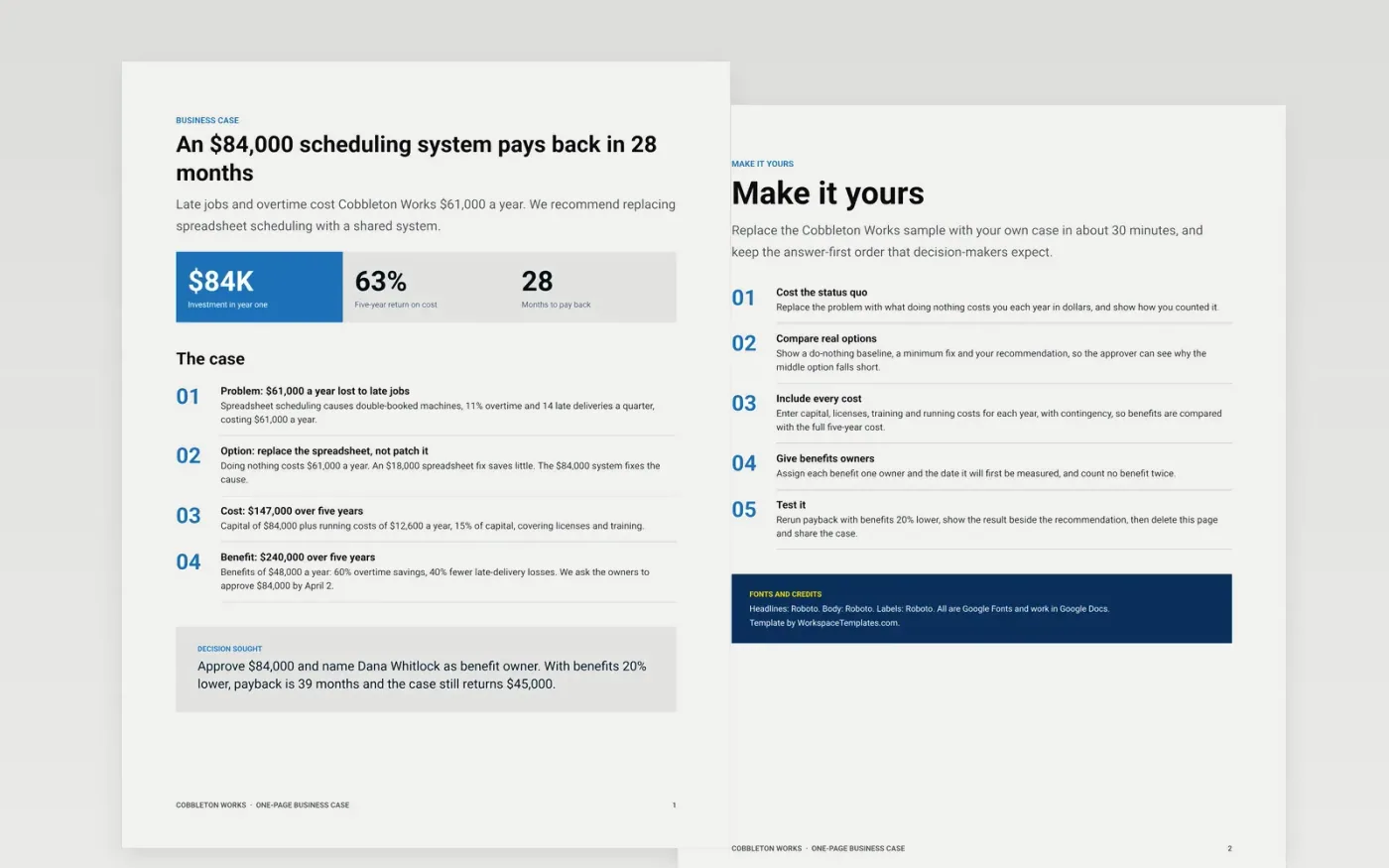
Small teams often lose funding because the case runs to ten pages or hides the number that matters. This template answers first: three headline figures, four numbered findings covering problem, option, cost and benefit, and a decision box that says what you want approved and what happens if benefits fall short.
The sample shows Cobbleton Works asking owners for $84,000 to replace spreadsheet scheduling, with $12,600 a year in running costs, $48,000 a year in benefits and payback in 28 months. Replace the problem, options, costs and benefit owners with yours, then test the result at 20% lower benefits.
Click Make a copy in Google Docs, then confirm on the Google page. The copy is saved to your own Google Drive.
Replace the problem with the yearly cost of the status quo in dollars, and describe a do-nothing baseline and two real alternatives.
Enter capital and running costs for each year, then add benefits with an owner and the date each will first be measured.
Test the benefits at 20% lower, put the result in the decision box, and state the exact amount and date for approval.
Delete the Make it yours page and share the case with the decision-maker or present it at your next review.
The sample pays back in 28 months on an $84,000 investment, with $48,000 a year in benefits and $12,600 a year in running costs. Replace each figure with your own.
Yes. The decision box shows the result with benefits 20% lower, so the approver sees how the case behaves when benefits fall short, not only when everything goes well.
No. Cobbleton Works, its staff and every figure are fictional and exist only to show what a finished one-page business case looks like.
Docs + Word8 pages
Free
Slides + PowerPoint10 slides
Free
Docs + Word9 pages
Free
Docs + Word8 pages
Free
Docs + Word8 pages
Free
Docs + Word9 pages
Free










