Business Letter
Docs + Word4 pages
Free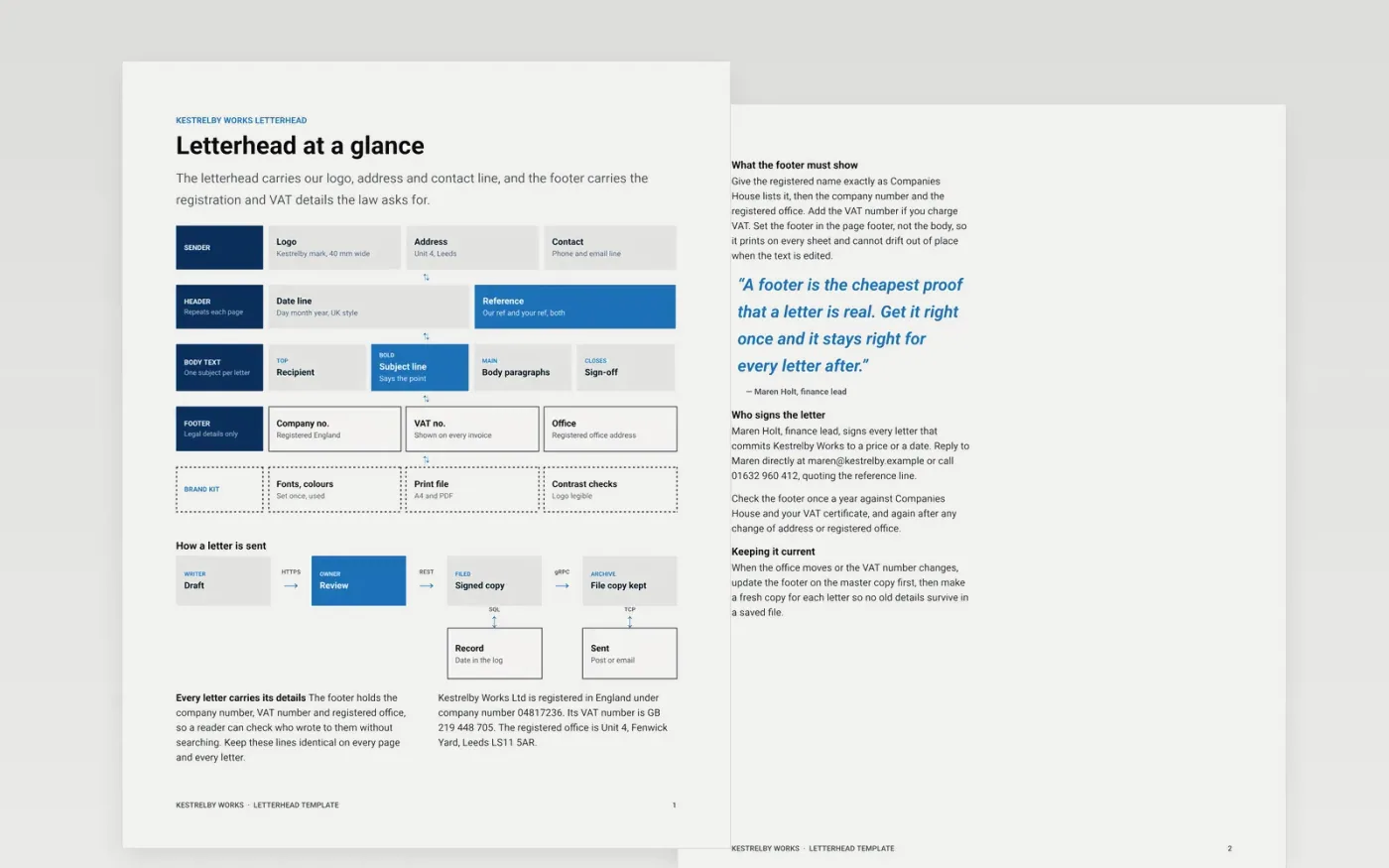
Small businesses send letters that get filed, relied on and sometimes checked years later, so the letterhead has to carry the right details every time. This layout sets the sender block, date and reference line, recipient address, subject line, body, sign-off and enclosures in one fixed order. The first page shows how those parts sit together, and the second holds the footer details that accounts teams and the law expect to find.
The sample pages show the letterhead layout, the footer details and a numbered guide for Kestrelby Works, a fictional firm in Leeds. Replace the logo, address and registration numbers first, then the recipient block and the body figures. Every name, number and address in the file is fictional sample data.
Click Make a copy in Google Docs, then confirm on the Google page. The copy is saved to your own Google Drive.
Replace the sample logo, address and registration details in the letterhead and the footer.
Fill the recipient block, date and reference line from your own records, then rewrite the first paragraph to state the purpose in one sentence.
Insert your exact amounts, dates and invoice or case numbers into the body, then sign by hand or add a signature image.
Delete the guide page, then share the signed copy or present it from Google Docs.
Yes, but add the invoice number, issue date, payment terms and bank details in the body, because an invoice needs them and a plain letter does not. The footer details work on invoices as they are.
No. Kestrelby Works, its people, its addresses, company number and VAT number are all fictional, and every email address ends in .example. Replace them with your own details before you send anything.
Put the footer in the page footer rather than the body, so Google Docs repeats it on every sheet. Check it against Companies House and your VAT certificate once a year, and again after any change of address.
More Google Docs templatesMore business operations templates
Docs + Word4 pages
Free
Docs + Word4 pages
Free
Docs + Word4 pages
Free
Docs + Word3 pages
Free
Docs + Word3 pages
Free
Docs + Word4 pages
Free