Business Letter
Docs + Word3 pages
Free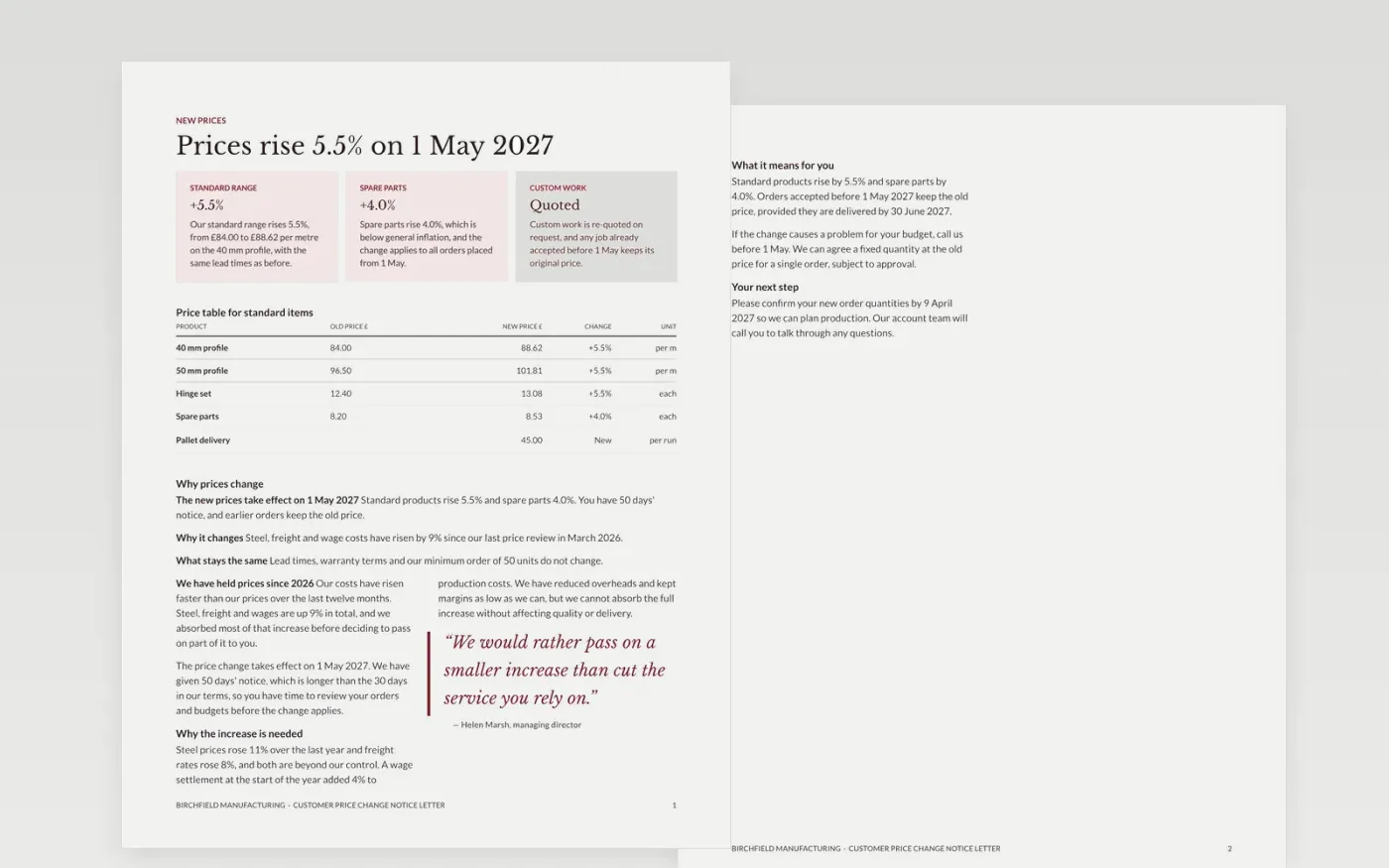
A price change letter is one of the hardest to write, because customers read it for the new cost and the notice, and any vagueness reads as bad faith. This business letter template sets out the price table, the reasons, the effective date and the next step, in a letter format that is easy to file and check. The opening paragraph states the change in one sentence, so the reader knows the point before anything else.
The sample is for Birchfield Manufacturing, a fictional maker of metal fittings, announcing a 5.5% rise on standard products and 4.0% on spare parts with 50 days' notice. Replace the letterhead, the recipient block, the prices and the dates with your own records, and check that the notice period meets your contract terms. Keep the reasons factual and the next step clear, so the letter can be relied on.
Click Make a copy in Google Docs, then confirm on the Google page. The copy is saved to your own Google Drive.
Replace the letterhead, address and registration details with your own, then fill in the recipient block.
Check every price, percentage and date against your price list and your customer terms.
Confirm the notice period meets your contract terms before the letter is sent.
Delete the guide page, then send the letter as a PDF or present it from Google Docs.
No. Birchfield Manufacturing, its staff, addresses, registration details, product prices and dates are fictional sample data. Replace them with your own records before you send any letter to a customer.
Check your contract first. Many trade terms set 30 days, and the sample gives 50 days, which is good practice for larger customers who need time to adjust budgets and orders.
State it clearly. Orders accepted before the effective date can keep the old price if you choose, and the letter should name the delivery date by which they must arrive to qualify.
More Google Docs templatesMore business operations templates
Docs + Word3 pages
Free
Docs + Word3 pages
Free
Docs + Word7 pages
Free










