Annual Supporter Thank-You Deck
Slides + PowerPoint12 slides
Free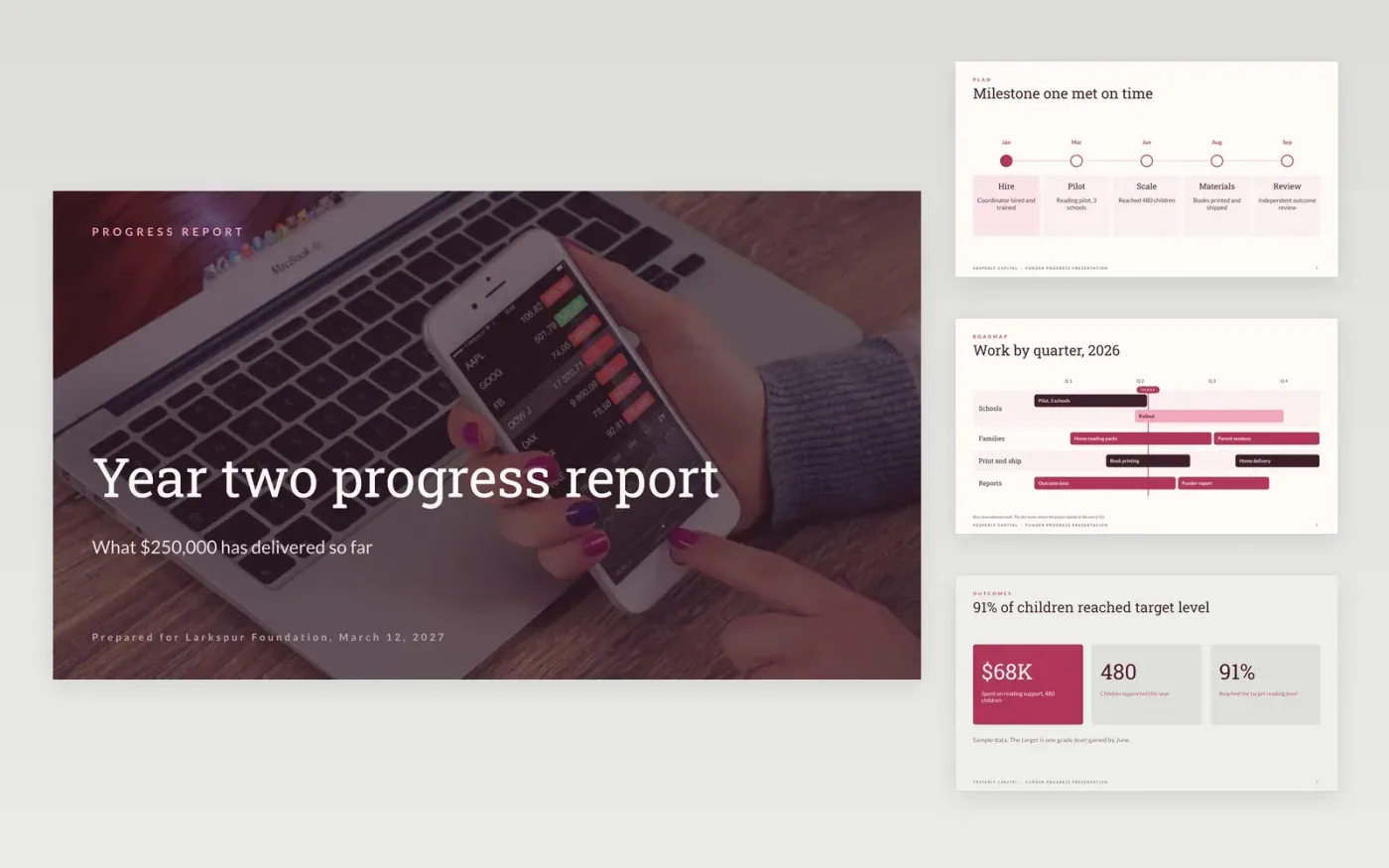
Foundations and trusts renew grants when the progress meeting answers three questions: what was promised, what has been delivered, and where the money went. This deck follows the order those meetings usually take: a milestone timeline, a roadmap of work by quarter, outcomes for the people served, spending against the approved budget, an honest account of setbacks and the lessons taken from them, and a closing ask for the next period. It is organised as twelve slides with a guide page at the end.
The sample shows Vesperly Capital, a fictional nonprofit, reporting on a $250,000 reading grant from the fictional Larkspur Foundation. It reports 480 children supported at $142 each, 91% reaching the target reading level, and one milestone met on time with two on track. Replace the names, the milestones and the figures with your own grant agreement numbers, and match every spending line to the approved budget.
Click Make a copy in Google Slides, then confirm on the Google page. The copy is saved to your own Google Drive.
Replace the funder name, grant amount and milestones on the cover and the timeline with your own agreement terms.
Enter outputs and outcomes against the targets in your grant agreement, and check every figure against your records.
Match the spending slides to the approved budget, then explain any line that varies by more than 10%.
Delete the guide slide, then share the deck with the funder or present it at the progress meeting.
Yes. Keep the milestones and spending slides, but lead with the donor's gift and what it achieved. Adjust the wording of the asks to fit a donor relationship rather than a formal grant renewal.
No. Vesperly Capital, the Larkspur Foundation, the people named in the deck and all the figures are fictional sample data, written to show what a finished progress presentation looks like.
Say so on the timeline and explain the cause on the challenges slide. Funders trust a clear account of what slipped and what was changed more than a report that shows only good news.
Slides + PowerPoint12 slides
Free
Slides + PowerPoint11 slides
Free
Slides + PowerPoint11 slides
Free
Docs + Word8 pages
Free
Docs + Word7 pages
Free
Docs + Word7 pages
Free
Docs + Word6 pages
Free
Docs + Word6 pages
Free










