Finance Function Strategy
Docs + Word8 pages
Free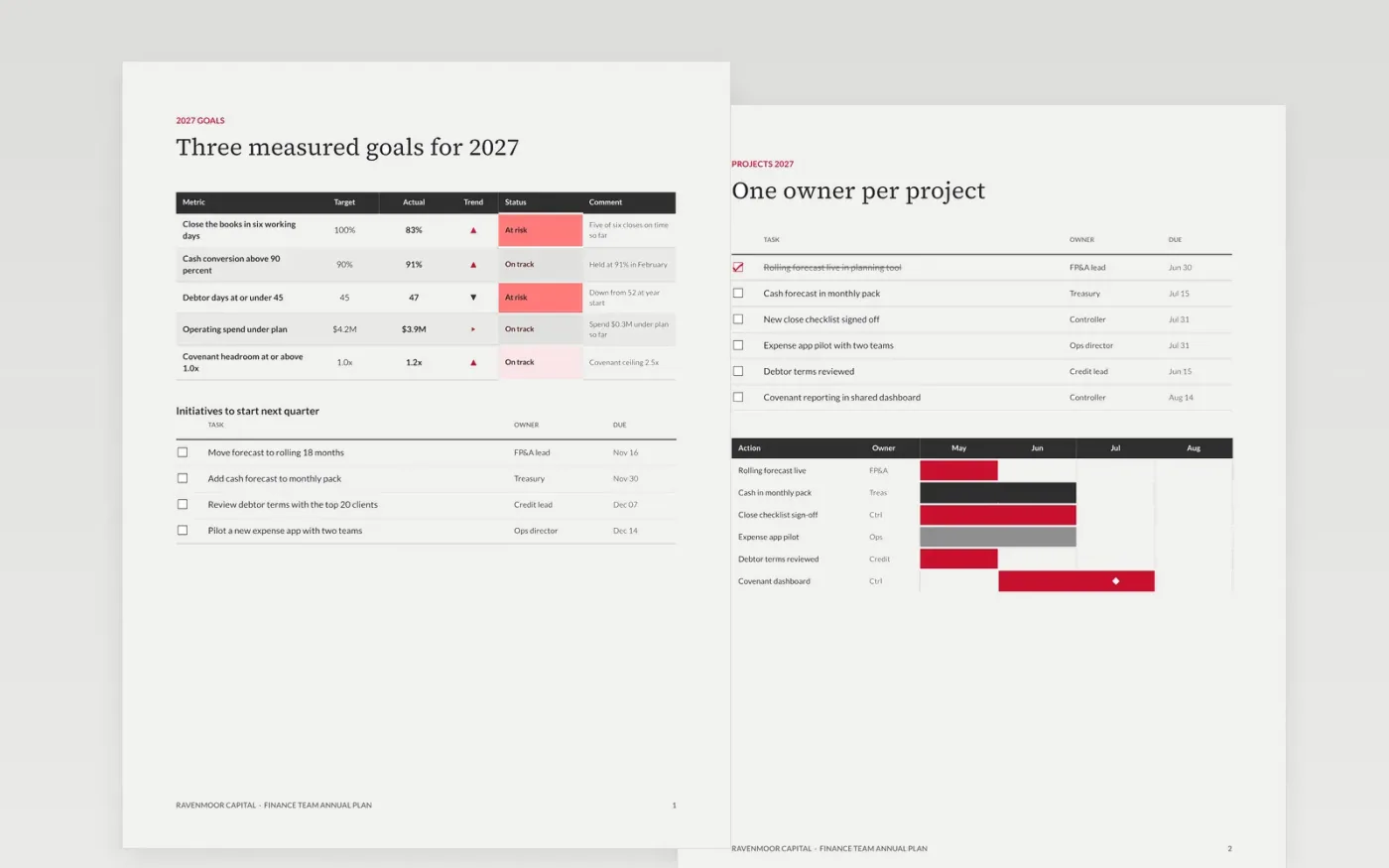
Finance teams often start the year with a budget but no shared view of what success looks like, who owns each project and which risks could derail it. This plan puts the goals, the projects with owners and dates, the controls and risks, the gate calendar and the team roles on seven pages that the leadership team reads together. Every goal is a measured target, and every action has one named owner.
The sample is Ravenmoor Capital's 2027 plan: debtor days down from 52 to 47 against a target of 45, cash conversion held above 90 percent, a covenant ceiling of 2.5x and spend kept $0.3M under plan. Replace the goals, owners and dates with your own figures, score each risk on your own scale, and move the gate dates to your board calendar. Keep the review date on the first page so the plan is revisited, not filed.
Click Make a copy in Google Docs, then confirm on the Google page. The copy is saved to your own Google Drive.
Enter the plan owner, approver and review date on the first page.
Replace the goals, owners and dates with your own figures and targets.
Score each risk on your own scale and agree the responses with the audit chair.
Delete the guide page, then share the document or present it to the leadership team.
No. Ravenmoor Capital, the people named in the plan, the goals, the risk scores and the gate dates are fictional sample data. Replace them with your organization's own before the plan goes to the board.
Yes. Remove the projects or risks that do not apply, but keep one goal, one owner and one gate date for each project you keep, since that is what makes the plan testable.
Review the scorecard monthly with the leadership team and the full plan each quarter. Change a target only when the board agrees to it, and log the change on the goals page so the history stays visible.
Docs + Word8 pages
Free
Docs + Word8 pages
Free
Docs + Word10 pages
Free
Slides + PowerPoint12 slides
Free
Slides + PowerPoint10 slides
Free
Slides + PowerPoint11 slides
Free
Slides + PowerPoint10 slides
Free
Slides + PowerPoint10 slides
Free










