
Annual Report
Docs + Word6 pages
Free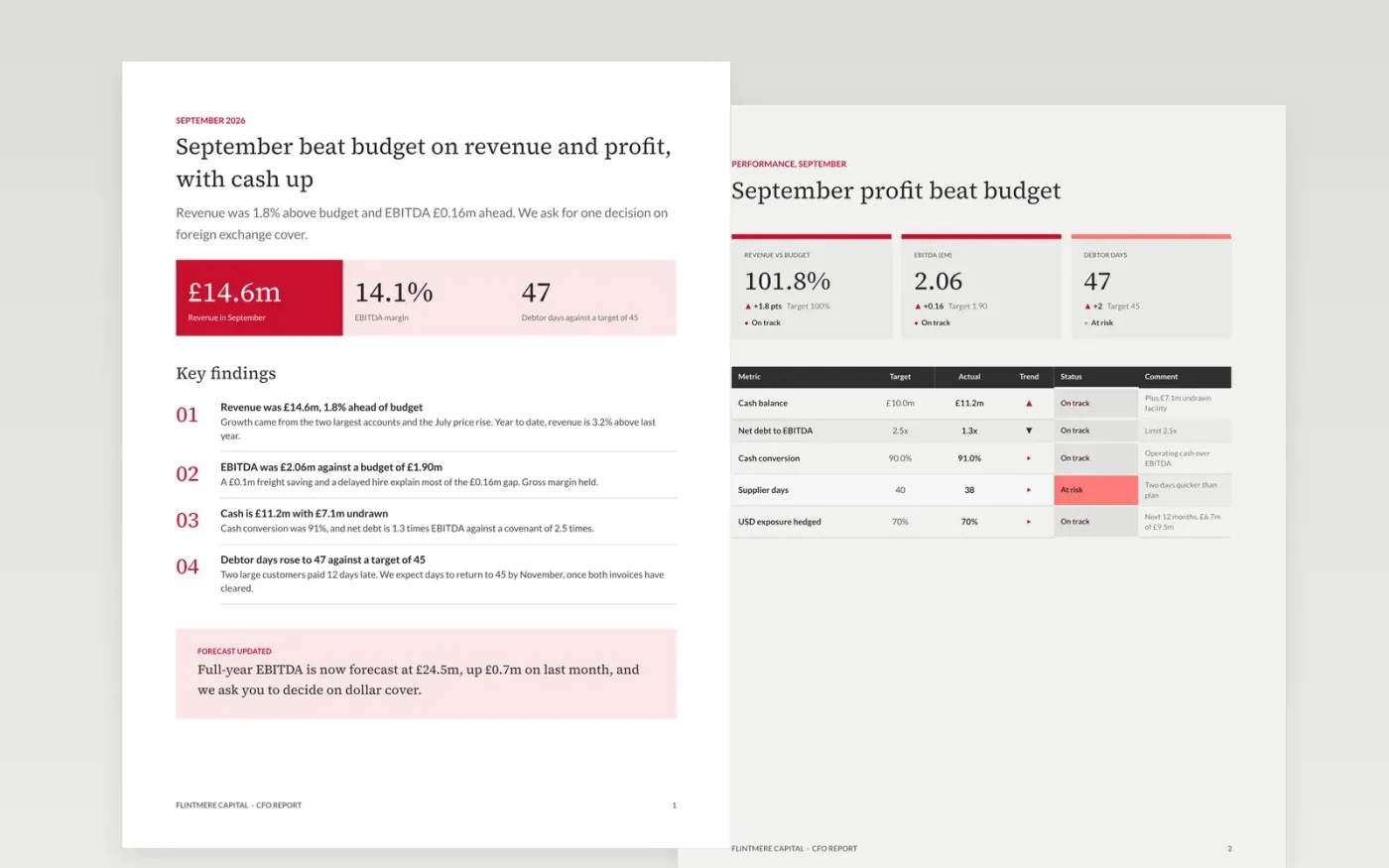
A monthly finance report fails when it repeats the profit and loss account instead of explaining it. This template puts the answer first, then the scorecard against budget, the cash and funding view, an updated forecast with what changed, a risk register and a decision page with options, so the leadership team knows what to do next.
The sample is a September 2026 report from Flintmere Capital: revenue 1.8% above budget, EBITDA of £2.06m, cash of £11.2m with a £7.1m undrawn facility, and one decision on foreign exchange cover. Replace the month, the figures and the risks with your own, and keep every variance explained in one line.
Click Make a copy in Google Docs, then confirm on the Google page. The copy is saved to your own Google Drive.
Set the month and rewrite the headline as the single message your CEO must hear, then update the actual and budget figures on the scorecard and cash pages.
Update the forecast statement and say what changed since last month, then replace the risks with your own and name one owner for each.
Rewrite the decision page with your real options, costs and recommendation, and add the dates and owners for the next steps.
Delete the Make it yours guide page, then share the report or present it at your leadership meeting.
Aim for the six to eight pages here. The first page should carry the full answer, and the rest supports it for readers who want to check the figures, cash, forecast or risks.
Say what changed and why on the forecast page. A new range with no explanation costs trust; a short list of the assumptions that moved lets the reader judge the change for themselves.
No. Flintmere Capital, its people, email addresses and every figure are fictional sample content. Replace all of it with your own numbers before you circulate the report.
Docs + Word6 pages
Free
Docs + Word17 pages
Free
Slides + PowerPoint20 slides
Free
Docs + Word7 pages
Free
Slides + PowerPoint10 slides
Free
Docs + Word7 pages
Free









