
Company Magazine
Docs + Word7 pages
Free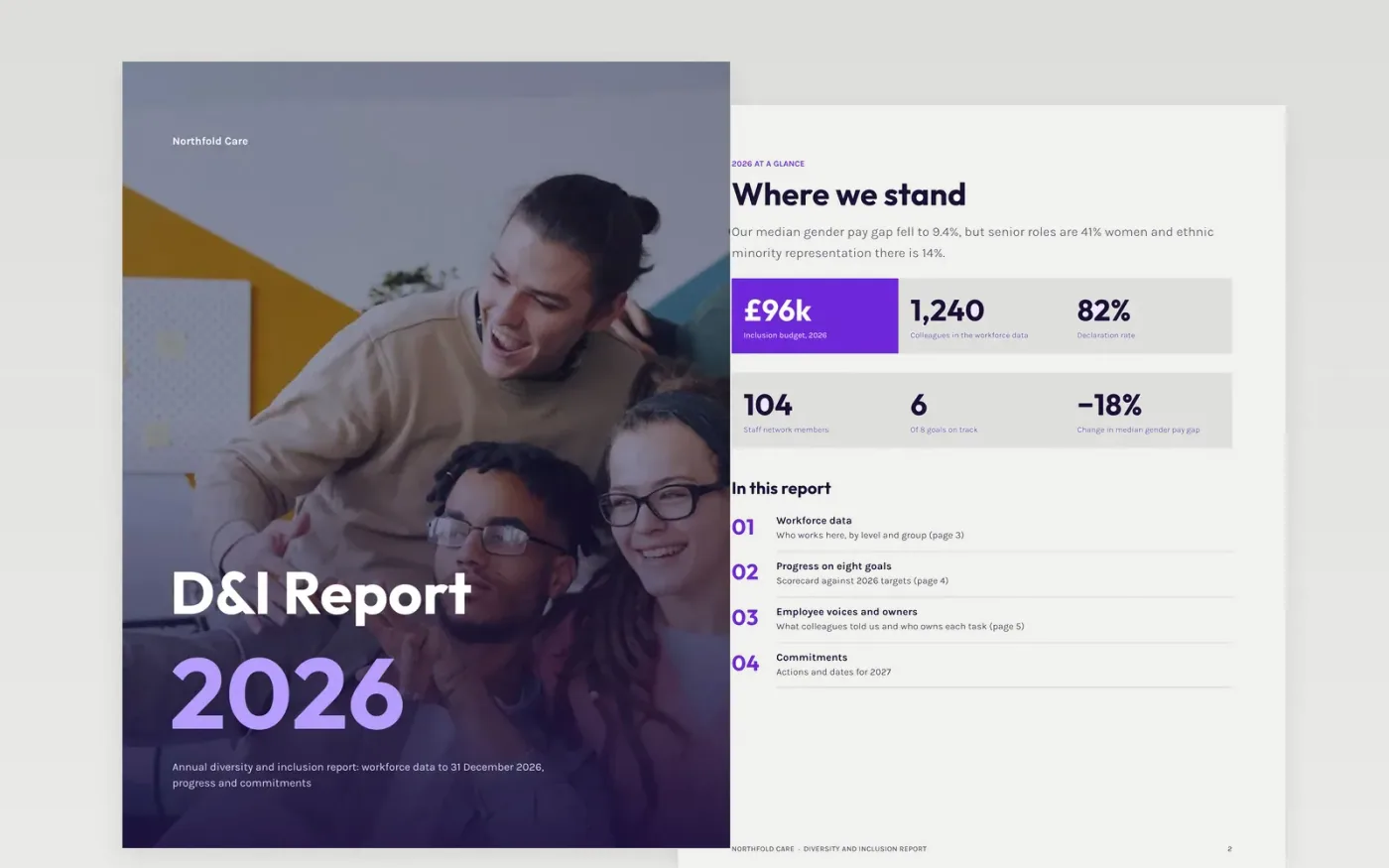
A credible inclusion report shows shortfalls as plainly as progress and names who is accountable. This template follows that order: headline figures, who stands behind the data, a scorecard against goals, employee voices with a RACI, an action plan with a Gantt chart, and a closing page of priorities and contacts.
The sample is a fictional care provider reporting 2026: 51% women in the workforce, a median gender pay gap of 9.4% down from 11.4%, 82% declaration and 78% belonging. Replace the figures with your HR data, state the data date and declaration rate, and have legal and data-protection review before publishing.
Click Make a copy in Google Docs, then confirm on the Google page. The copy is saved to your own Google Drive.
Replace the workforce figures with your own from your HR system, and state the data date, the counts and your declaration rate.
Add pay gap figures by gender and, where lawful and group sizes allow, by other groups. Edit each goal so it is measurable, dated and owned by an executive.
Replace the employee voices with quotes your networks have approved, then ask legal and data-protection colleagues to review before publication.
Delete the guide page, then share the report or publish it.
No. Show counts alongside percentages and set a minimum group size, such as 10, so no one can be identified. Check data-protection and anonymity rules before you publish.
Take local legal advice first, because positive-action rules limit targets and quotas in many places. The sample frames goals as aims and actions with owners and dates.
No. Northfold Care, its staff, networks and every figure are fictional sample data. Replace them with your own and keep the data date and method visible.
Docs + Word7 pages
Free
Docs + Word21 pages
Free
Word
Free
Docs + Word7 pages
Free
Docs + Word5 pages
Free









