Diversity and Inclusion Report
Docs + Word8 pages
Free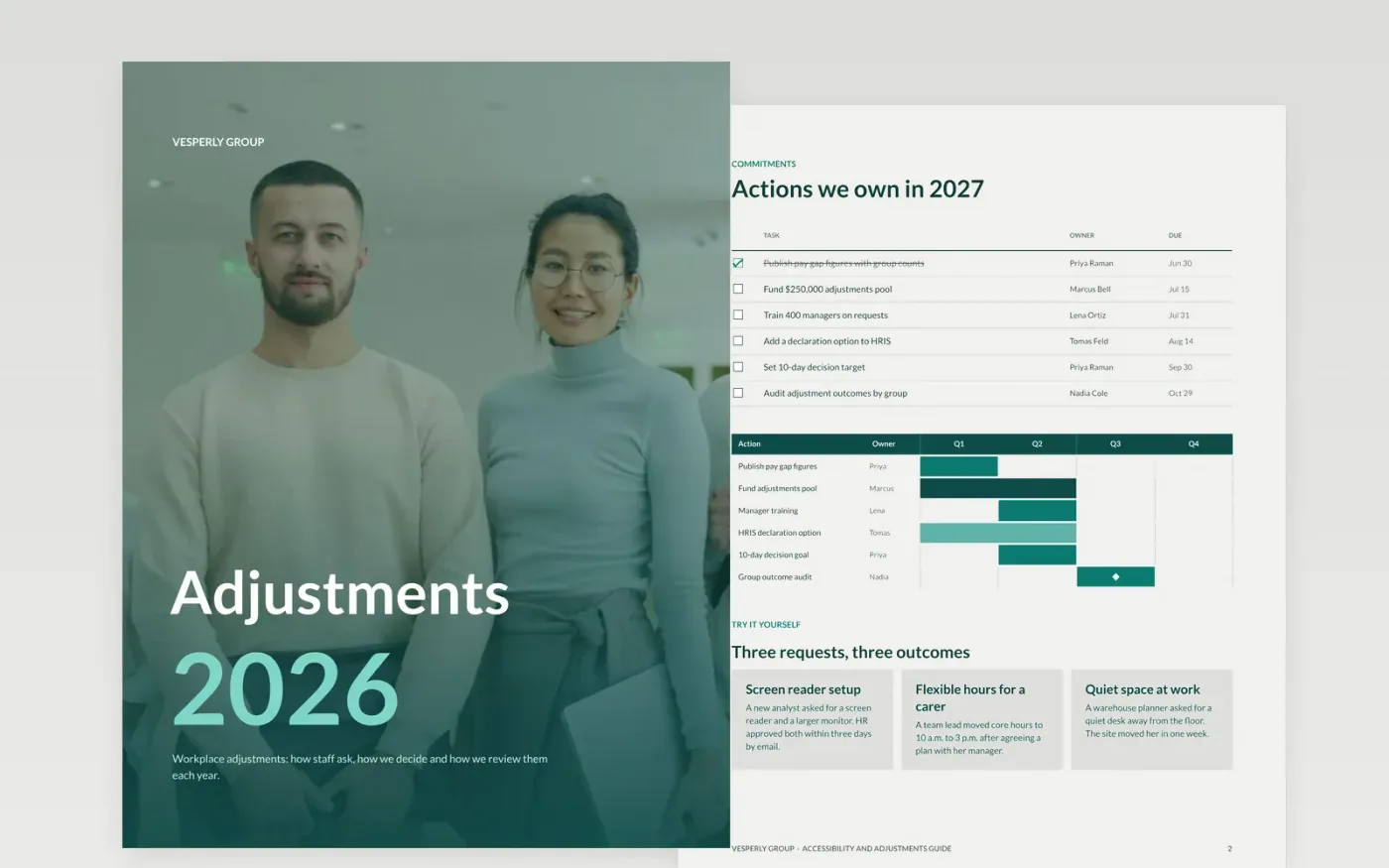
Employers need a clear, fair way for staff to ask for workplace adjustments, and a record that shows decisions are made on time. This guide sets out the commitment, worked examples, the request steps and the support available, in the order a staff member would meet them. Each page serves a different reader: leaders see the commitments and owners, managers see the process, and staff see how to ask.
The sample shows Vesperly Group's commitments with owners and dates, three example requests, a four-step request path and a two-step review route. Every figure, name and address is fictional. Replace the decision times, owners and contacts with your own, and have legal and data-protection review the wording before it is shared with staff.
Click Make a copy in Google Docs, then confirm on the Google page. The copy is saved to your own Google Drive.
Replace the workforce figures, pay gap and goals with your own HRIS data, and state the data date.
Swap the owners, dates and contacts for people in your organization, then get legal and data-protection review.
Use employee voices only with written permission from each network, and check every figure before you publish.
Delete the guide page, then share or present the report to leaders, staff and candidates.
No. Vesperly Group, its people and every figure are fictional sample data. Replace them with your own HRIS extract and state the data date before you publish anything.
No. Staff describe the work problem and the change they need. A medical note is optional and is only used if the employee chooses to share it with HR.
Take local legal advice first. Positive-action rules limit targets and quotas in many places, so set measurable goals that you can lawfully pursue.
Docs + Word8 pages
Free
Docs + Word7 pages
Free
Docs + Word7 pages
Free










