Sales Email Templates
Docs + Word8 pages
Free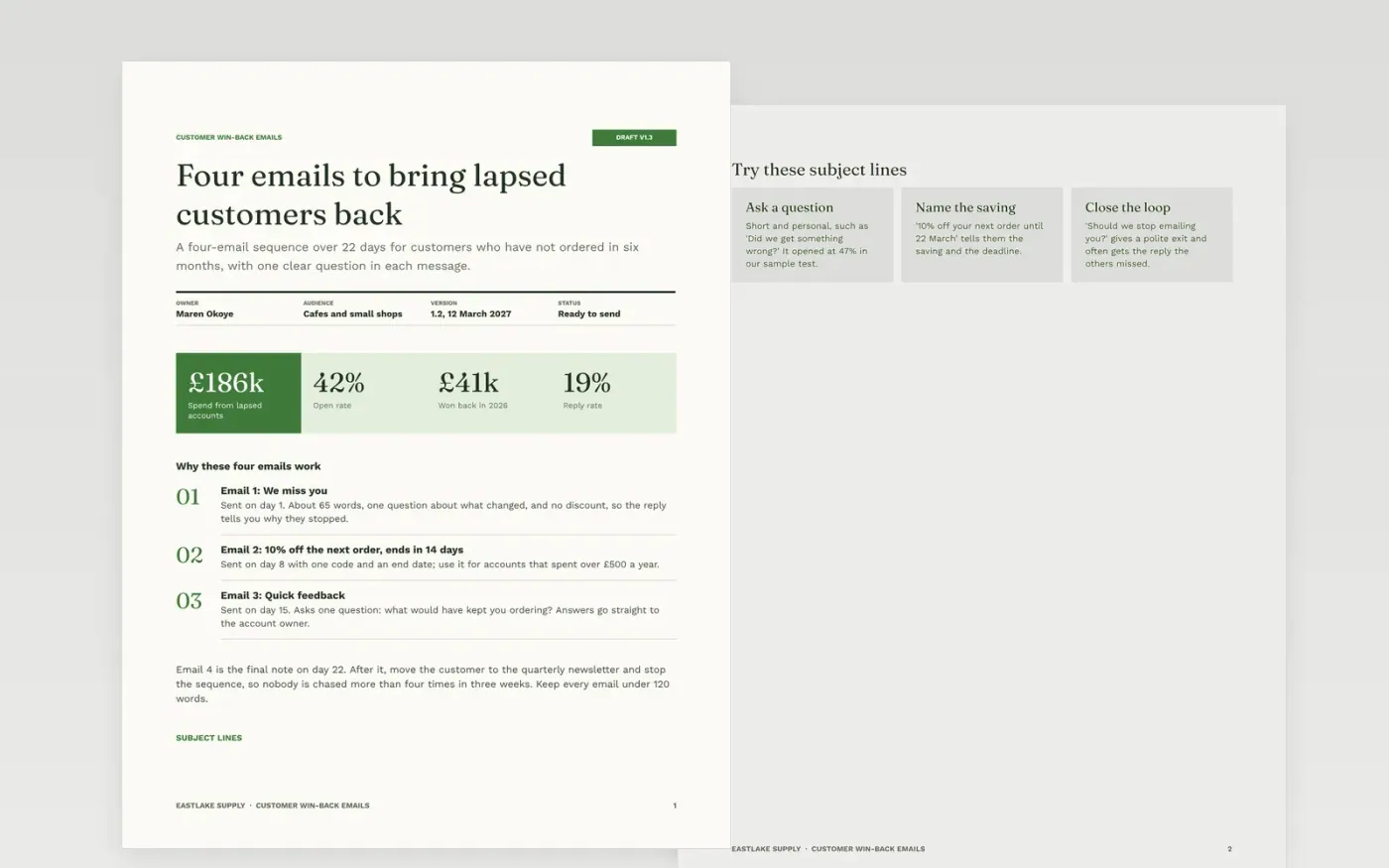
Most small businesses let lapsed customers drift away without a single follow-up. This kit gives you a four-email sequence over 22 days, with one clear question in each message: a warm check-in, a time-limited offer, a feedback request and a polite final note, plus subject lines, a calendar and send checks.
The sample follows Eastlake Supply, a fictional supplier of packaging and cleaning goods to cafes and small shops, which won back £41k from £186k of lapsed spend. Replace the sender, the offer, the dates and the figures with your own, add your opt-out line, then delete the guide page.
Click Make a copy in Google Docs, then confirm on the Google page. The copy is saved to your own Google Drive.
Replace the sender name, company and offer on the first page, and check every figure against your own mailing results.
Rewrite the subject lines and the opening of each email so they refer to something real about the customer.
Set your own send dates in the schedule and the gates page, and add your unsubscribe line to every email.
Delete the guide page, then share the kit with your team or start the sequence.
Yes. It is a free Google Docs template. Make a copy to your own Drive, edit each page and use the sequence in your own mailing tool.
No. Eastlake Supply, its team and every figure are fictional sample content. Replace all of it with your own customers and results before you send anything.
The kit sets out the purpose, timing, subject lines and rules for each email so you can write each one in your own voice, in under 120 words, with one clear question.
Docs + Word8 pages
Free
n8n
Free
Slides + PowerPoint12 slides
Free









