Executive Business Review Deck
Slides + PowerPoint10 slides
Free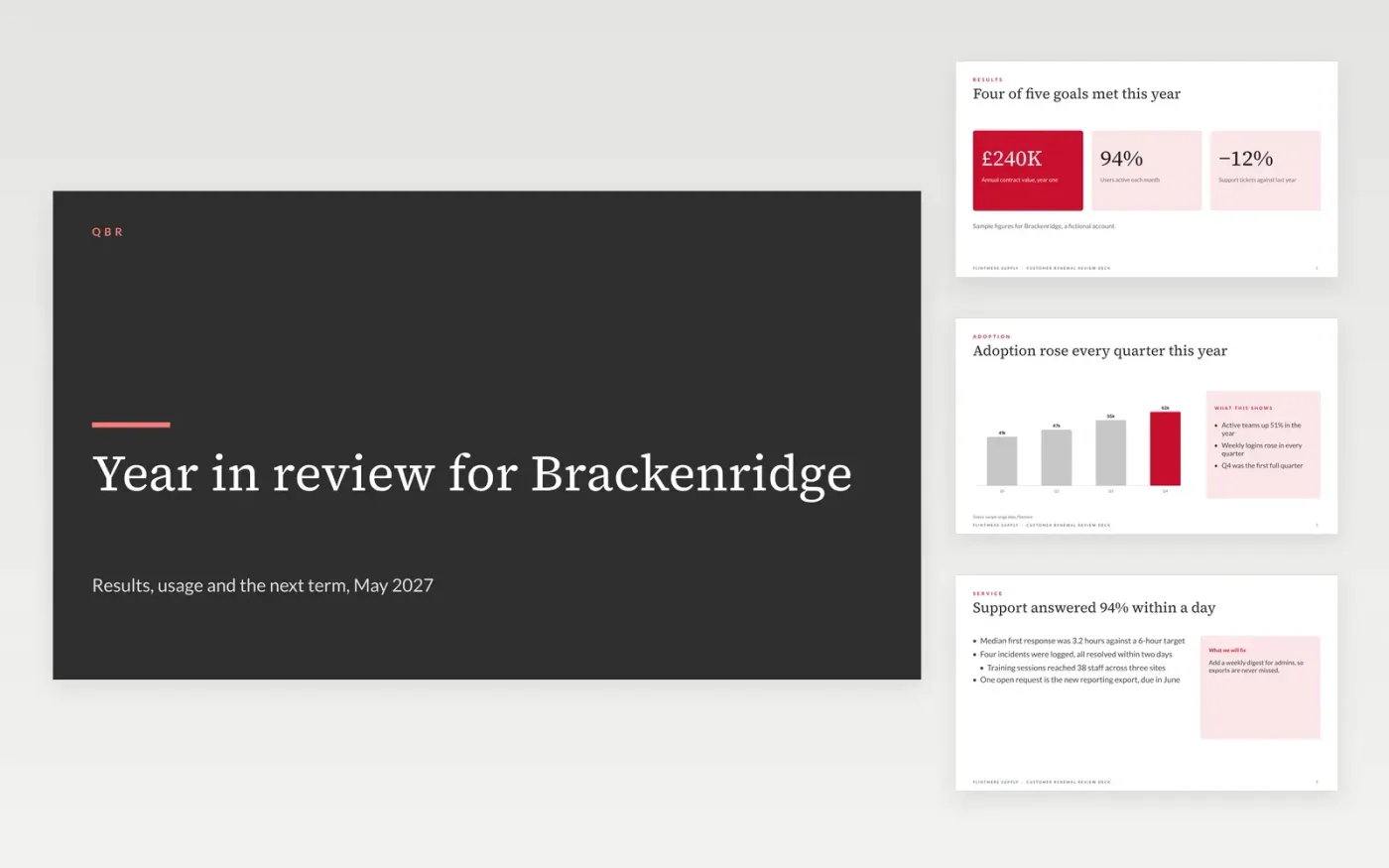
This free Google Slides template prepares a renewal review for a customer, timed before the contract ends. It proves the value delivered over the year, shows results against goals and usage, summarises support, gathers feedback and proposes the next term with clear commercials. Each slide leads with what the customer cares about, and misses are shown plainly with the fix.
The sample is a year-end review for Brackenridge, a fictional customer of Flintmere Supply, a fictional supplier, with an annual fee of £240K. Its figures, names and proposal are invented. Replace the results, usage and proposal with your own data, and check every commercial figure with finance before the meeting.
Click Make a copy in Google Slides, then confirm on the Google page. The copy is saved to your own Google Drive.
Replace the results and usage with your own figures from the year's account plan.
Show each miss with its fix, and keep the selling out of the first twenty minutes.
Check every commercial figure with finance before the meeting, including the price change.
Delete the guide slide, then share the deck or present it from the first slide.
Hold it 90 days before the contract ends, so there is time to act on any risk. Leaving it to the final month turns a review into a negotiation with no room to fix problems.
No. Brackenridge, Flintmere Supply, the people, usage figures, fees and support data are fictional sample data. Replace them with your own before the review.
Keep an internal version for the account team with the risk score and the walk-away price. Show the customer only the value, the misses and the proposed terms.
Slides + PowerPoint10 slides
Free
Slides + PowerPoint11 slides
Free
Slides + PowerPoint11 slides
Free










