
Battlecard Slides
Slides + PowerPoint11 slides
Free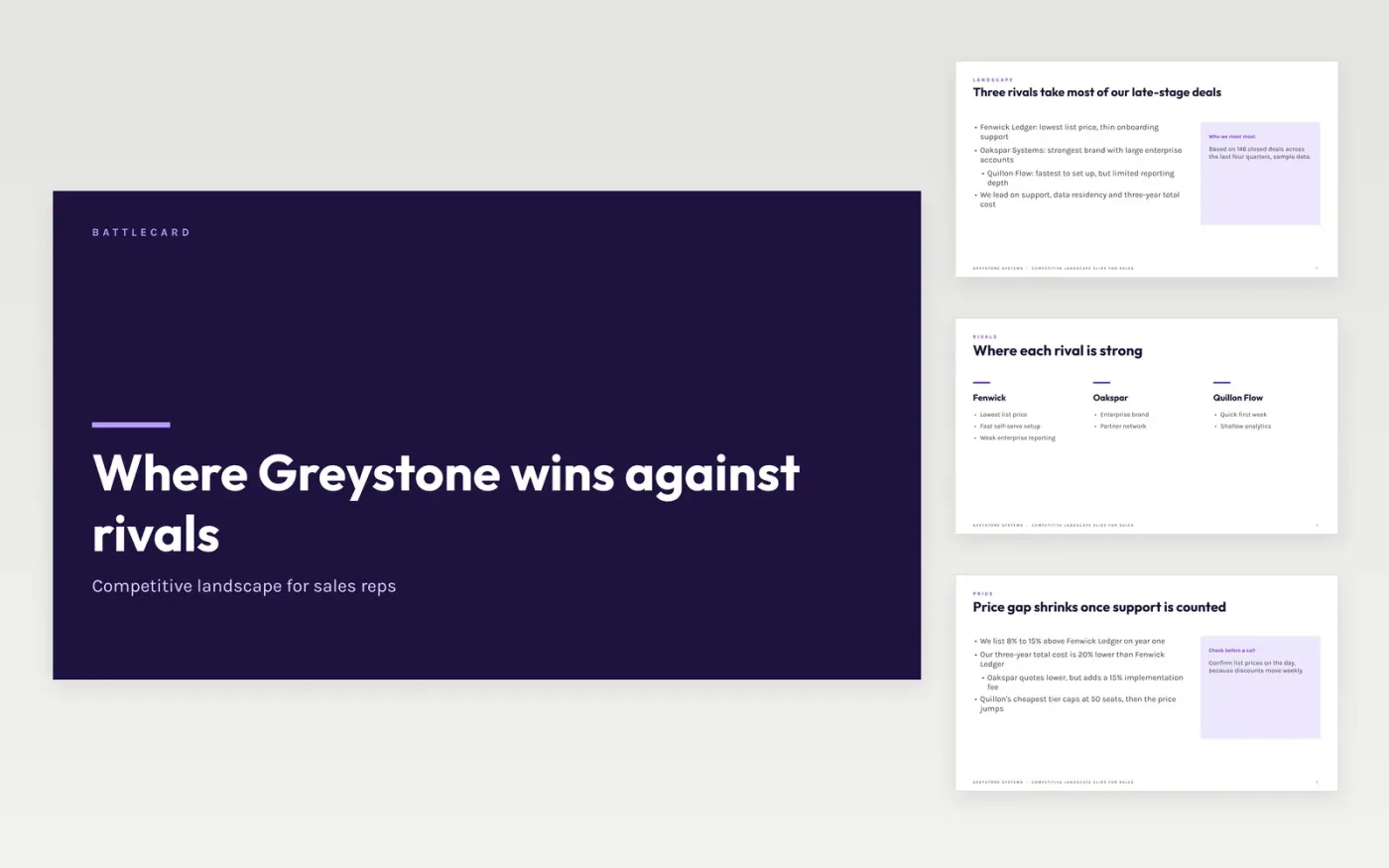
Reps in a live competitive deal often lose minutes hunting for the one fact that matters about a rival. This competitive battlecard template puts the landscape on a single page: a snapshot of each main alternative, then Greystone's own position, the landmine questions that shift a buyer's criteria, five objection replies and the proof behind them. The slides run from the cover through the landscape and our position to a closing contact slide, so a sales manager can check every card in one sitting.
This sales battlecard example uses fictional figures for three rivals, a win rate of 38% to 62% over the last four quarters and a list price gap of 8% to 15% that narrows to 20% lower over three years. Replace the rival facts first and date each one you check. Then rewrite the weaknesses from real deal notes, and keep every reply short enough to say on a call.
Click Make a copy in Google Slides, then confirm on the Google page. The copy is saved to your own Google Drive.
Replace the rival names, sizes and pricing with facts you have checked, and write the date you checked them on slide 2.
Rewrite the where-they-win bullets from real deal notes, and keep each objection reply under 40 words.
Add the card owner, the last-updated date and your CRM win rate on the closing slide, then review it with a manager.
Delete the guide slide, then share the deck with your team or present it from Google Slides.
No. Greystone Systems, its people, its rivals and every figure are fictional sample data, written so readers can see what good looks like. Check each fact against your own sources before a rep uses the card on a call.
Review it each quarter, or sooner when a rival changes its pricing or packaging. Put the owner and the last-checked date on the card so a stale page is easy to spot in a team meeting.
Only after a good rep has said them aloud on a call. Keep the wording under 40 words and test it in role-play so it sounds like the rep rather than a script.
Slides + PowerPoint11 slides
Free
Slides + PowerPoint10 slides
Free
Docs + Word4 pages
Free
Docs + Word3 pages
Free
Docs + Word4 pages
Free
Docs + Word4 pages
Free










