API Documentation
Docs + Word14 pages
Free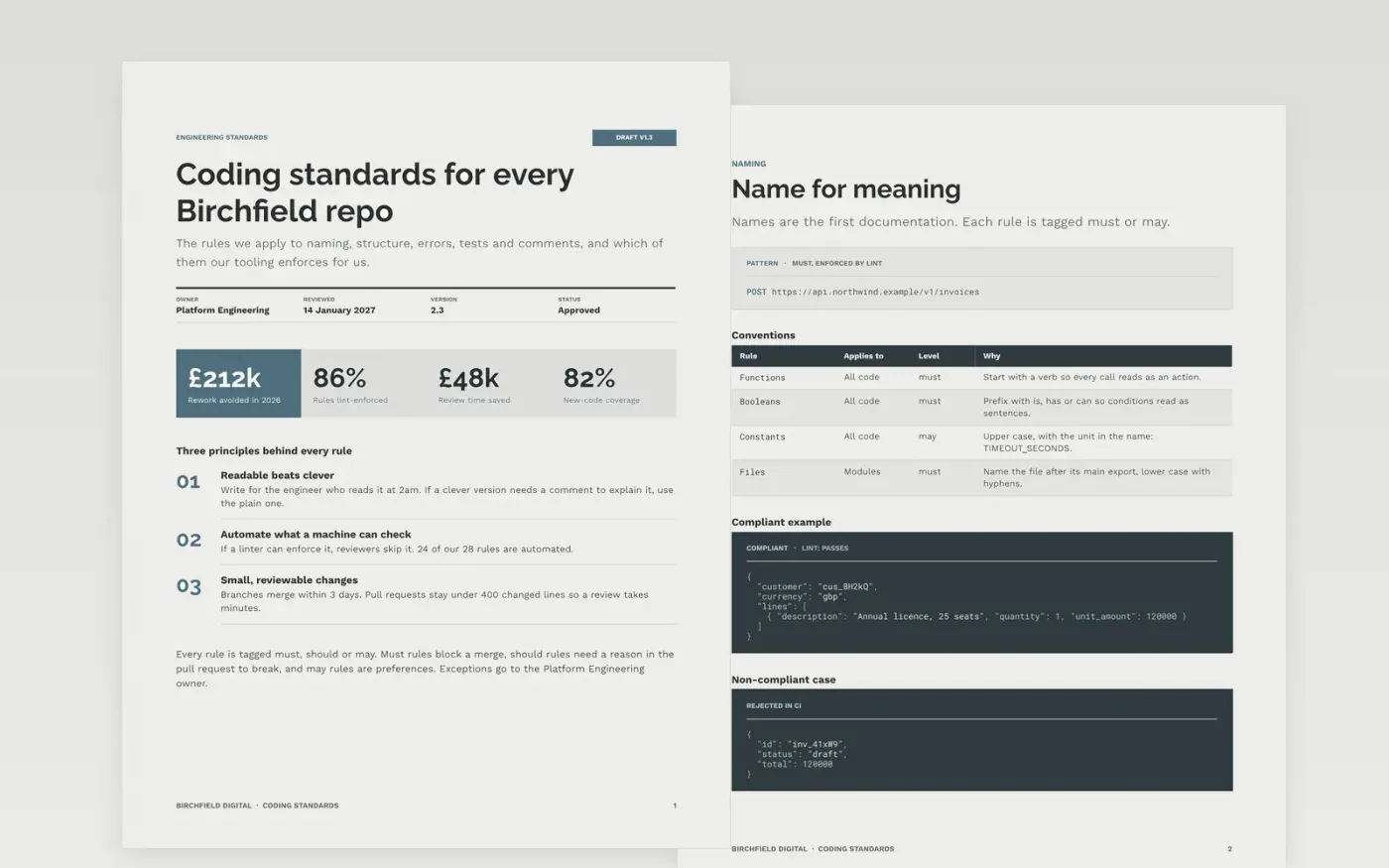
Teams lose hours in review arguing over names, error handling and comment style. This document settles those questions once. Every rule is tagged must, should or may, shows a compliant and a non-compliant example, gives its reason in a sentence and says whether lint or CI enforces it.
The sample is written for Birchfield Digital, a fictional software studio, with 28 rules grouped under six headings, a code ownership page, a ranked error-handling register and a testing checklist with owners and dates. Delete the rules your stack does not need, replace the code with a real before-and-after from your repository and name an owner.
Click Make a copy in Google Docs, then confirm on the Google page. The copy is saved to your own Google Drive.
Pick your language and framework, then delete the rules that do not apply to your stack.
Mark each remaining rule must, should or may, and note which ones lint or CI already enforces.
Replace the sample code with a real before-and-after pair, link your linter and formatter configuration, and add an owner.
Delete the guide page at the end, then share the document with your team.
Yes. The rules are language-agnostic and the examples are short. Keep the headings, swap the sample code for your own language and drop any rule that does not fit.
Use must for rules that block a merge, should for rules that need a stated reason to break, and may for preferences. Anything a linter can check is a good candidate for must.
No. The organisation, the people named and every figure in the sample are fictional. Replace them with your own team, tools and measures before you share it.
More Google Docs templatesMore developer workflows templates
Docs + Word14 pages
Free
Slides + PowerPoint12 slides
Free
Docs + Word16 pages
Free
Docs + Word7 pages
Free
Docs + Word7 pages
Free
Docs + Word8 pages
Free










