
Small Business Operations Manual
Docs + Word8 pages
Free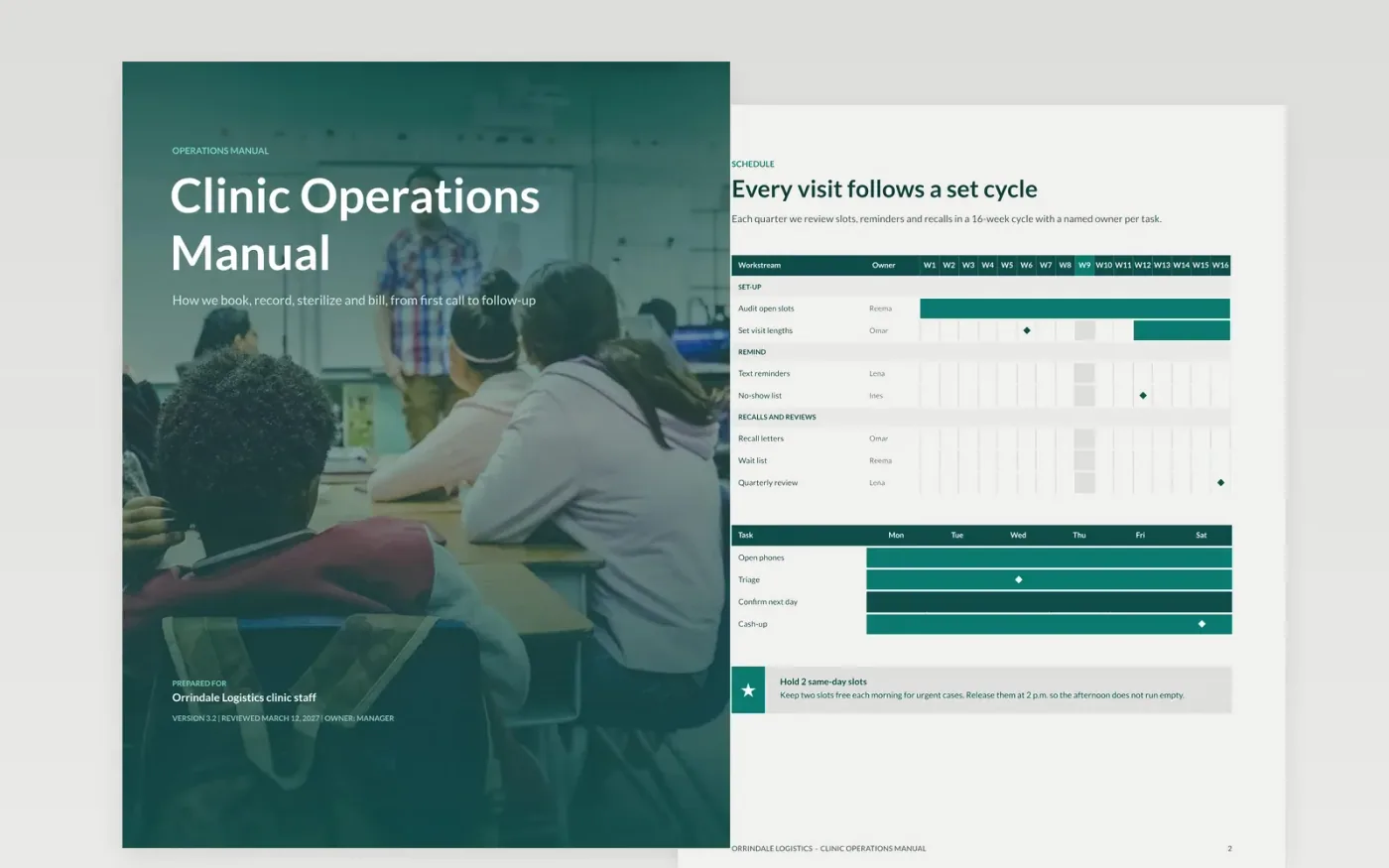
Clinic staff often carry routines in their heads, so a new hire or a locum learns the rules by asking. This manual writes them down in one place: a booking cycle with owners, a chart audit, an infection risk register, a billing policy and an emergency escalation path, ending with a short guide to adapting it.
The sample shows a fictional clinic that audits 680 charts, scores five infection risks and quotes every fee before care. Replace the owners, figures and phone numbers with your own, delete routines you do not run, and print the emergency page for every treatment room.
Click Make a copy in Google Docs, then confirm on the Google page. The copy is saved to your own Google Drive.
Replace the cover details with your clinic name, manual version, owner and the date of your last review.
Update the appointment cycle, chart audit figures and risk register with your own owners, numbers and hazards.
Enter your fees, co-payment and write-off limits on the billing page, and your real phone numbers on the emergency page.
Delete the Make it yours guide page, then share the manual with your team or print the emergency page for each room.
No. The organization, the people, the phone numbers and every figure are fictional sample data. Replace them with your own before sharing the manual.
Yes. The structure of booking, records, infection control, billing and emergencies fits most private practices. Change the risks and fees to match your services.
Review it at least every 6 months, and after any incident, new equipment or change of billing system. Record the owner and next review date on the cover.
More Google Docs templatesMore business operations templates
Docs + Word8 pages
Free
Docs + Word8 pages
Free
Docs + Word7 pages
Free










