
Donor Thank-You Slides
Slides + PowerPoint12 slides
Free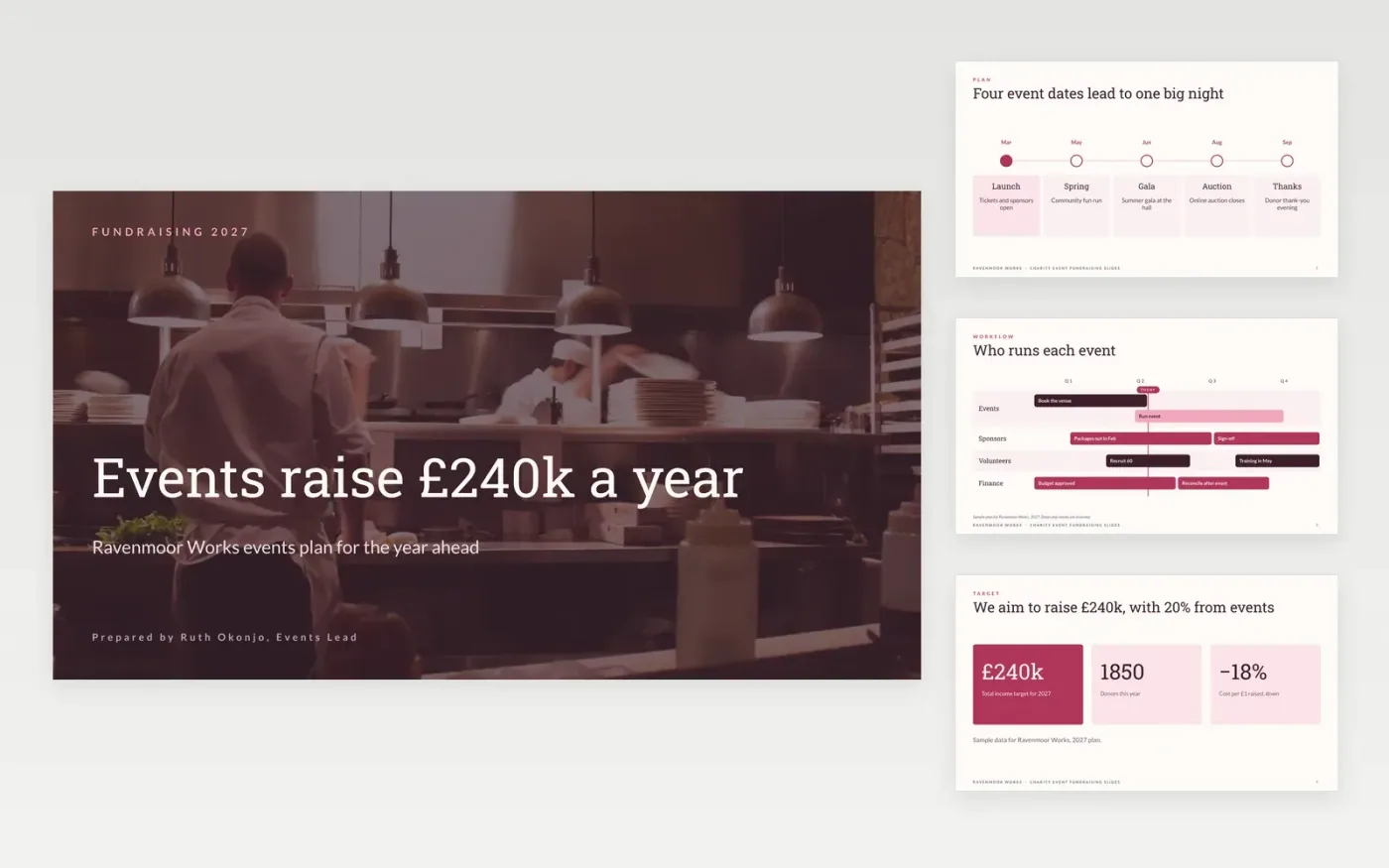
Small charities often run several events a year without one view of the income they need or the progress they have made. This twelve-slide deck gives a fundraising team one place to plan and report: a timeline of event dates, an income target, a progress scorecard, sponsor packages, ticketing and an income mix chart. Each slide is short enough to share with trustees and volunteers.
The sample is for Ravenmoor Works, a fictional community group, with invented dates, prices, sponsors and results. Replace the events, targets and prices with your own, and check each raised figure against your accounts before the deck goes to trustees. Keep the sponsor packages clear, with one ask per tier.
Click Make a copy in Google Slides, then confirm on the Google page. The copy is saved to your own Google Drive.
Replace the event names, dates and targets with your own plan.
Check every raised figure against your accounts before you publish it.
Update the sponsor packages and ticket prices with your current rates.
Delete the guide slide, then present the deck or share it with trustees.
No. Ravenmoor Works, its events lead, the fundraising targets, sponsors, prices and results are fictional sample content. Replace them with your own details before you share the deck with trustees.
Show the share of income from each source, and make the categories match your accounts. The sample groups legacies with individual gifts, so say so on the slide if your accounts treat them differently.
A sponsor is a business or person who gives money or goods in return for named recognition, such as a logo or a table. Agree the benefits in writing, and report back within 30 days of each event.
More Google Slides templatesMore business operations templates
Slides + PowerPoint12 slides
Free
Slides + PowerPoint10 slides
Free
Slides + PowerPoint11 slides
Free
Slides + PowerPoint10 slides
Free
Docs + Word6 pages
Free
Docs + Word7 pages
Free
Docs + Word7 pages
Free
Docs + Word8 pages
Free










